-or-
If you are installing the B706, modify the extensions and attach them to the finisher. Go to "".
Attaching the Extensions for the B706
• The procedures in this section are for installation of the cover interposer with the B706 only.
• If you are installing the cover interposer with the B700, go to the next section.
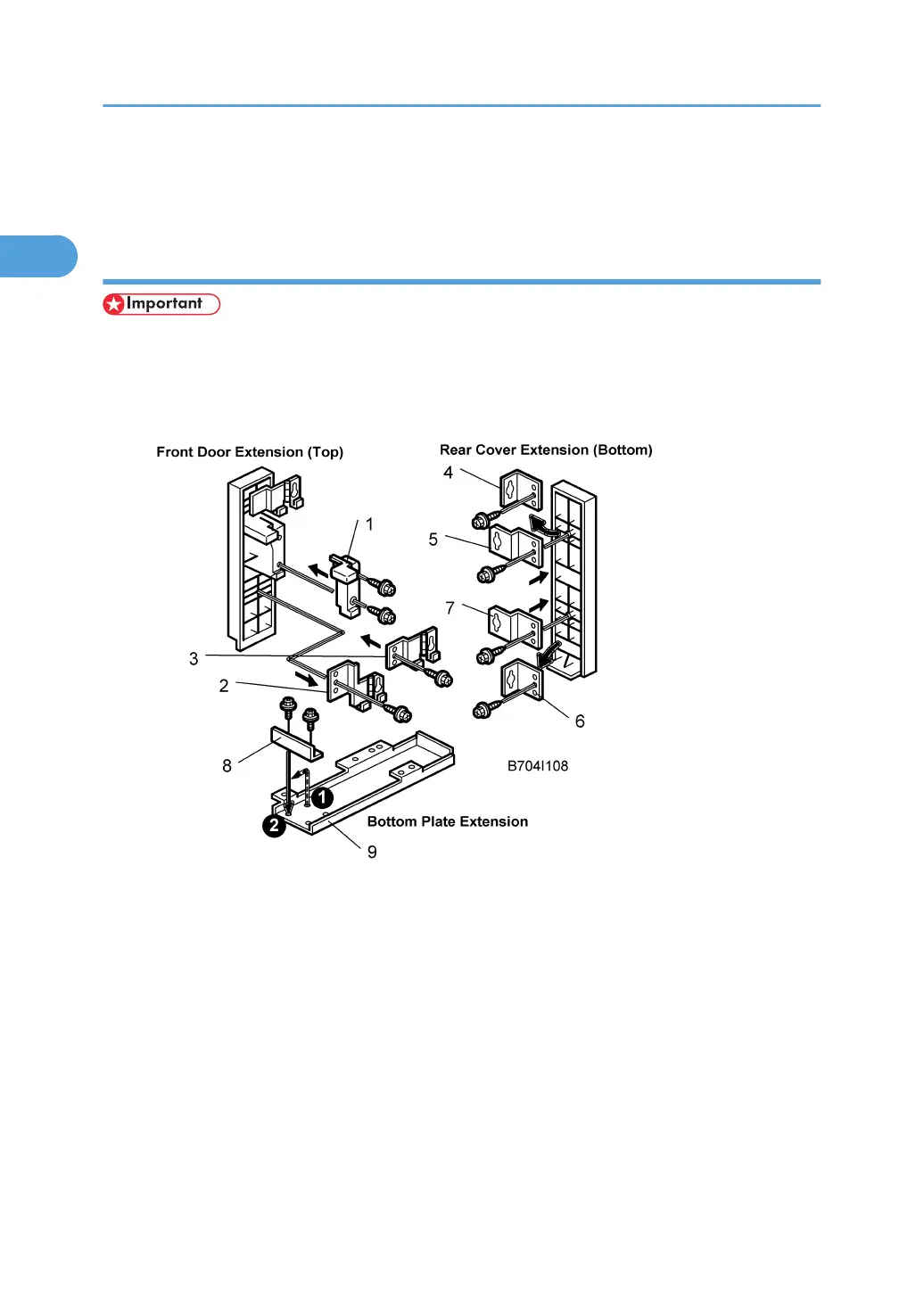
Modify the Attachments for the B706
Front Door Extension:
1. Attach spacer [1] to the front door extension (top) ( x 2).
2. Remove the lower hinge [2] and replace it with [3] ( x 2).
Rear Cover Extension (Bottom):
1. Remove [4] and replace it with [5] ( x 1).
2. Remove [6] and replace it with [7] ( x 1).
Plate Extension (Bottom):
1. Remove bracket [8] from ¶ and attach it to · on the end of the bottom plate extension [9]
( x 2).
1. Installation
100



 To Next Page