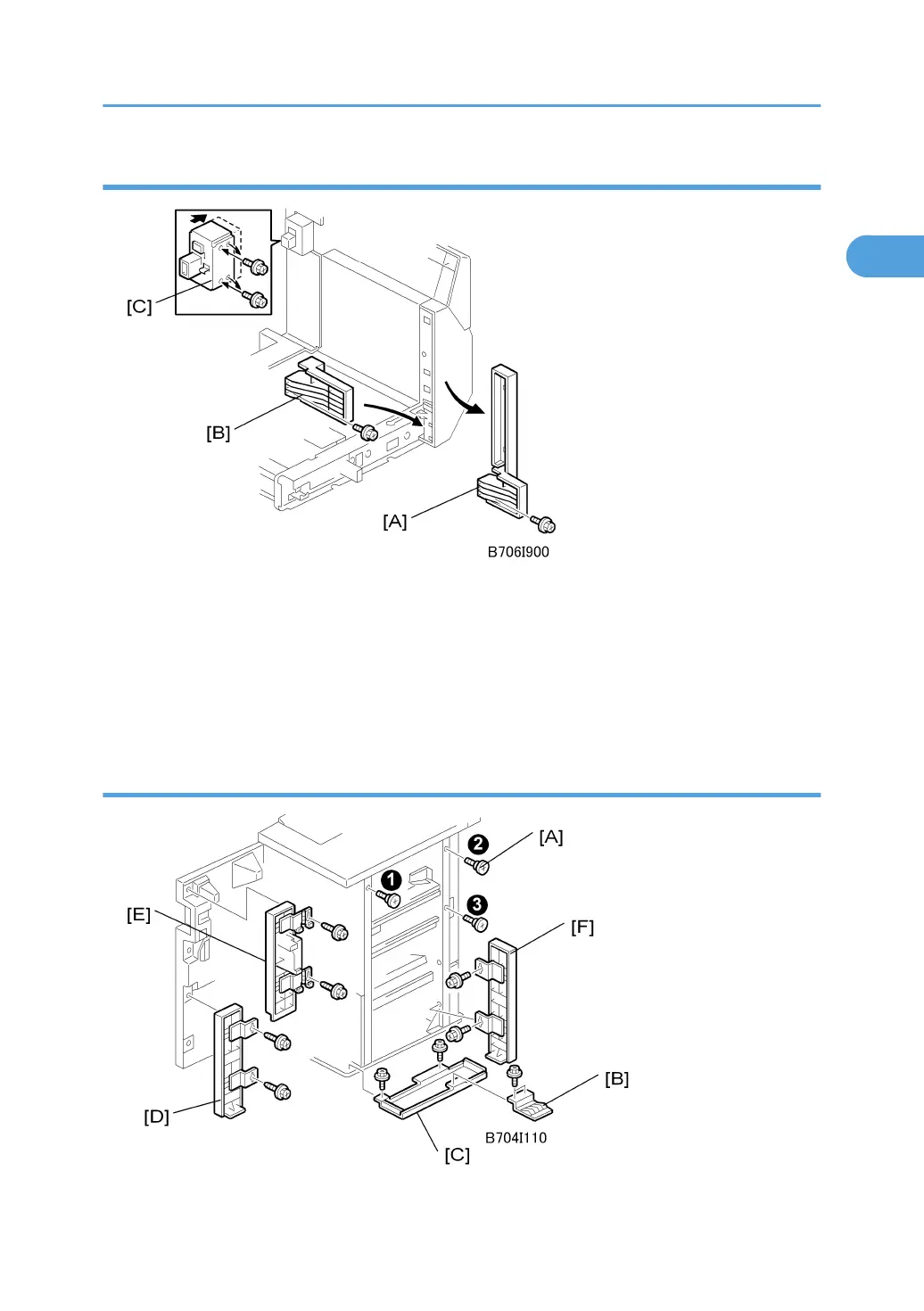
Preparing the Cover Interposer for the B706
1. Remove spacer [A] ( x1).
2. Attach spacer [B] ( x1).
3. Remove the screws from the connector case [C] ( x2).
4. Push the connector case in the direction of the arrow until the second set of holes are aligned
with the holes below, then attach the screws.
Attaching the Extensions to the B706
Cover Interposer Tray (B704)
101



 To Next Page