Drum Re-installation
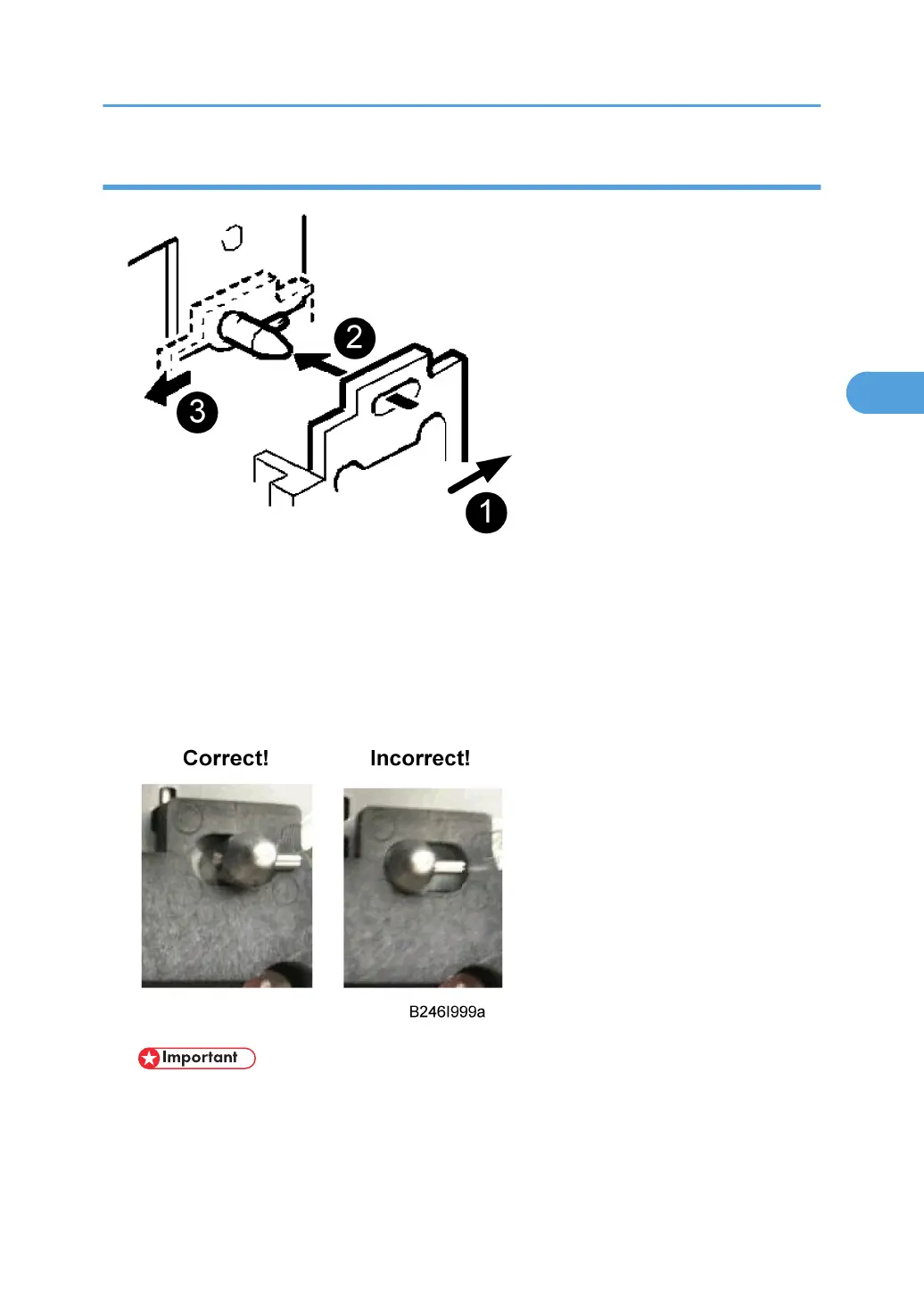
1. Push the development unit to the right ¶.
2. While continuing to hold the unit to the right, push it into the machine.
3. Confirm that the pin [A] goes into the left side of the oval hole [B] in the development unit
plate.
4. Push the development unit in completely · until it stops, then push it to the left ¸.
5. Make sure you can see the horizontal pin in front of the plate as shown below.
• If you cannot move the development unit plate behind the horizontal pin, turn the front gear of
the unit to the left and try again.
• Make sure the pipeline shutter is rotated down to the open position.
6. Reattach all removed parts.
Drum Unit
147



 To Next Page