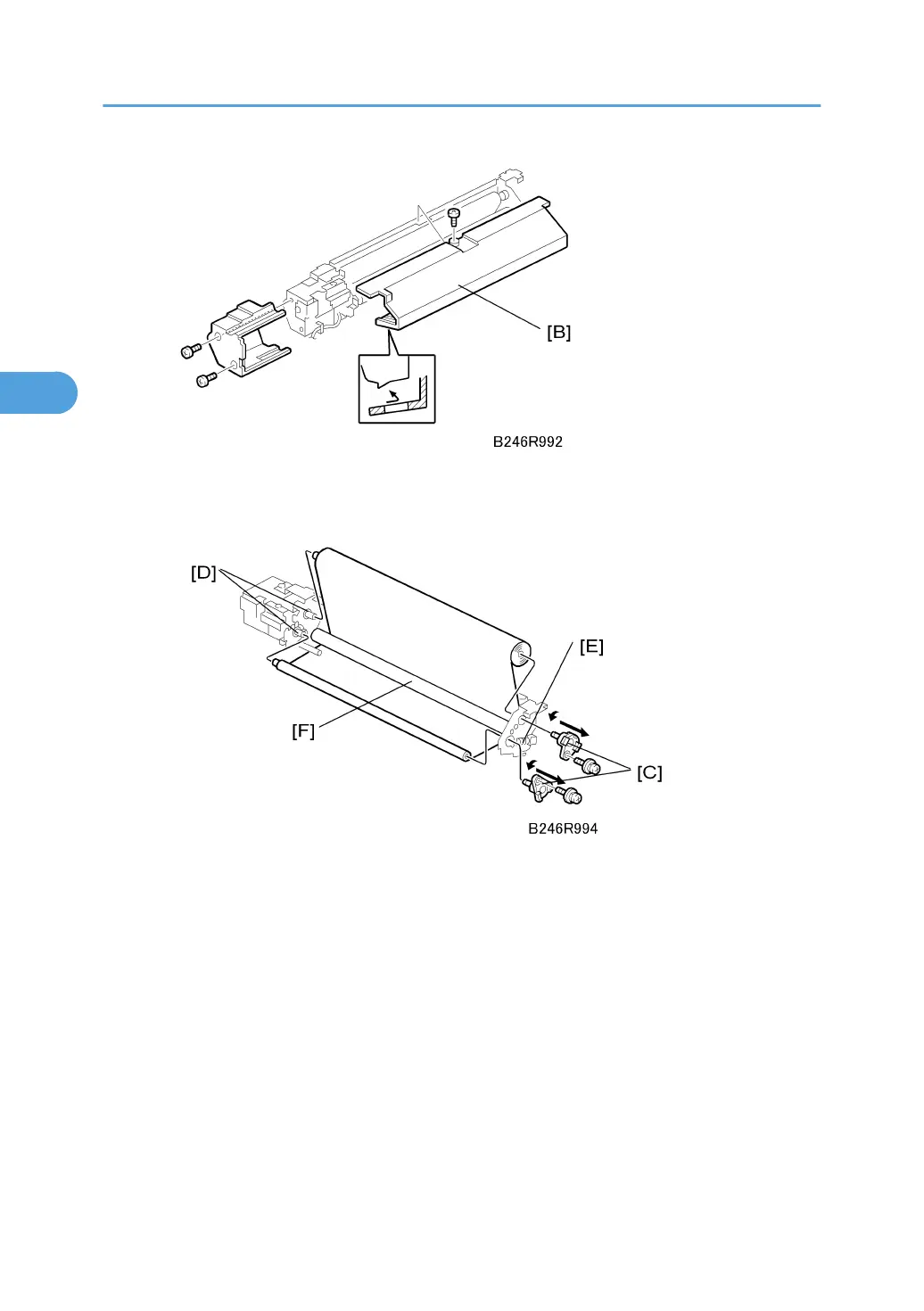
3. Upper cover [B] ( x 1)
• Rotate the cover down slightly to remove.
4. Web shafts [C] ( x 2)
5. Remove the web cleaning rollers from the shaft driver pins [D].
6. Web bushing [E] (spring x 1)
7. Cleaning roller [F]
Reinstallation
• After replacing the web with a new one, you must execute SP1902-001 (Fusing Web Used Area
Display/Setting) to reset the web consumption count to zero. This SP code must be executed to release
SC550.
• Be sure to print an SMC report before executing Memory All Clear (SP5801). After executing
SP5801, be sure to re-enter the value recorded for SP1902-001 in the SMC report.
3. Replacement and Adjustment
182



 To Next Page