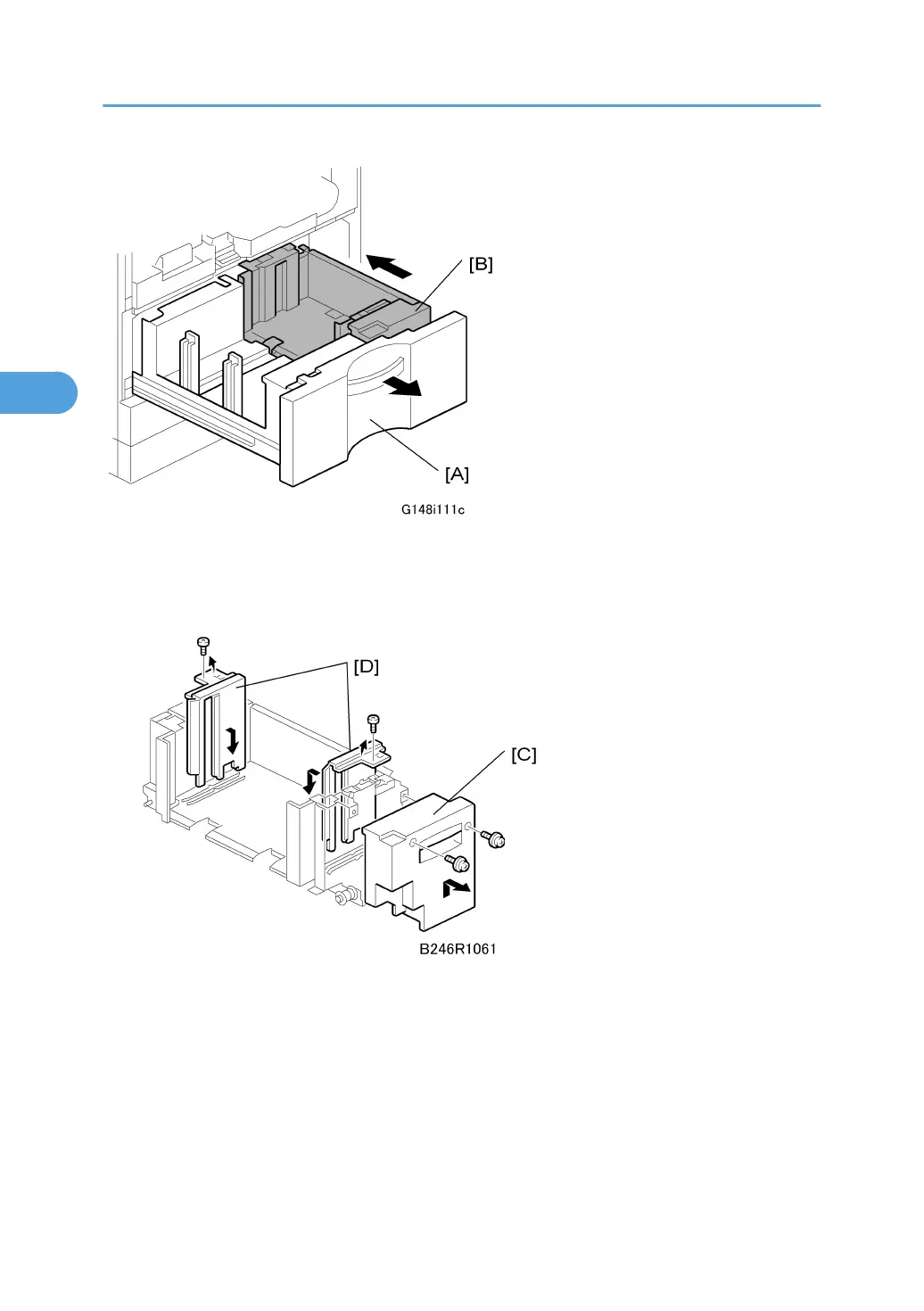
1. Open the front cover.
2. Completely pull out the tandem feed tray [A] to separate the right tandem tray [B] from the
left tandem tray.
3. Remove the right tandem inner cover [C] ( x 2).
4. Re-position the side fences [D] ( x 1 each).
• A4: Outer slot position
• LT: Inner slot position
5. Re-install the right tandem inner cover.
3. Replacement and Adjustment
212



 To Next Page