DIMMs
• Follow the procedure below to connect the DIMMs to the controller board. Incorrect insertion can
damage the controller board or cause a bad connection between the DIMM and controller con-
tacts.
• If the upper contact is pressed in and bent, the resulting poor connection could cause the entire
system to not operate.
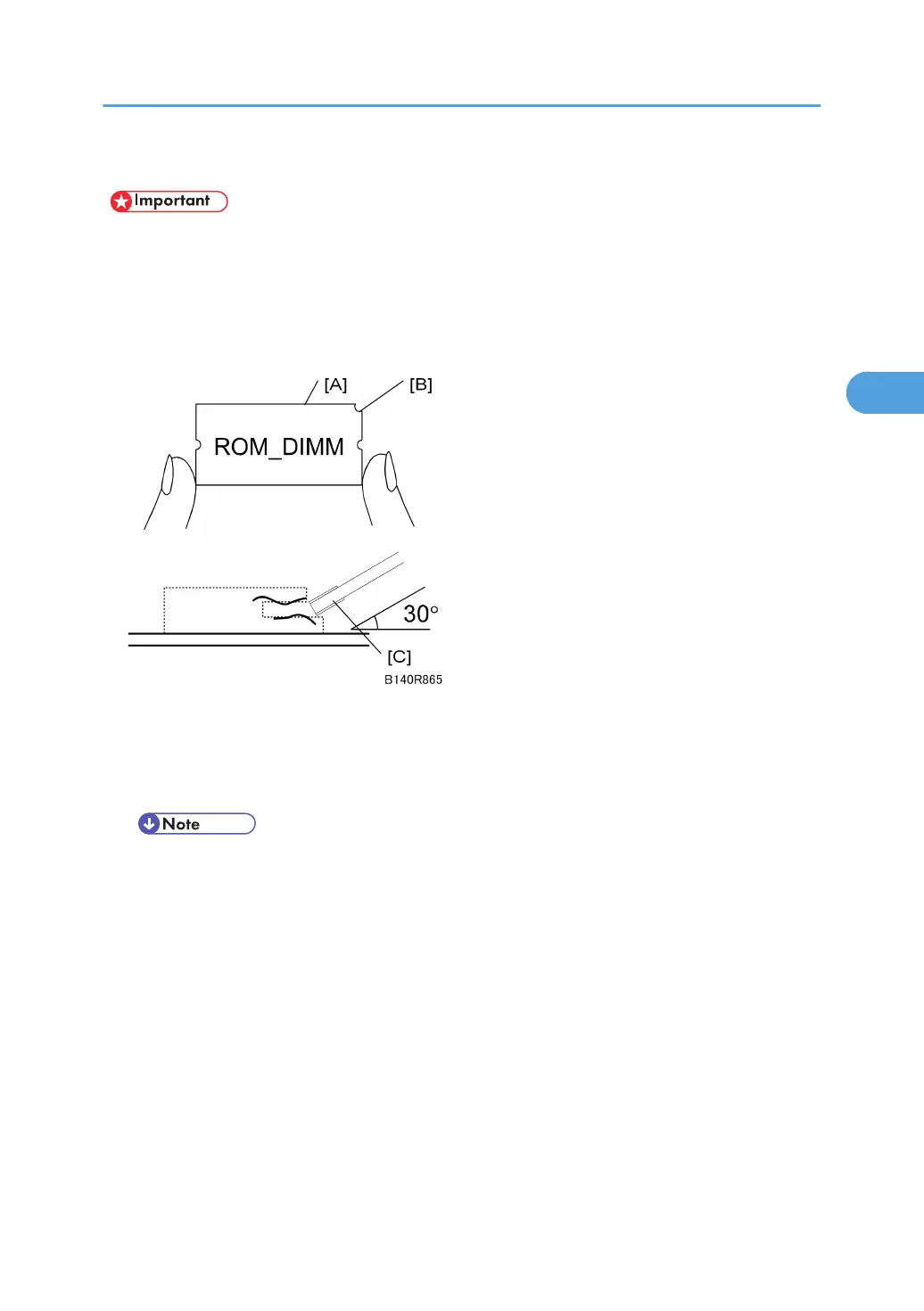
1. Hold the ROM DIMM with the edge connector [A] pointing toward the slot and the notch [B]
on the DIMM in the upper right corner.
2. Insert the edge connector [C] into the slot at a 30-degree angle from the surface of the board.
• If the angle is too low, the upper contact could bend.
3. Move the outside edge of the ROM DIMM up and down slightly until it works into the con-
nector, then gently press it down level with the controller board.
PCBs and HDD
227



 To Next Page