Tray 3 (Universal Tray) SP1002-003
Tray 4 SP1002-004 Japan Only
LCT SP1002-006 0±1.5
Duplex Tray SP1002-007 0±1.5
Blank Margin
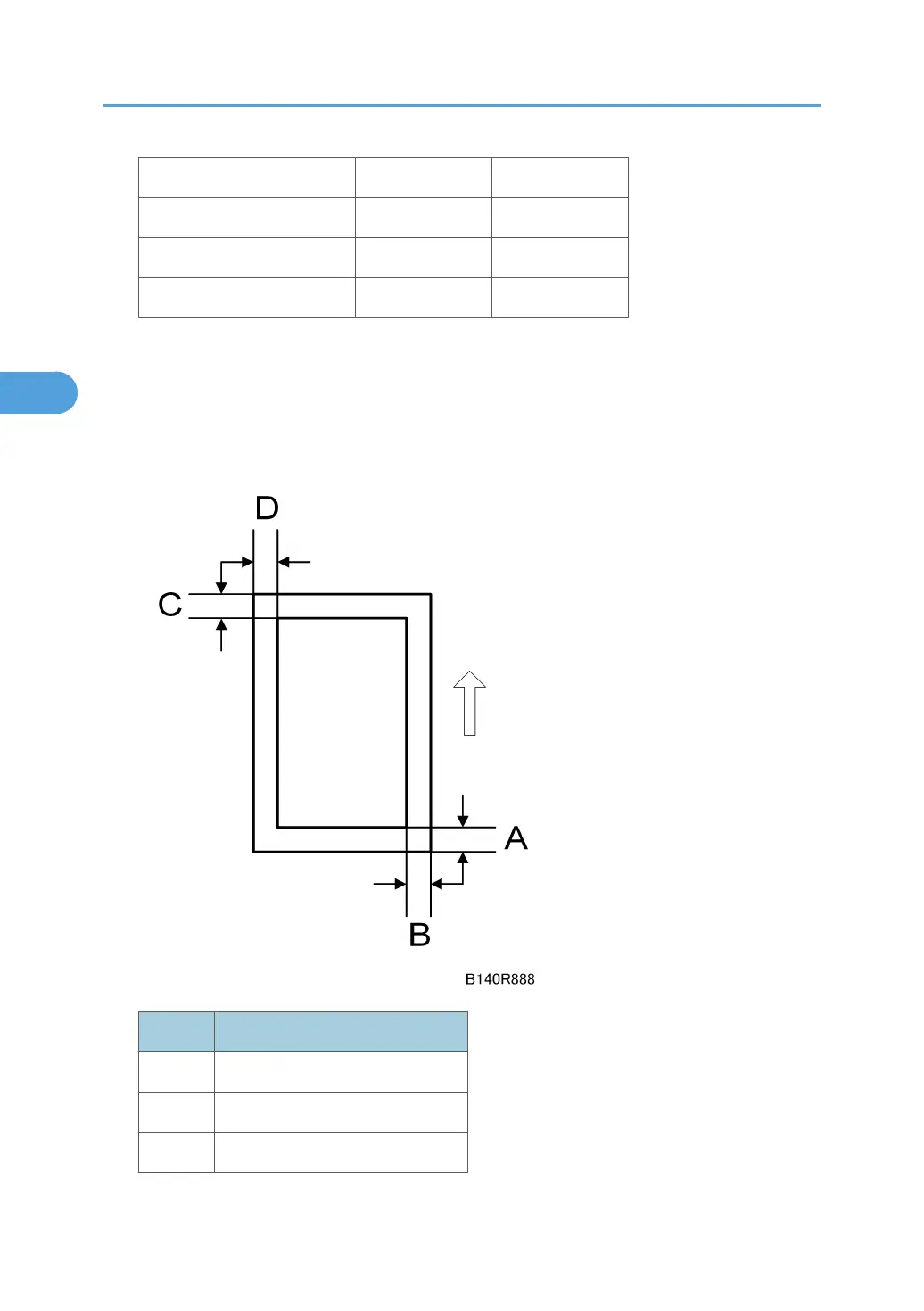
If the leading edge/side-to-side registration cannot be adjusted within specifications, adjust the leading/
left side edge blank margin.
1. Check the trailing edge and right edge blank margins, and adjust them with the following
SP modes.
Letter What It Means
A Trailing edge blank margin
B Right edge blank margin
C Leading edge blank margin
3. Replacement and Adjustment
234



 To Next Page