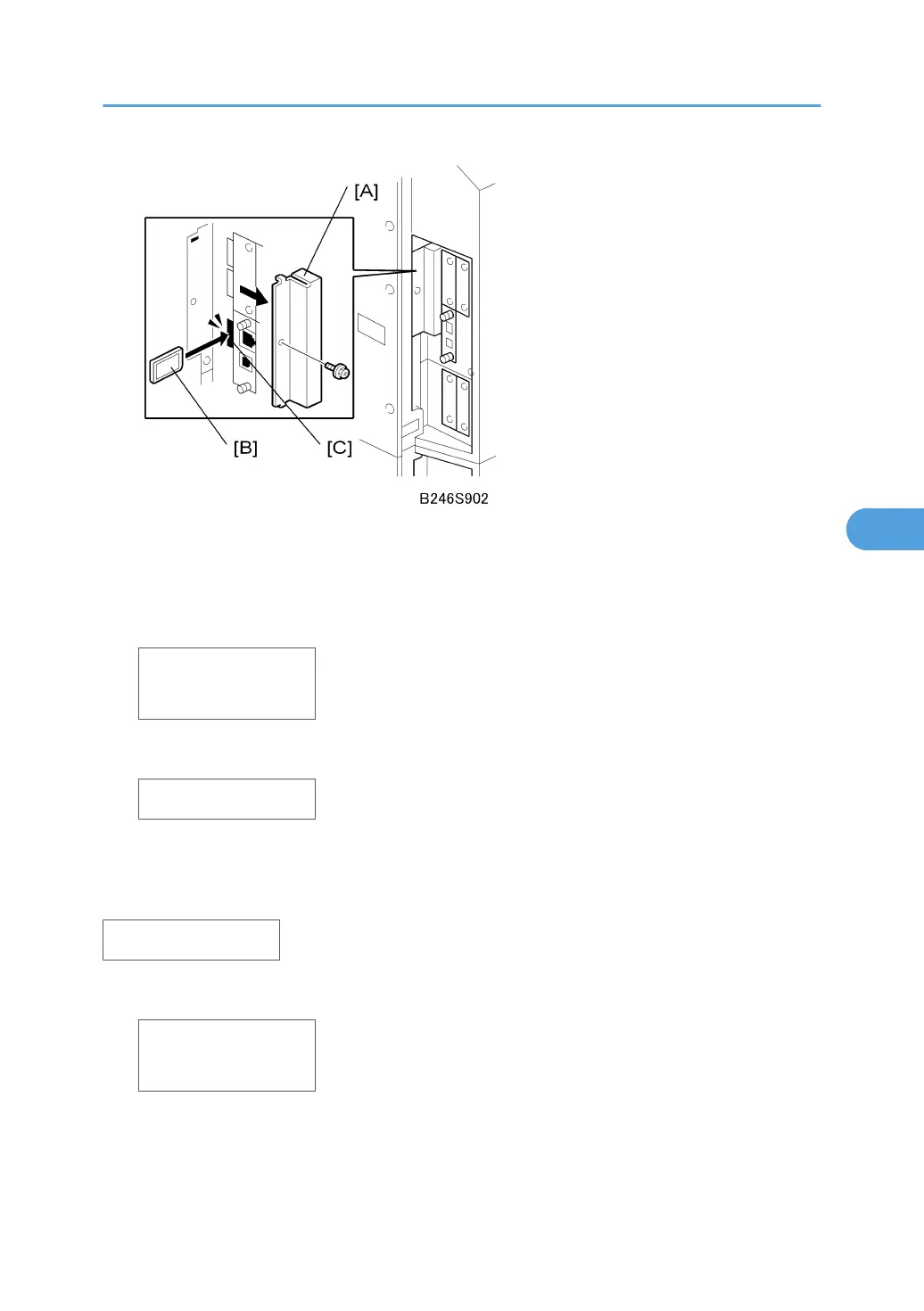
3. Remove the SD card slot cover [A].
4. Hold the SD card [B] (the surface with printing must be away from the front of the machine),
and install the SD card in Slot C3 [C].
5. Turn on the machine.
RICOH
Aficio SP 9100DN
Wait about 60 sec. for the Power and Alert LEDs to light and for the first module selection to appear.
Engine
Reviewing the Module Statuses
When the machine is in the firmware update mode, follow this procedure to review the status of the firmware
modules.
Engine
1. Push [Menu] to display the name of the first module.
ROM : G1485127
NEW: G1485127
• "ROM" is the name of the module in the machine.
• "NEW" is the name of the module on the SD card.
2. Push [Menu] again to display the version numbers of the modules.
Service Program Mode
307



 To Next Page