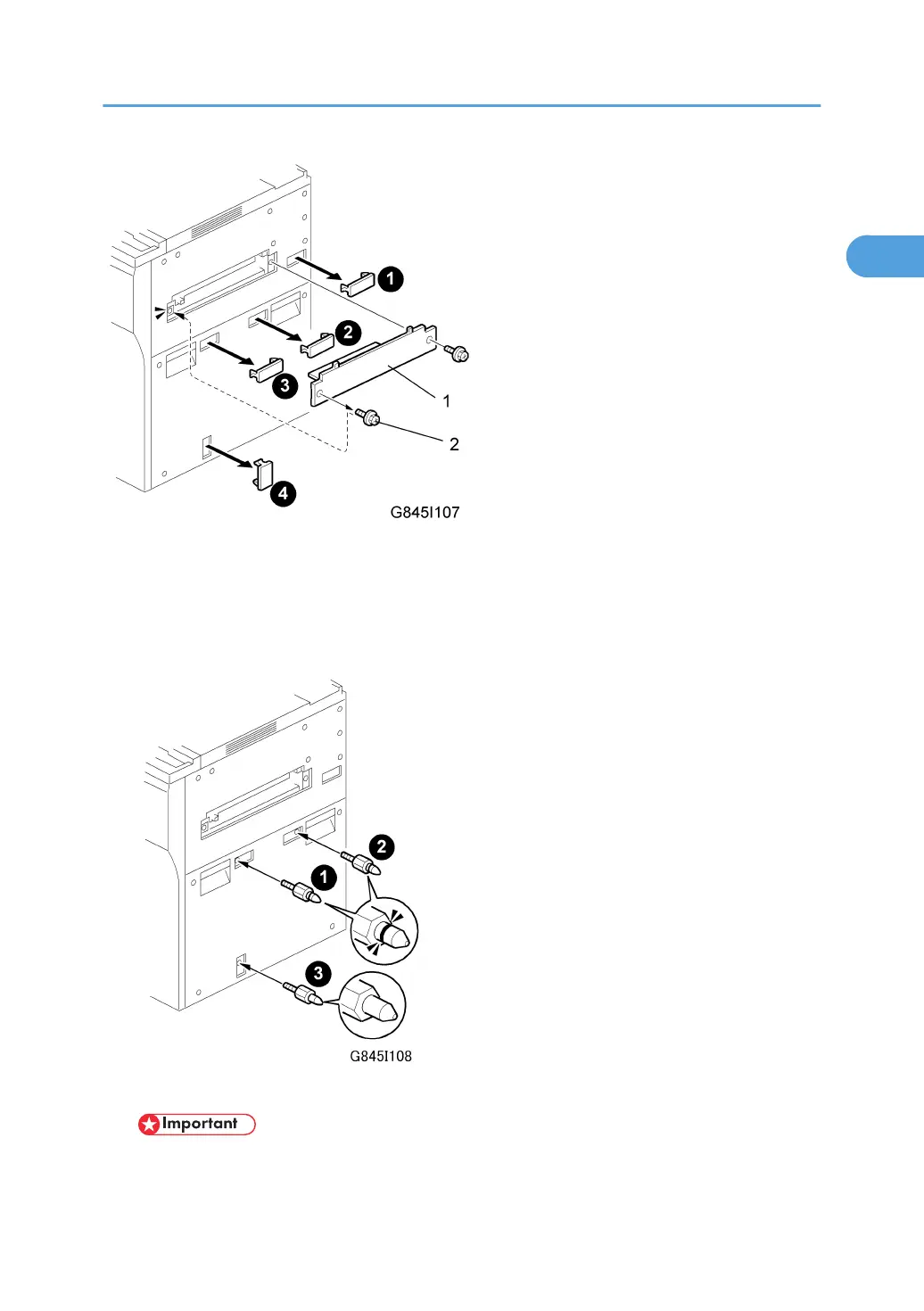
1. Remove the LCT installation cover [1] from the right side of the machine. ( x 2).
2. Keep the screw on the left [2]. You will need it to install the LCT.
3. Remove the LCT connector cover ¶¶.
4. Remove the docking pin hole covers ·, ¸, ¹.
5. Insert the two upper docking pins (grooved) ¶, · into the upper slots.
• For docking pins ¶, · use the black pins that are provided with the G845 kit. Do not use the
pins provided with the LCT.
LCT (B473)
53



 To Next Page