6. Insert the lower docking pin ¸ into the lower slot.
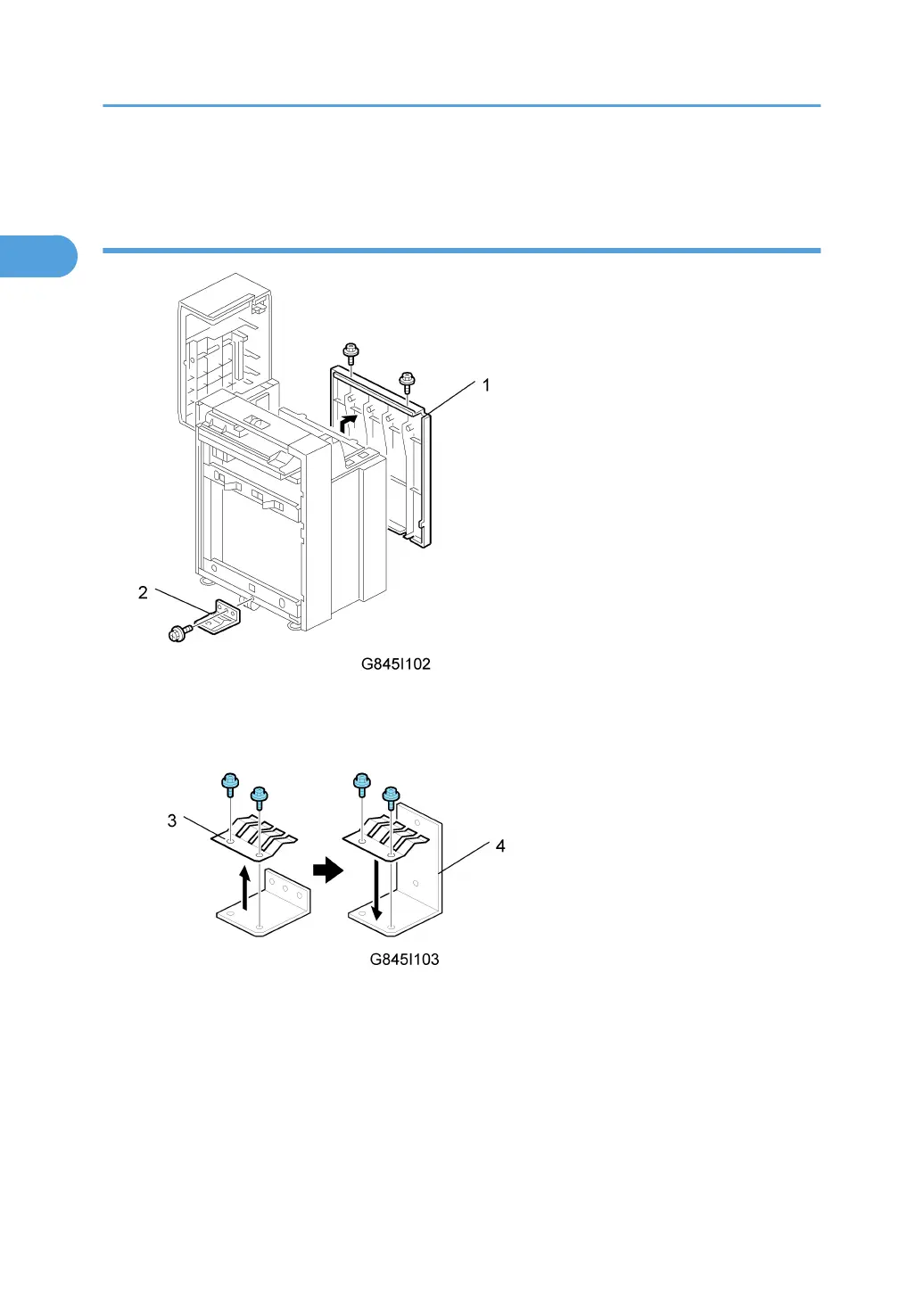
Installing the LCT Connection Unit
1. Remove the right cover [1] of the LCT (x2).
2. Remove the ground plate [2] attached to the LCT (x1).
3. From the ground plate you have just removed from the LCT, remove the ground plate con-
tacts [3] (x2).
4. Attach the ground plate contacts to the larger plate [4] that is provided with the connection
unit (x2).
1. Installation
54



 To Next Page