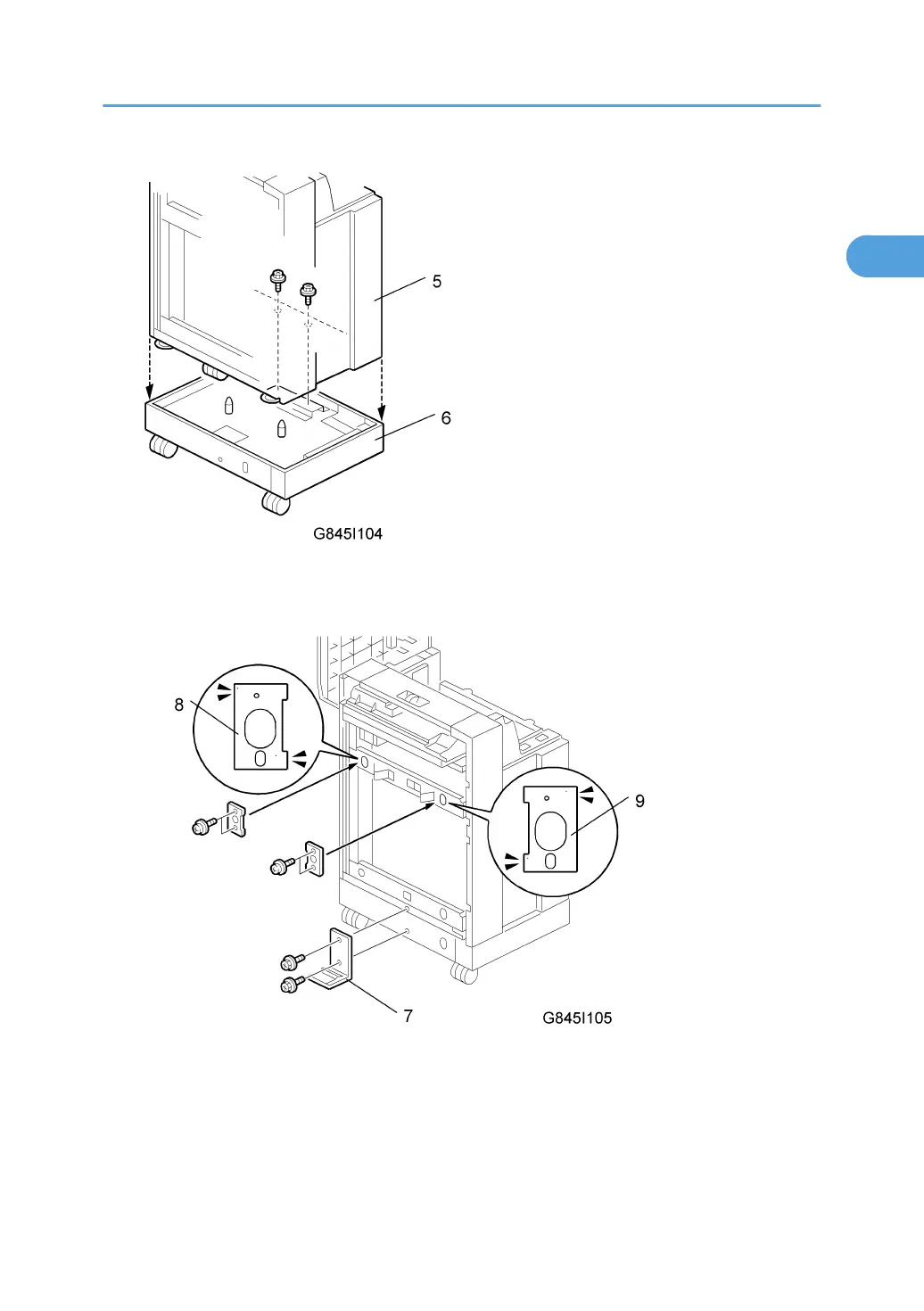
5. Set the LCT [5] on the connection unit base [6].
6. Attach the LCT to the connection kit base (x2).
7. Attach the ground plate [7] to the LCT (x2).
8. Attach the rear space adjuster [8] and front space adjuster [9] as shown (x2).
• Align each space adjuster on the bosses with the square cut-out on the inside edge, and with
the oval hole pointing down as shown.
LCT (B473)
55



 To Next Page