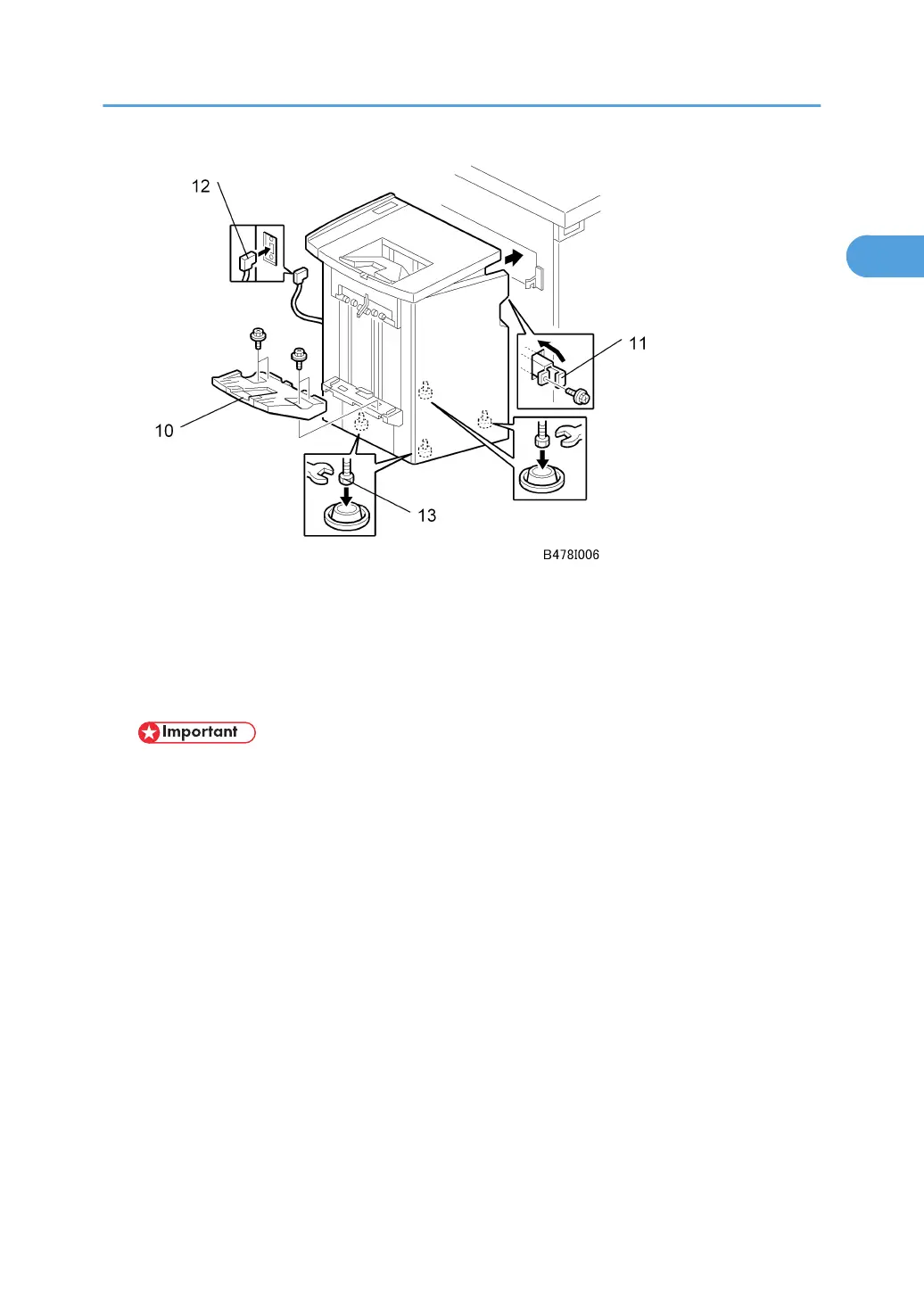
8. Attach the shift tray [10] ( x 4) (M3 x 8).
9. Open the front door of the finisher, and remove the screw from the locking lever, then pull
out the locking lever [11].
10. Align the finisher on the joint brackets, and lock it in place by pushing in the locking lever
[11].
• Before securing the locking lever, make sure that the top edges of the finisher and the machine
are parallel from front to rear.
11. Secure the locking lever [11] ( x 1) and close the front door.
12. Connect the finisher cable [12] to the machine.
13. Set the leveling shoes [13] (x 4) under the feet and level the machine.
3000-Sheet Finisher SR842 (B706)
71



 To Next Page