Chapter 9 Replacing Consumables
146
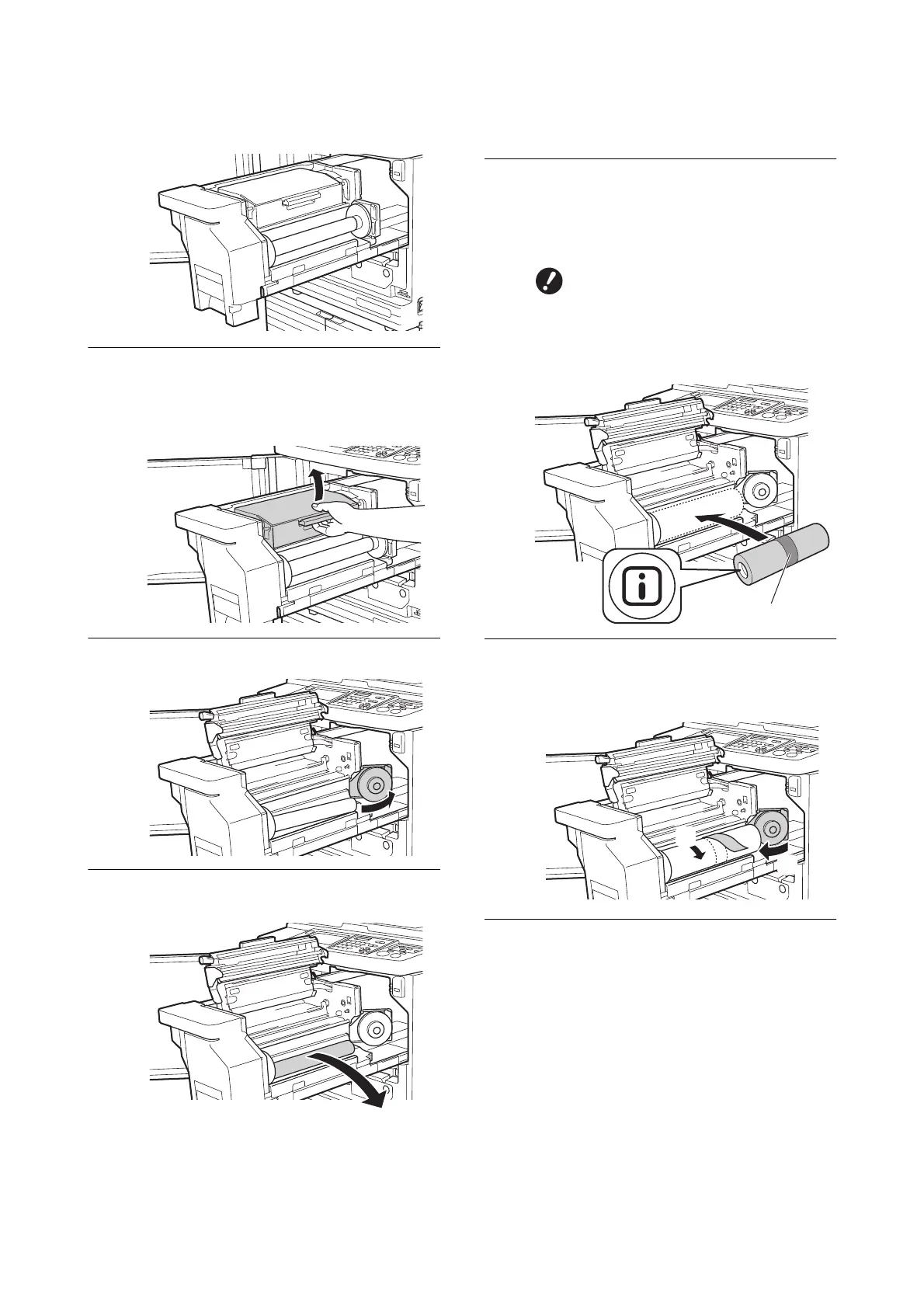
2 Pull out the master making unit slowly as far
as it will go.
4
Open the master making unit
cover.
While grasping the handle, open the master
making unit cover.
5
Open the master roll holder.
6
Remove the depleted master core.
• Dispose of the depleted master core accord-
ing to the disposal regulations of your local
community.
(A 153 “Collecting and Disposing of Depleted
Consumables”)
• Clean the thermal print head.
(A 156 “Maintenance”)
7
Set a new master roll.
Remove the package (transparent film) of the
master roll. Set the master roll so that the [
I
]
symbol is located on the left.
8
Close the master roll holder.
1 Close the master roll holder.
2 Remove the tape.
9
Insert the leading edge of the mas-
ter roll under the master guide
flap.
1 Insert the leading edge of the master roll
under the master guide flap and advance it
as far as it will go.
BTake care not to scratch the [
I
]
section. If the [
I
] section is bent
or cut at a perforation, the master
roll will become unusable.
BDo not remove the tape yet.
Leave the tape as it is.
1
2



 To Next Page