Chapter 11 Troubleshooting
178
(Continued from the previ-
ous page)
Check if the paper stripper
pressure is adjusted prop-
erly.
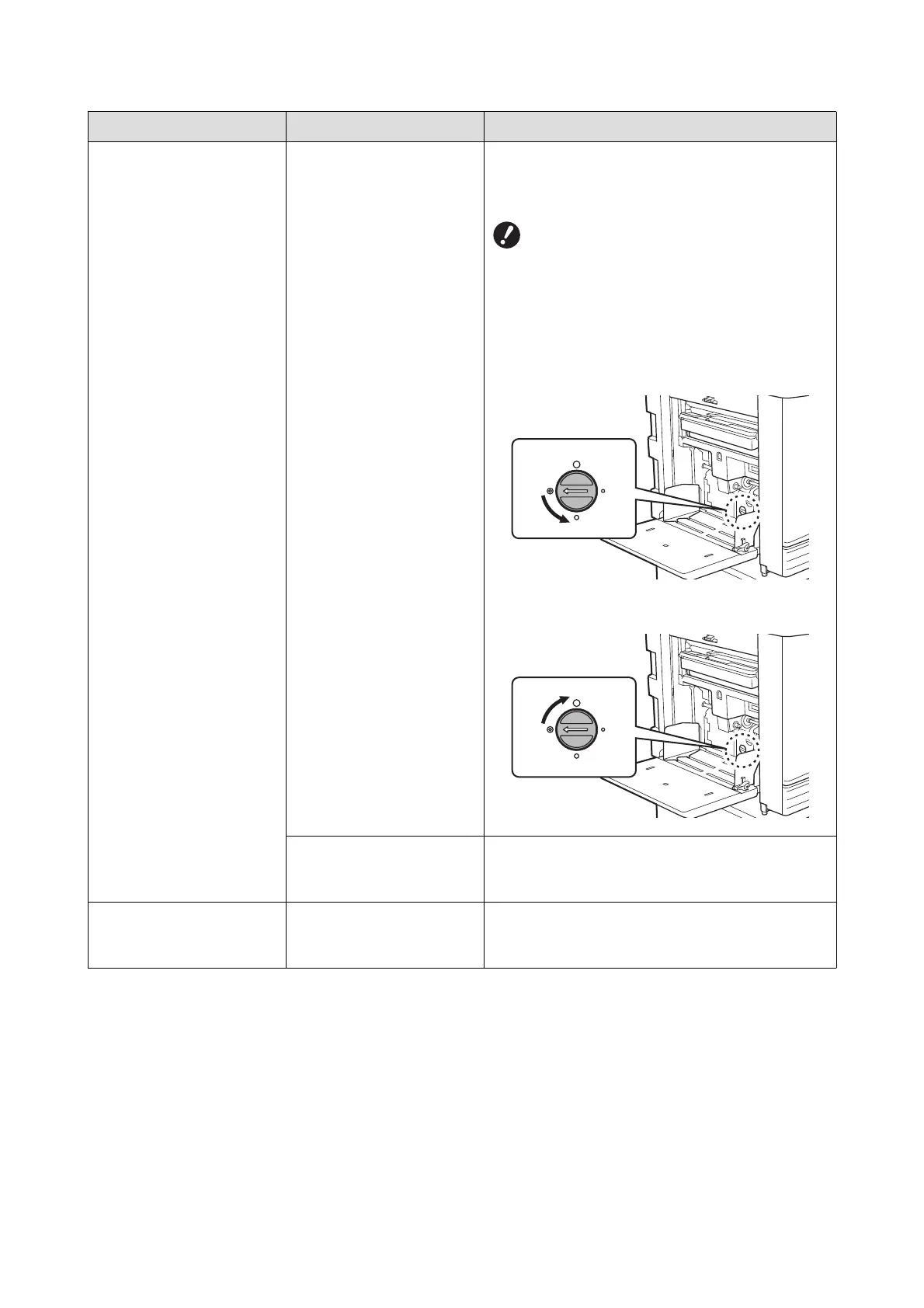
Turn the adjustment dial for the stripper pressure to
adjust the stripper pressure in accordance with the
paper conditions.
BBefore the adjustment, be sure to
remove any papers from the paper feed
tray, and then confirm that the paper
feed tray has lowered to the bottom.
■ When papers that tend to produce paper dust
are used
When papers are skipped
When the back side of postcards is peeling
Turn the dial counterclockwise.
■ When multiple papers are fed
Turn the dial clockwise.
Check if [Paper Feed Adj.] is
set properly.
Set [Paper Feed Adj.] (A 82) as necessary. For
appropriate adjustment values, consult your dealer
or authorized service representative.
The printed paper is peeling,
or the leading edge becomes
wrinkled.
Check if the angle of the
stripper plate is appropriate.
Turn the adjustment dial (A 177) for the stripper
plate angle to adjust the angle of the stripper plate.
Problem Point to check Action



 To Next Page