5. FASTENING SETTING mode (Type S)
5-22
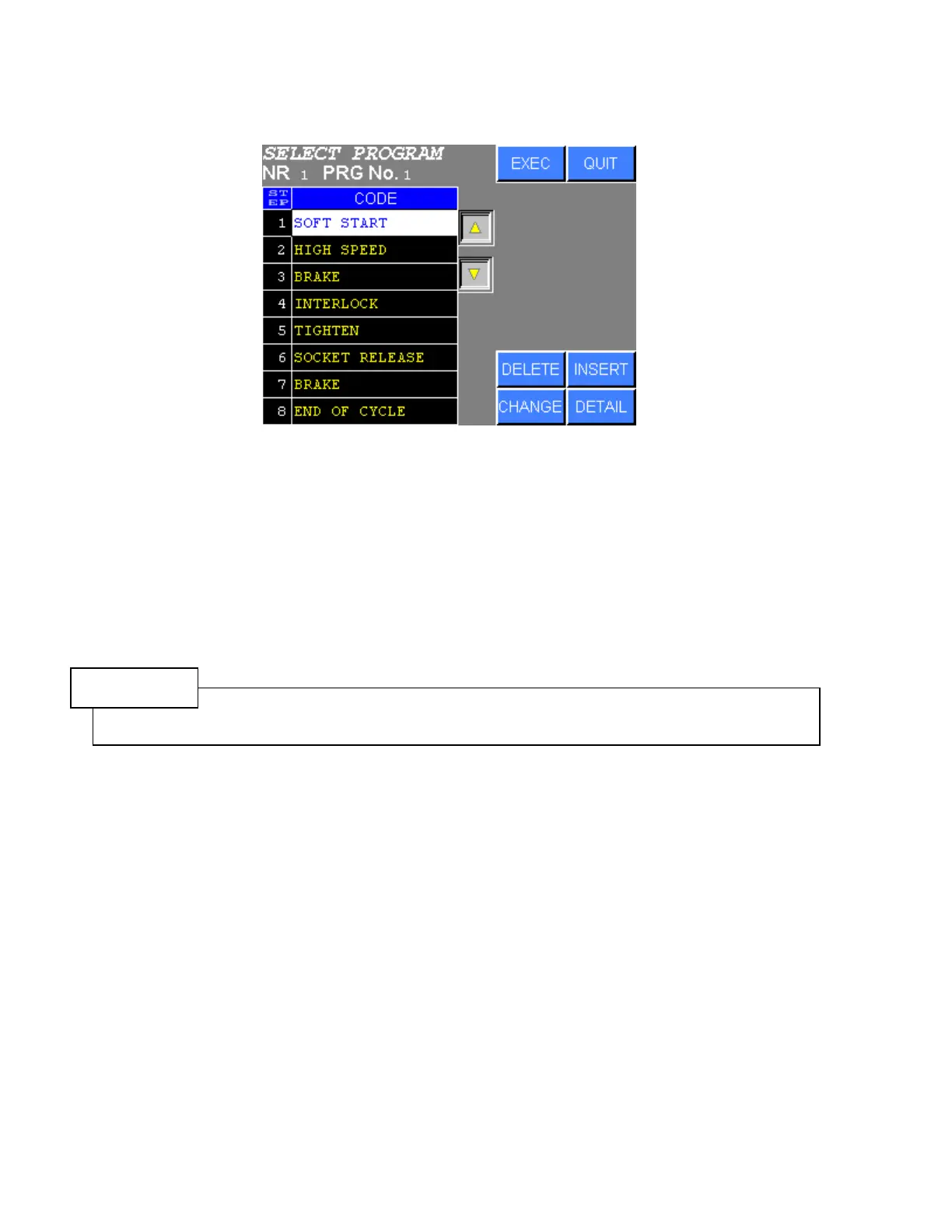
●Setting the SELECT PROGRAM
Figure 5.3-6 SELECT PROGRAM SETTING
1) Move the cursor to the desired item using “△▽” touch key.
2) Press DELETE to delete the selected step.
3) Press INSERT to insert NOP step to the selected step.
4) Press CHANGE to change the command of the selected step.
5) Press DETAIL to set the detail of the selected command codes.
NOTE
The initial setting values are set when the contents of the command are changed by CHANGE key.
Press DETAIL to set the detail of the command codes.



 To Next Page