U.4.44
SEL-421 Relay User’s Guide Date Code 20090715
Basic Relay Operations
Reading Oscillograms, Event Reports, and SER
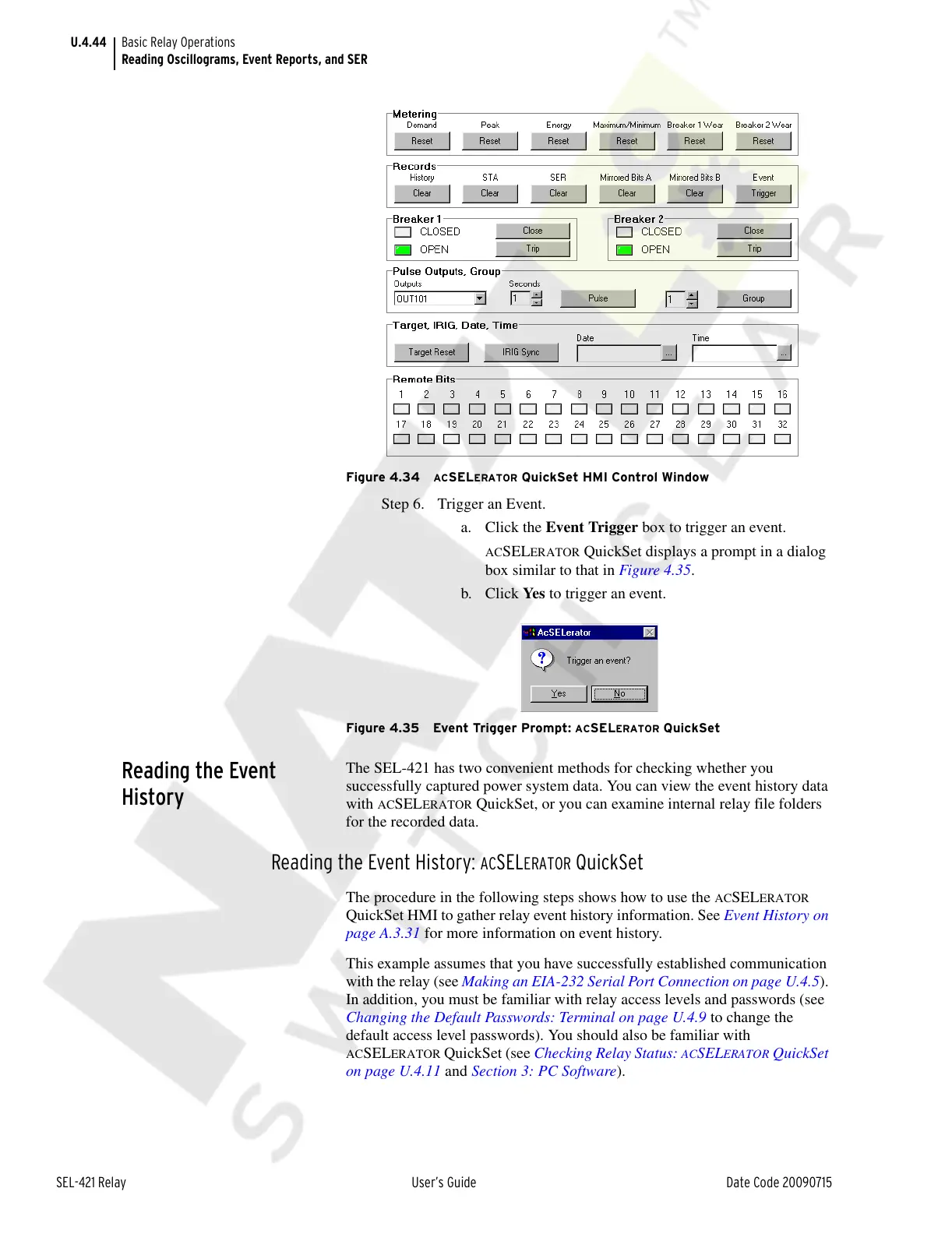
Figure 4.34 ACSELERATOR QuickSet HMI Control Window
Step 6. Trigger an Event.
a. Click the Event Trigger box to trigger an event.
ACSELERATOR QuickSet displays a prompt in a dialog
box similar to that in Figure 4.35.
b. Click Ye s to trigger an event.
Figure 4.35 Event Trigger Prompt: ACSELERATOR QuickSet
Reading the Event
History
The SEL-421 has two convenient methods for checking whether you
successfully captured power system data. You can view the event history data
with
ACSELERATOR QuickSet, or you can examine internal relay file folders
for the recorded data.
Reading the Event History: ACSELERATOR QuickSet
The procedure in the following steps shows how to use the ACSELERATOR
QuickSet HMI to gather relay event history information. See Event History on
page A.3.31 for more information on event history.
This example assumes that you have successfully established communication
with the relay (see Making an EIA-232 Serial Port Connection on page U.4.5).
In addition, you must be familiar with relay access levels and passwords (see
Changing the Default Passwords: Terminal on page U.4.9 to change the
default access level passwords). You should also be familiar with
ACSELERATOR QuickSet (see Checking Relay Status: ACSELERATOR QuickSet
on page U.4.11 and Section 3: PC Software).
Courtesy of NationalSwitchgear.com



 To Next Page