Repairing sensor cables
OmniTrax Product Guide Page 161
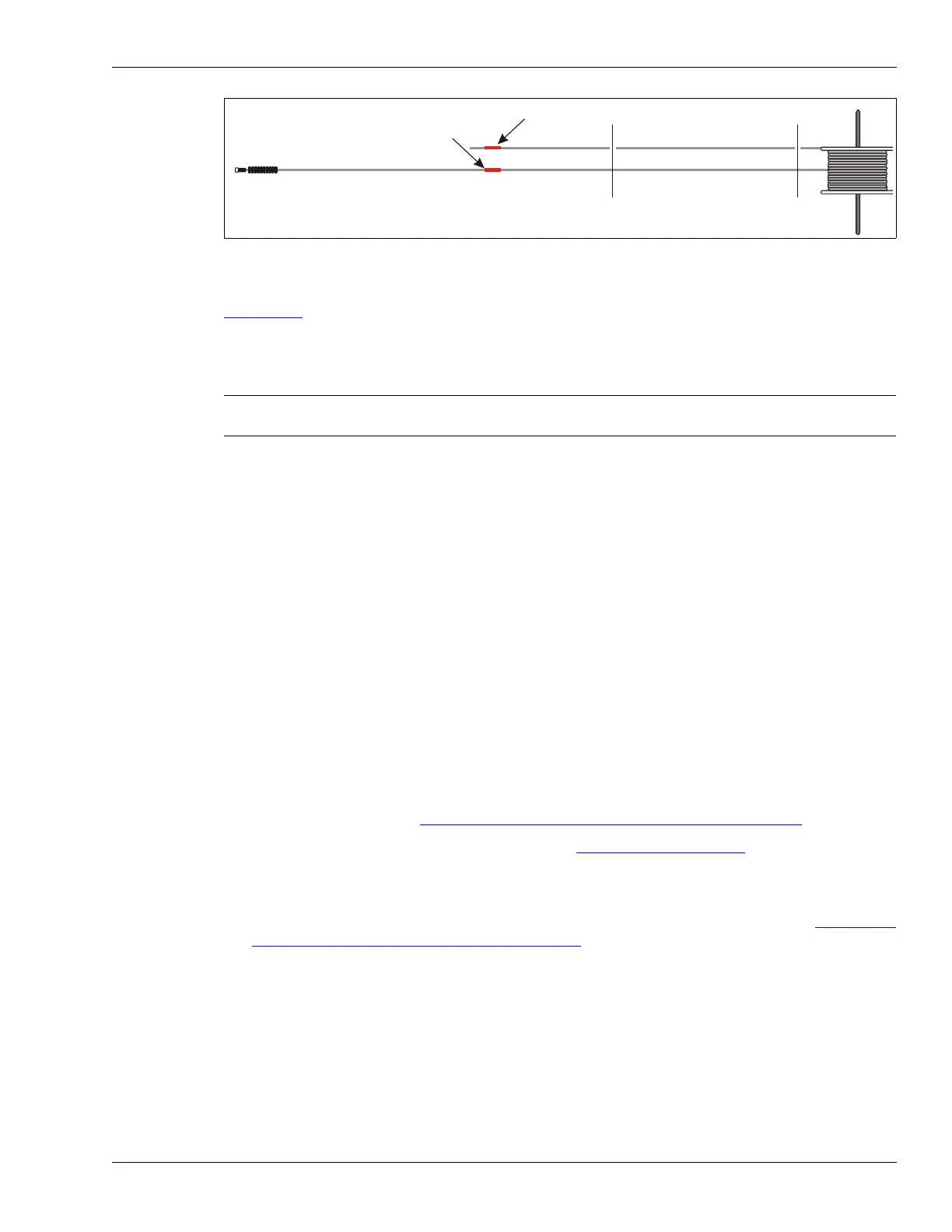
The following procedure applies to OC2/SC2 sensor cable. Use this procedure and refer to figure
Figure 125:
to repair severe damage that is greater than 3 m in length for SC1 sensor cable. For
SC1 and SC2 sensor cable, you require a full length detecting cable of the same original length as
the damaged cable. You also need male TNC connectors, female couplers and heatshrink (46 cm
for SC1, - 30 cm for SC2).
1. Carefully expose the damaged sensor cable’s red band at the start point.
2. Dig up the full length of the damaged section.
3. Obtain a new sensor cable that is the same original length as the damaged cable. Unroll the
new cable along the path of the damaged cable, until you are completely beyond the damaged
section.
4. Align the red bands on the two cables at the start point.
5. Cut out and discard the section of damaged cable.
6. Using a damp cloth and mild detergent, clean and dry the two cable sections thoroughly where
the damaged section was removed.
7. Examine the cut ends of the cable for any signs of corrosion on the center conductor. If any
corrosion is present, strip back the cable until you reach uncorroded center conductor.
8. Ensure that the replacement cable closely follows the path of the damaged cable. Cut out the
replacement section of new cable at the same location as the damaged section that was
removed (add at least 5 cm {2 in.} to the cut length, as a precaution).
9. Install one male TNC connector each on the two cut cable ends and on both ends of the
replacement cable. See Installing connectors on OC2 sensor cable
on page 121.
10. Test the connectors for proper installation. See Cable tests
on page 146.
11. Slide on the two pieces of heatshrink tubing, and join the male connectors with female
couplers.
12. Position the heatshrink over the connectors and apply heat to seal the splices (see Sealing the
heatshrink over decouplers/splices on page 133).
13. Label the leftover sections of the new cable, specifying the cable length to the cut, and which
end is which (i.e., lead-in to cut, cut to lead-out).
14. Note the location and a brief description of the cable damage on the site plan.
15. Reinstall the sensor cable and retest the cable set.
Figure 142: Repairing severe damage (> 3 m) - OC2 cable
Note Contact Senstar Customer Service before attempting to repair severely
damaged OmniTrax sensor cable.
replacement cable
red band on replacement cable
red band on damaged cable
damaged section of cable
replacement section of cable
replacement cable reel



 To Next Page