Perimeter layout
Page 56 OmniTrax Product Guide
Decoupler options
There are four decoupler kits available for use with SC1, OC2 and SC2 sensor cables. Each
decoupler kit includes:
• two decouplers
• heatshrink tubing
Use the network decoupler:
• to connect contiguous sensor cable sets from two processors where DC power and/or data is
passing over the sensor cables
Use the standalone decoupler:
• to connect contiguous sensor cable sets where only data is passing over the sensor cables
(no power)
• to connect contiguous sensor cable sets using local 12 VDC power supplies
• to connect the A-side cables and the B-side cables of a single processor to form a closed loop
• to terminate a single cable set at the end of a perimeter using terminators
Perimeter termination
At each end of an OmniTrax perimeter, terminators are connected to the TX and RX cables
through standalone decouplers. The terminator terminates the detection field and the data flow.
Using the terminator provides increased flexibility for positioning the end points of the perimeter.
Terminator kits are available for use with OC2, SC2 and SC1 sensor cable (see Installing
terminators - OC2/SC2 sensor cable on page 139). For an OmniTrax system that forms a closed
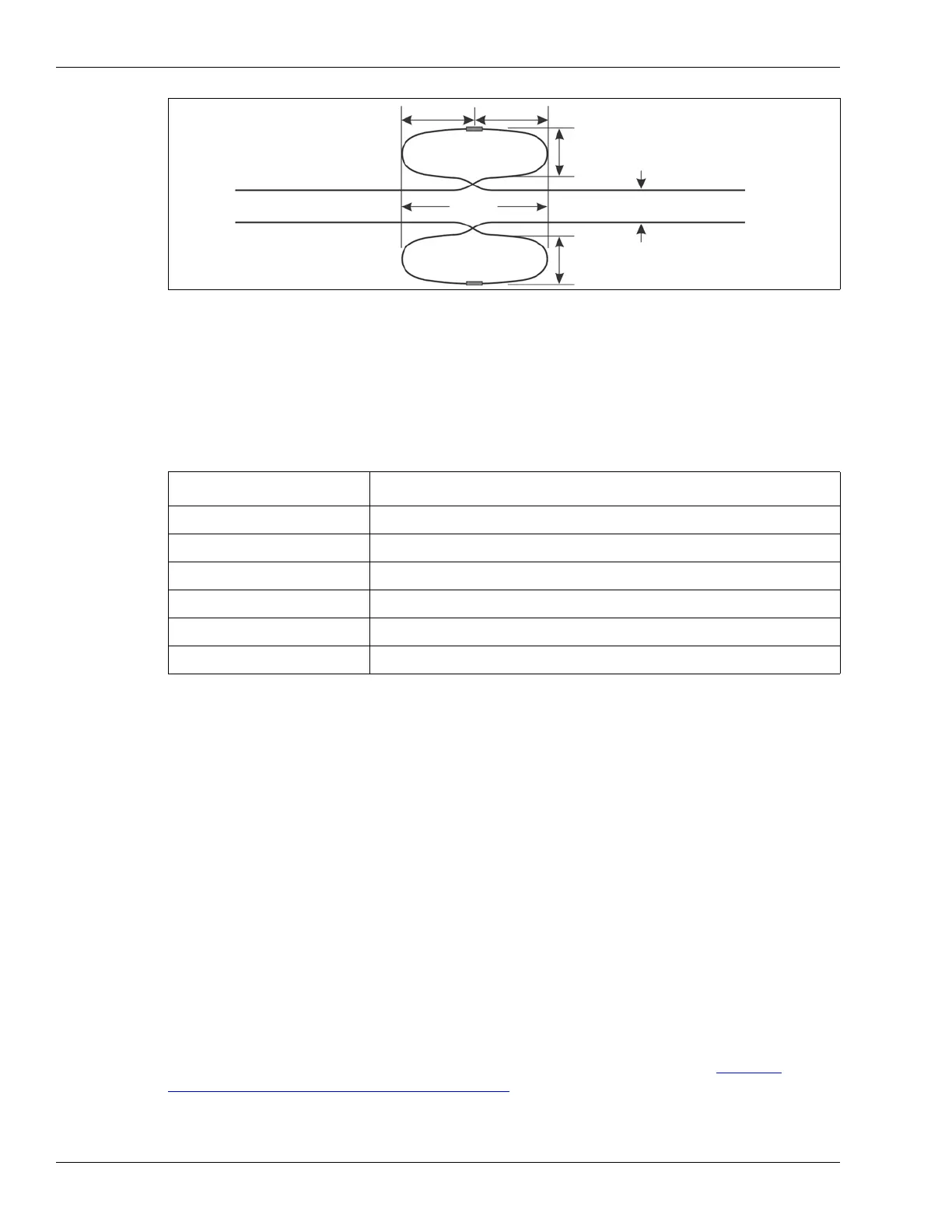
loop and uses terminators, the decouplers should be overlapped by 4 m.
Figure 26: Decoupler overlap
Decoupler kit Application
A3KT0601 SC1 standalone decoupler (power blocking)
A3KT0701 SC1 network decoupler (power passing)
A4KT1101 OC2 network decoupler (power passing)
A4KT1102 OC2 standalone decoupler (power blocking)
A4KT1201 SC2 network decoupler (power passing)
A4KT1202 SC2 standalone decoupler (power blocking)
TXA
RXA
TXB
RXB
2 m
6.5 ft.
4 m
decoupler
(13 ft.)
decoupler
active cable loop
active cable loop
10 cm - 2 m



 To Next Page