Setup
Page 208 OmniTrax Product Guide
Target speed settings
Once the system is installed and calibrated, you can test to ensure that the default target speed
settings meet your detection requirements. To verify the target speed settings for your site, perform
a series of intrusion tests at different locations along the cable path at the slowest, and the fastest
speeds, which must be detected. If each test results in a sensor alarm, the default settings are
adequate. If any test does not cause a sensor alarm, you can adjust the appropriate target speed
setting, and redo the tests. There are two independent target speed sliders, one for low speed
detection and one for high speed detection. Each slider has five settings, which range from
slowest on the left to fastest on the right.
1. Under the Cable Cfig tab in Target Speed Settings use the slider control to adjust the
intrusion detection speed range.
The low speed slider increases or decreases the system’s response to a slow moving target.
The high speed slider increases or decreases the system’s response to a fast moving target.
2. Save the UCM file and download the configuration data to the processor.
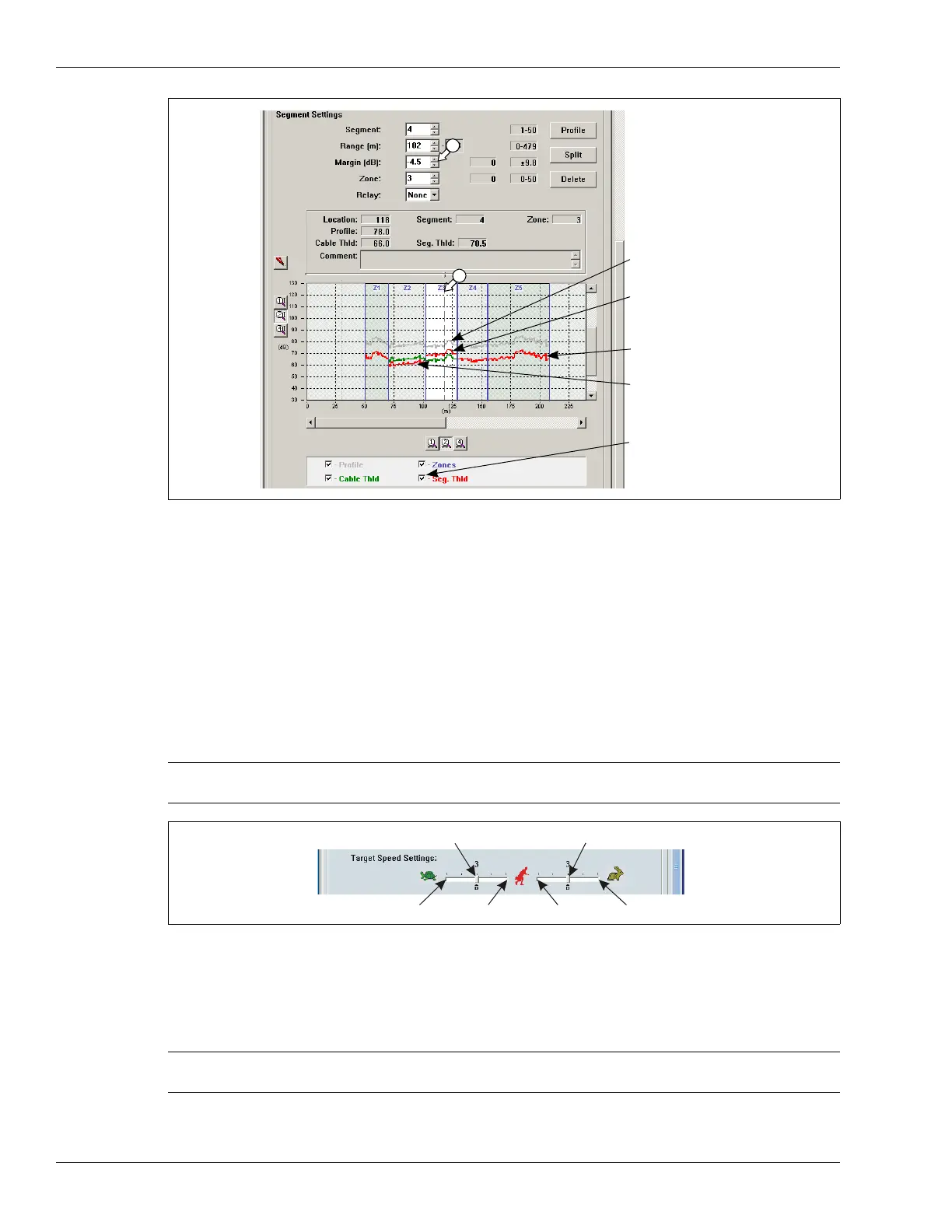
Figure 186: Cable segment margin procedure
Note Raising the high speed target setting or lowering the low speed setting
can lead to an increased NAR/FAR from environmental effects.
Figure 187: Adjusting the Target Speed Settings
Note If you adjust the target speed sliders, move the slider one level at a time
and retest the cable.
sensitivity profile
-4.5 cable segment
margin (Zone 3)
12 dB cable margin
3.8 cable segment
margin (Zone 2)
segment threshold
check box
low speed slider
high speed slider
fastest
slowest
fastest
slowest



 To Next Page