Calibration
Page 198 OmniTrax Product Guide
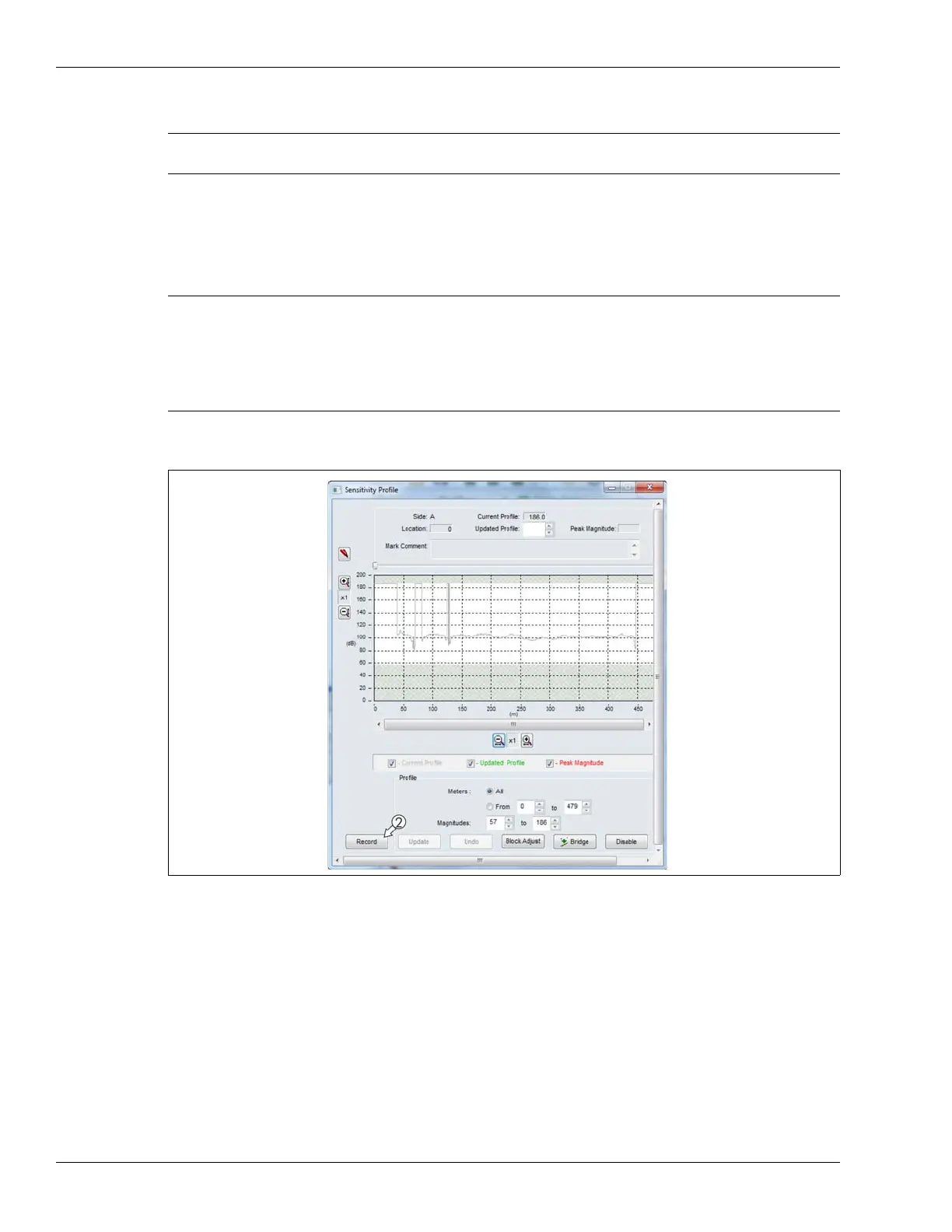
Recording the Sensitivity Profile
1. Select the Side A Cfig tab, and then select the Profile button.
Have the walker ready on the lead-in cable centerline, 3 to 5 m from the start point of the detecting
cable (indicated by red bands on the cable). Ensure the walker is on the lead-in section of cable
(not over detecting cable).
2. Select the Record button and have the walker perform the centerline cable walk over the full
length of the detecting sensor cable.
Note The technician running the UCM and the test walker must be in voice
contact during this procedure.
Note To perform a centerline cable walk:
Walk along the cable path, midway between the TX and RX cables. (For
SC1 sensor cable, walk directly above the cable.) Move slowly at a
uniform pace (app. 0.5 m/s, 1 mph) taking half steps. Begin about 3 to
5 m before the start point of the detecting cable (marked by red bands)
and continue until you are approximately 10 m past the decouplers.
Figure 176: Starting the profile



 To Next Page