Installing cable fittings
OmniTrax Product Guide Page 139
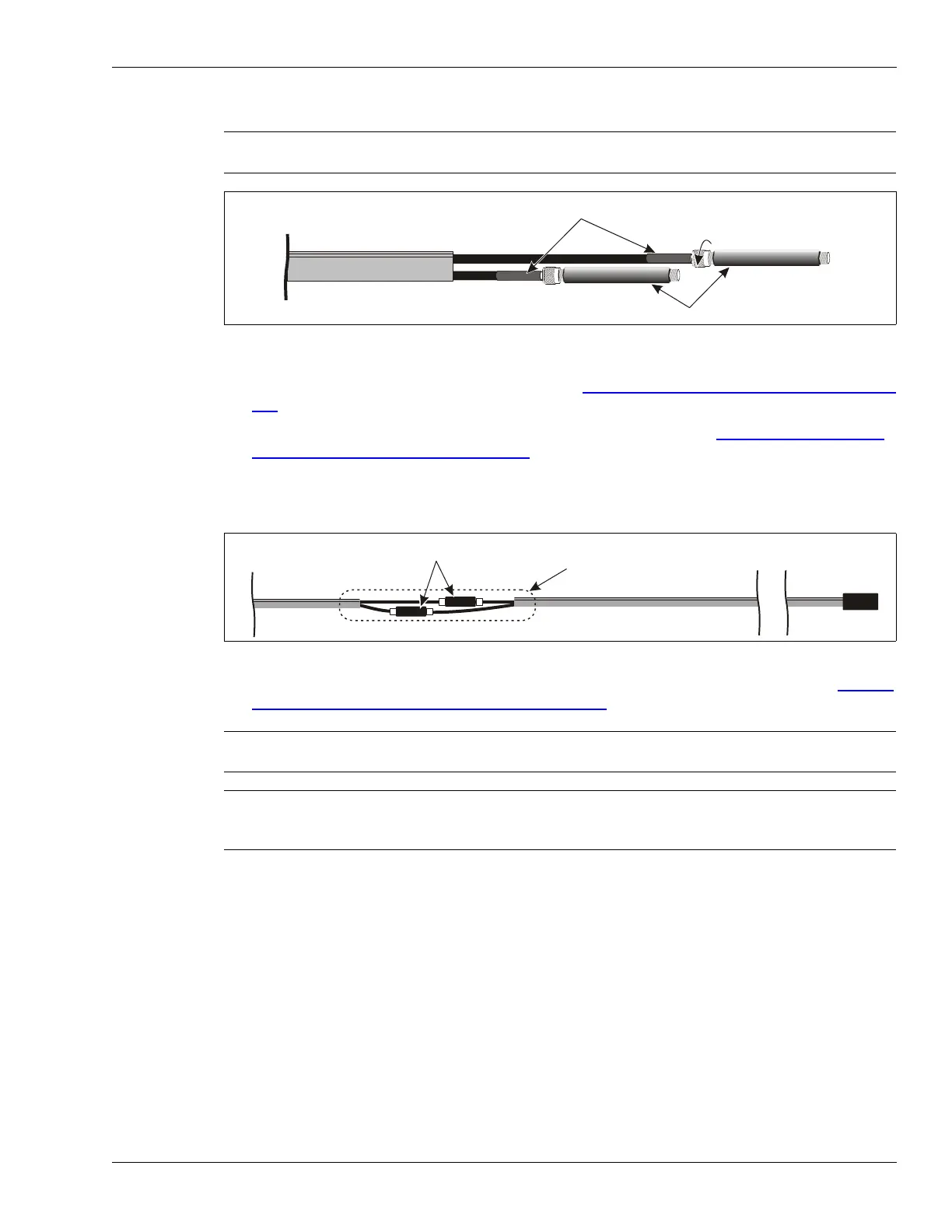
2. Hand tighten the 2 connectors on the terminator to the standalone decouplers.
3. Cut the first sensor cable at the specified location, and prepare the internal cables to match
the decouplers on the end of the terminator (see SC1 and SC2 cable strip dimensions
on page
127).
4. Install one connector on the end of each internal coaxial cable (see Installing connectors on
SC1 and SC2 sensor cable on page 126).
5. Slide the 71 cm piece of heatshrink over the sensor cable.
6. Hand tighten the sensor cable connectors onto the decouplers on the terminator.
7. Center the heatshrink over the connection and apply heat to seal the heatshrink (see Sealing
the heatshrink over decouplers/splices on page 133).
8. Repeat this procedure for the second sensor cable.
Installing terminators - OC2/SC2 sensor cable
This procedure requires the following equipment:
• OC2 connector tool kit (A4KT0200)
• OC2 termination kit (A4KT1304)
OR
• SC2 connector tool kit (A0KT1500)
• SC2 termination kit (A4KT1302)
• heat gun
Note When attaching connectors to decouplers, turn only the connector’s
rotating head shell. DO NOT turn the decoupler.
Figure 119: Installing SC1 decouplers
Figure 120: Positioning the ferrite beads on SC1 loopback cables
Note At least 5 cm (2 in.) of grey jacket on each side of the connection must
be covered by heatshrink.
Note Ensure that the small sections of heatshrink on the sensor cable
connectors are completely cooled, before applying heat to the large
section of heatshrink over the decoupler.
5 cm heatshrink
turn the connector shell,
not the decoupler
SC1 terminator
SC1 standalone decouplers
standalone decouplers
71 cm heatshrink
SC1 sensor cable
SC1 terminator



 To Next Page