Calibration
OmniTrax Product Guide Page 203
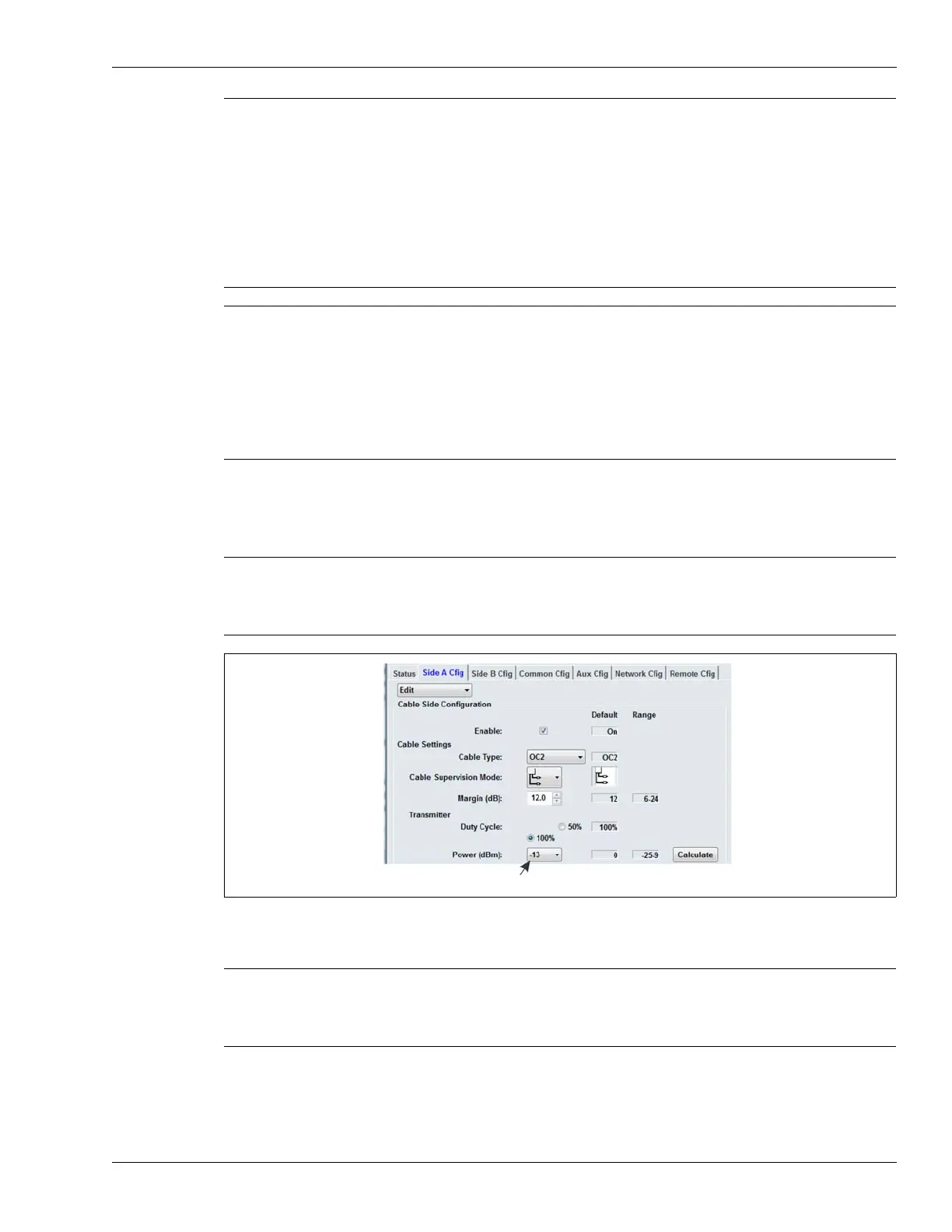
Setting the Transmitter Power level
1. Set the Transmitter Power level to the value indicated in the UCM dialog box at the conclusion
of the Sensitivity Profile procedure.
2. Save the UCM file and download the Sensitivity Profile data to the processor.
Note Sections of the Profile can be adjusted by using the Block Adjust
function to raise or lower the profile over a selected block of meters by
± 30 dBm, or by using the Bridge function to interpolate across areas
with unacceptably high or low sensitivity. To accomplish this, select the
portion of the Profile being adjusted or bridged by dragging the gray
borders in the Profile window to encompass the specific area. Use the
bottom border to select the magnitude. Select the Block Adjust or
Bridge button. Use the Update button to load the updated Profile. If the
adjustment does not provide the desired result, use the Undo button to
revert to the original Profile.
Note You can use the Updated Profile field to specify the value of the
Sensitivity Profile on a meter per meter basis. This function allows you
to correct small sections of cable with unacceptably high or low
sensitivity. Move the slider over the meter of cable that you are
adjusting. Specify the dB value for the area in the Updated Profile field
(the specified value appears as a green line). Use the Update button to
load the Updated Profile. If the adjustment does not provide the desired
result, use the Undo button to revert to the original Profile.
CAUTION Selecting a higher Transmitter Power setting may improve the signal to
noise ratio and potentially improve the system’s performance. However,
a higher Transmitter Power setting may cause interference to nearby
RF receivers.
Figure 181: Setting the Transmitter Power level
Note If you are recalibrating a section of the cable use the Transmitter Power
level that was indicated during the full calibration. Do not change the
Transmitter Power level unless you are recalibrating the full length of
detecting cable.
transmitter power setting (range -25 to 9 dBm)



 To Next Page