Installing a telecom style enclosure
Page 88 OmniTrax Product Guide
Building the foundation
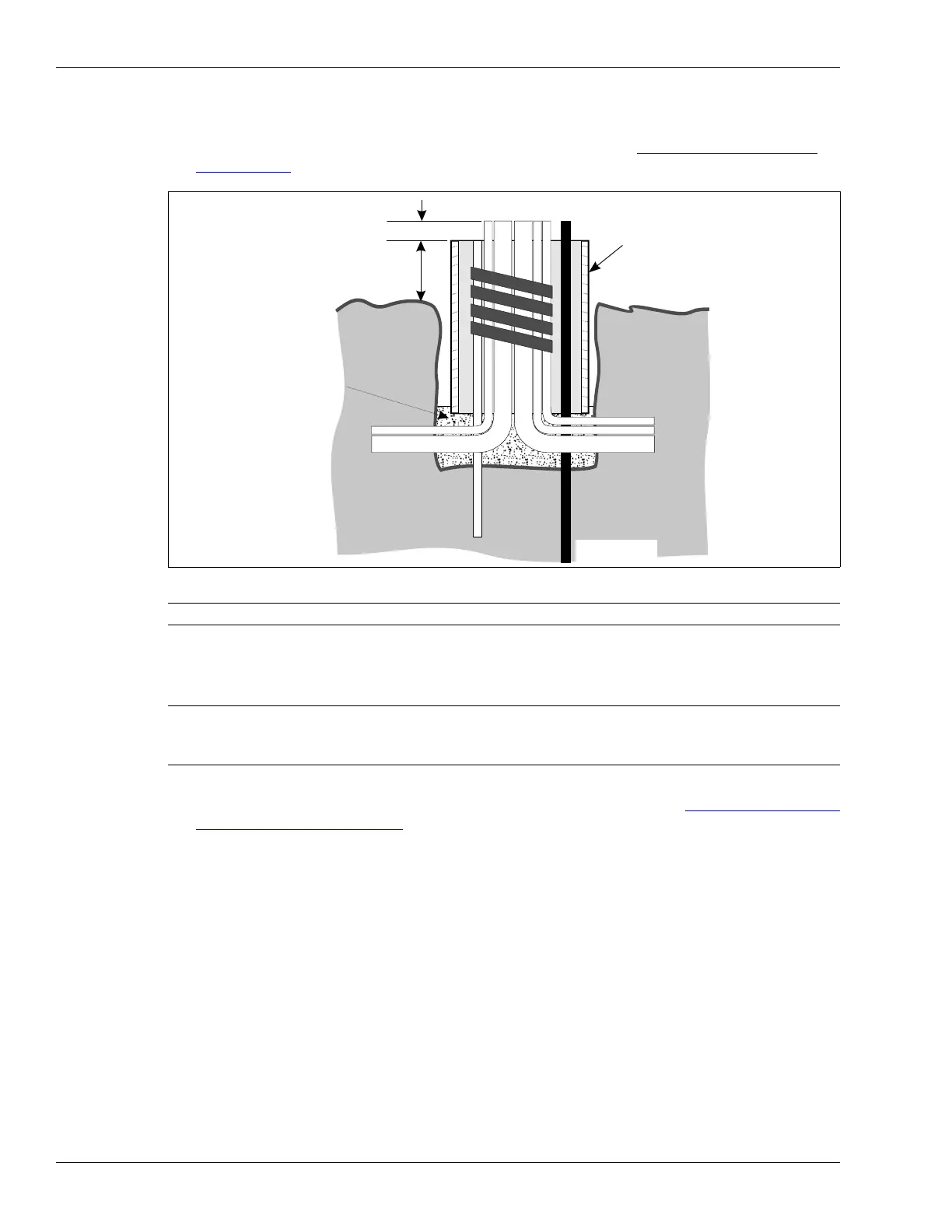
1. Position the concrete form in the hole, over the conduit assemblies, so that the top of the form
is 15 cm (6 in.) above ground level with the pipes centered (see Figure 53:
Positioning the
concrete form). i
2. Pour the concrete to fill the form.
Installing the telecom enclosure
1. Position the base of the enclosure over the pipes and push it into the wet concrete so that the
bottom edge of the enclosure is approximately 2.5 cm (1 in.) deep (see Figure 54:
Placing the
telecom enclosure in concrete).
2. Build a frame to support the enclosure while the concrete dries.
3. Let the concrete set for at least 24 hours before installing the processor and enclosure.
4. After the concrete has set, trim the drain pipe so that it is flush with the concrete surface (all
other conduits remain 5 cm above the surface).
5. Remove the tape from the ends of the PVC pipes.
6. Pull the alarm communication wiring, power cables, and auxiliary sensor/self-test wires up
through the 1.9 cm (3/4 in.) diameter PVC pipes, into the enclosure.
7. Fill in the hole around the concrete base.
Figure 53: Positioning the concrete form
Note Make sure that the conduit ends are protected.
Note The telecom enclosure is shipped with two stakes inside. Remove the
stakes from the enclosure and re-attach the stakes to the enclosure so
they enter the wet concrete to anchor the enclosure.
15 cm (6 in.)
concrete
form
ground level
soil
ground rod
5 cm (2 in.)
trim the drain pipe
flush with the cement



 To Next Page