Planning the cable path
Page 50 OmniTrax Product Guide
Do not route the sensor cables where rainwater collects near a building.
• avoid areas where standing water/puddles accumulate, near the detection field
• final grade after installation should prevent the accumulation of standing water near the sensor
cables
• avoid areas with running water from ground surface drainage or building down spouts
Sensor cable bypasses
A bypass is a non-detecting section of sensor cable within an active section. With OmniTrax, there
are two methods for creating sensor cable bypasses. In situations where the requirement is to
have no detection along a length of active sensor cable, you can set the required length of cable to
inactive via the UCM software. In this case the cable will continue to operate, but will not report
alarms. Software bypasses are typically used for pedestrian crossings, and for passing through
exercise yards, or other areas where people can move freely and detection is not required. This
method cannot be used under metal fences, through obstacles, or for frequently used vehicle
crossings. If the sensor cable must pass under a metal fence, you should replace the fence panel
above the cable with a non-metal panel or a polycarbonate sheet. For most areas with vehicle
crossings, or to pass through, or under obstacles, OmniTrax bypasses use spliced-in sections of
non-detecting cable to prevent the formation of the detection field. In this case, an equal length of
detecting cable must be removed at the bypass.
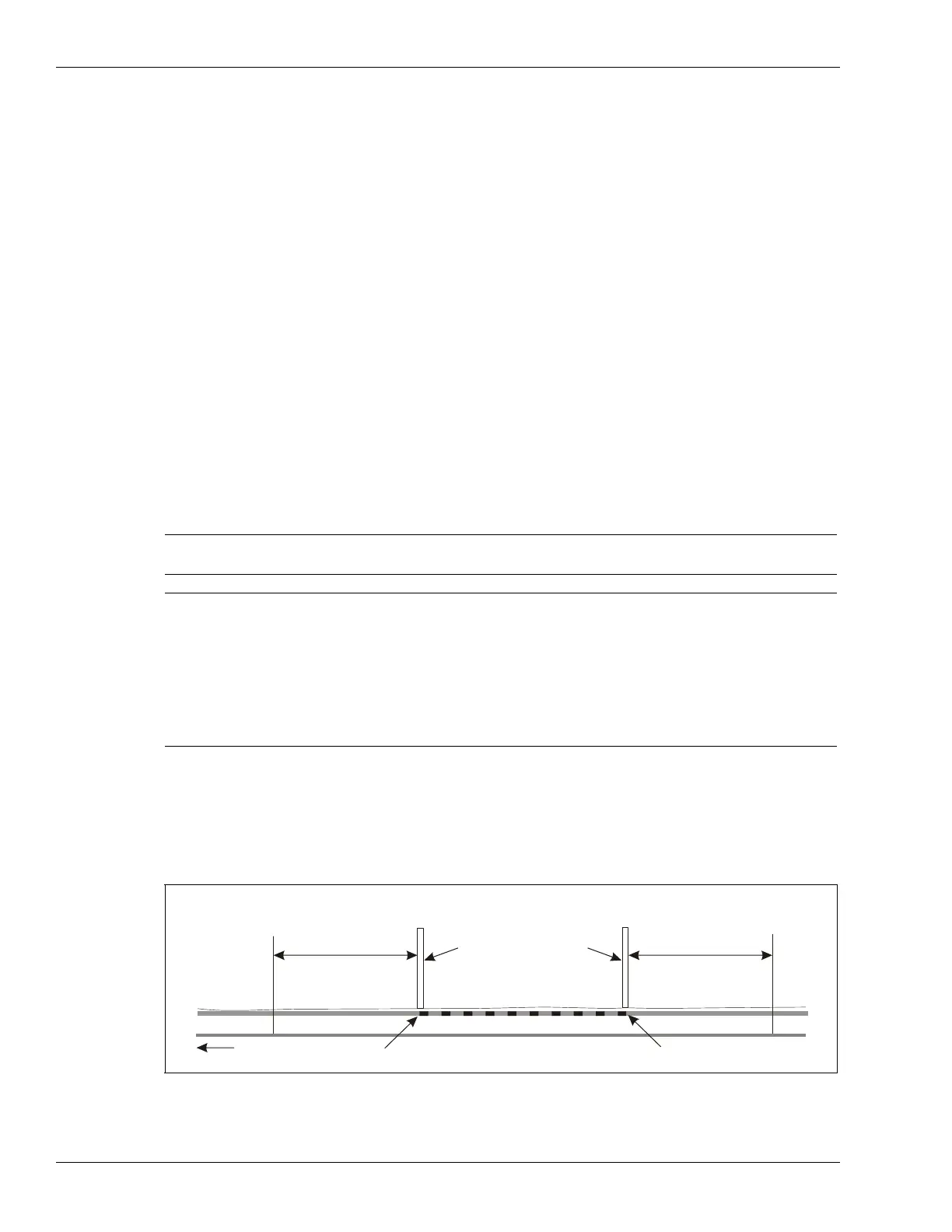
Sensor cable bypasses (software bypass)
Use a software sensor cable bypass in areas where people can move freely and detection is not
required such as pedestrian crossings or exercise yards.
Note If the sensor cable must pass through an object in the cable path, try to
plan your site so that the object is at a processor or decoupler location.
Note OmniTrax target resolution is approximately 24 m (79 ft.). If there are
two valid targets crossing within a 24 m section of cable in a period of 3
seconds or less, the two targets can merge and be reported as one
target. As a result, if one of the targets is within a software bypass, it
can mask the valid target outside the bypassed area. Therefore,
precautions must be taken to ensure adequate detection for 24 m on
both sides of a software bypass. Contact Senstar Customer Service for
assistance, before implementing a software bypass.
Figure 23: Sensor cable software bypass
required section of sensor cable set to inactive via UCM = width of obstacle
(NOTE: 24 m on each side of the bypass has a reduced probability of detection (Pd) due to target resolution.)
non-metal barrier
pedestrian walkway
up to
24 m (79 ft.)
reduced Pd
up to
24 m (79 ft.)
reduced Pd
ground level
software bypass start point
to
processor
software bypass end point
NOT TO SCALE



 To Next Page