Calibration
OmniTrax Product Guide Page 199
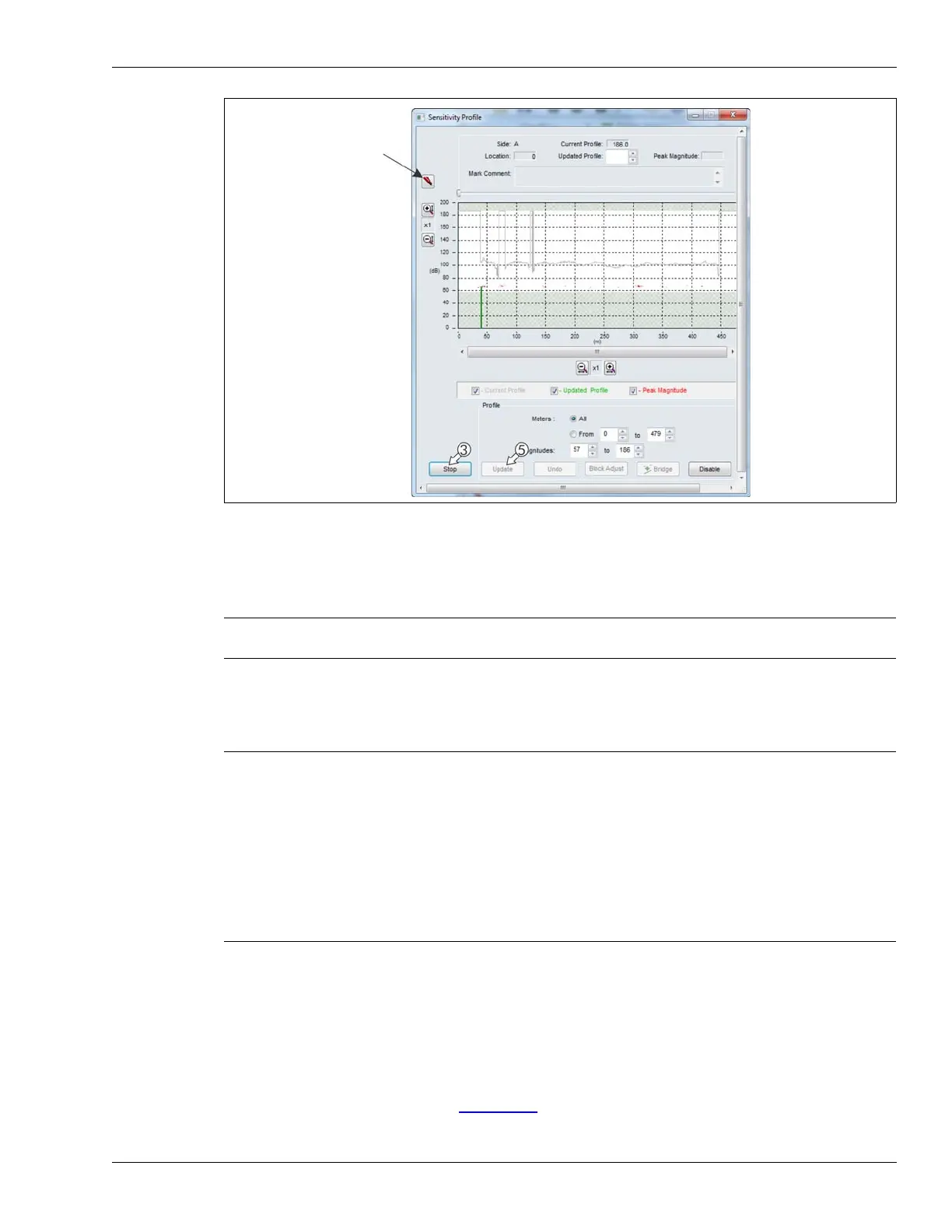
3. Once the walker is about 10 m past the decouplers select the Stop button.
4. Review the Sensitivity Profile to verify the centerline cable walk.
Look for a reasonably flat response with no major peaks or valleys.
5. If the Sensitivity Profile is acceptable, select the Update button to load the Sensitivity Profile
data. Otherwise, select the Undo button to delete the recorded Sensitivity Profile and repeat
the centerline cable walk.
Editing the Sensitivity Profile
At the start point of the detecting cable (indicated by red bands) the signal is too weak to provide
reliable detection. The detection signal slowly builds up to full strength over the first 2 to 4 m of
active cable. As a result, the recorded Sensitivity Profile includes a low spot (weak detection
signal) near the startup section. The standard installation practice of overlapping the A-side and
B-side sensor cables by 8 m (4 m from each cable) enables this section of the Sensitivity Profile to
be edited to exclude the low spot. Figure 178:
illustrates a raw Sensitivity Profile and the same
Profile after editing.
Figure 177: Stopping the profile
Note You can make a note of any points of interest on the Profile using the
Mark button.
CAUTION DO NOT download the Sensitivity Profile to the processor at this time.
The Profile must be edited to exclude the first few meters of detecting
cable in which the signal builds up to full strength. The end of the
detecting cable near the decouplers may also have to be trimmed from
the profile if the clutter signal is high. Save the recorded Sensitivity
Profile with a meaningful name (e.g., RawProfile.UCM). You can then
edit the Profile to exclude the first few meters of cable with the weaker
detection signal, and the last few meters with a high clutter signal. If you
do not exclude these sections of cable, they can become a significant
source of nuisance alarms.



 To Next Page