Setup
Page 216 OmniTrax Product Guide
Clutter display
Clutter is the term used to describe the sensor cable’s response in the absence of a valid target.
Clutter is a product of the installation, including burial depth, burial mediums, cable spacing and
connections. The clutter level will generally remain consistent over time. Changes will occur with
ground freezing and thawing, and during periods of heavy rain and dry ground. These changes
typically affect the whole cable length. A significant increase in the clutter level in only a portion of
the cable generally indicates a cable fault. You can use the clutter display to locate potential
problem areas along the sensor cables by moving the slider to the appropriate point on the display.
The level of clutter will change slowly over time as ground conditions change due to seasonal
effects. You should review the current clutter level regularly, and reset the historic clutter level. This
will prevent supervision alarms resulting from changing ground conditions over time, rather than
cable faults. For clutter supervision, an alarm should be triggered only by a sudden sharp increase
in the clutter level.
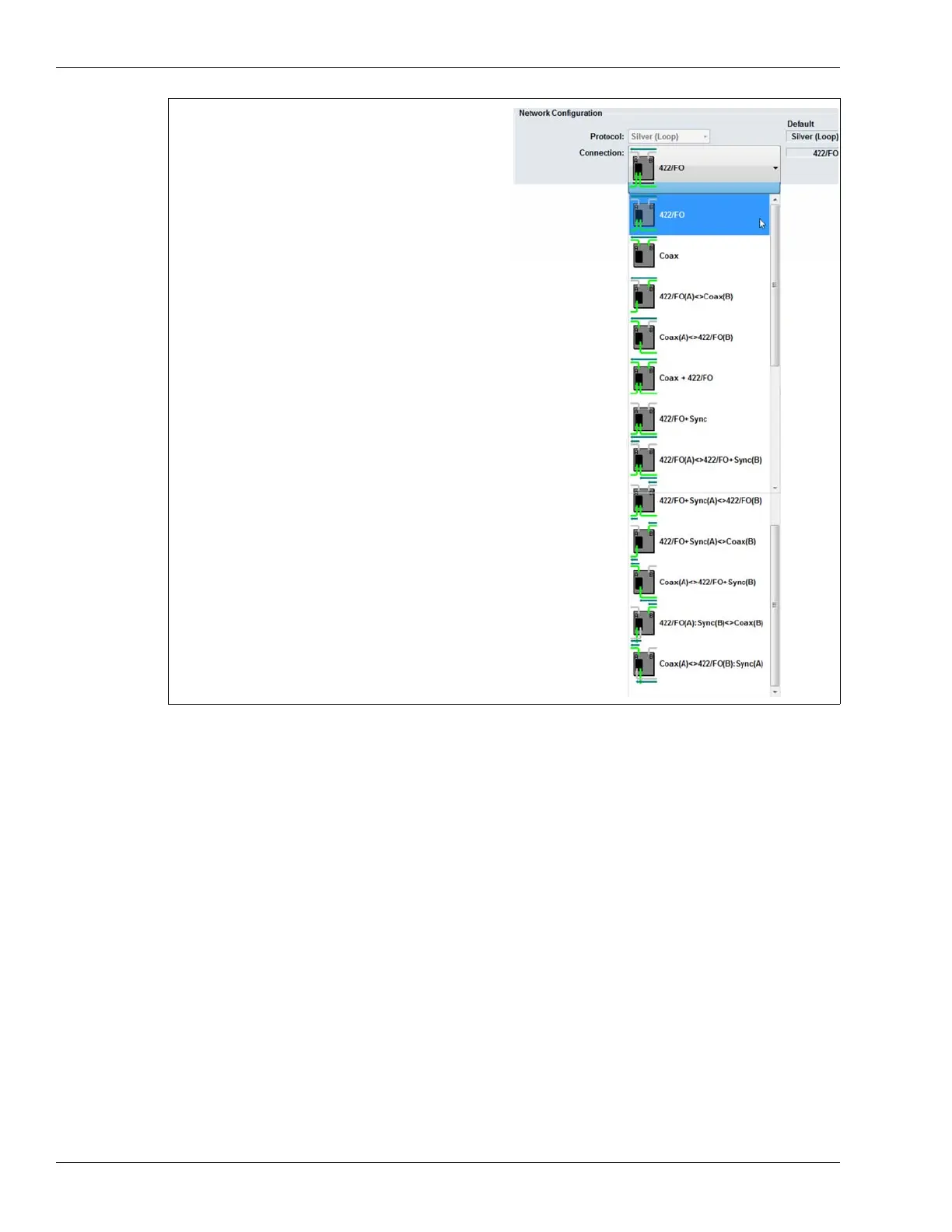
Figure 190: Data and Synchronization connections
network data A & B via NIC; sync A & B via sensor cables
network data A & B and sync A & B via sensor cables
network data A via NIC; network data B and sync A & B via sensor cables *
network data A & B and sync A & B via NIC
network data A and sync A & B via sensor cables; network data B via NIC *
network data A & B and sync A & B via sensor cables; data tap
(for connecting other Silver based devices) network data A & B via NIC
network data A & B and sync B via NIC; sync A via sensor cables
network data A & B and sync A via NIC; sync B via sensor cables
network data A and sync A via NIC;
network data B and sync B via sensor cables *
network data A and sync A via sensor cables;
network data B and sync B via NIC *
* Do not use a mixed media NIC for configurations marked
with an asterisk.
network data A via sensor cables; network data B via NIC
sync received via B-side cable; sync transmitted B-side NIC *
network data A via NIC; network data B via sensor cables
sync received via A-side NIC; sync transmitted A-side sensor cable *



 To Next Page