Calibration
OmniTrax Product Guide Page 193
Specifying the processor synchronization
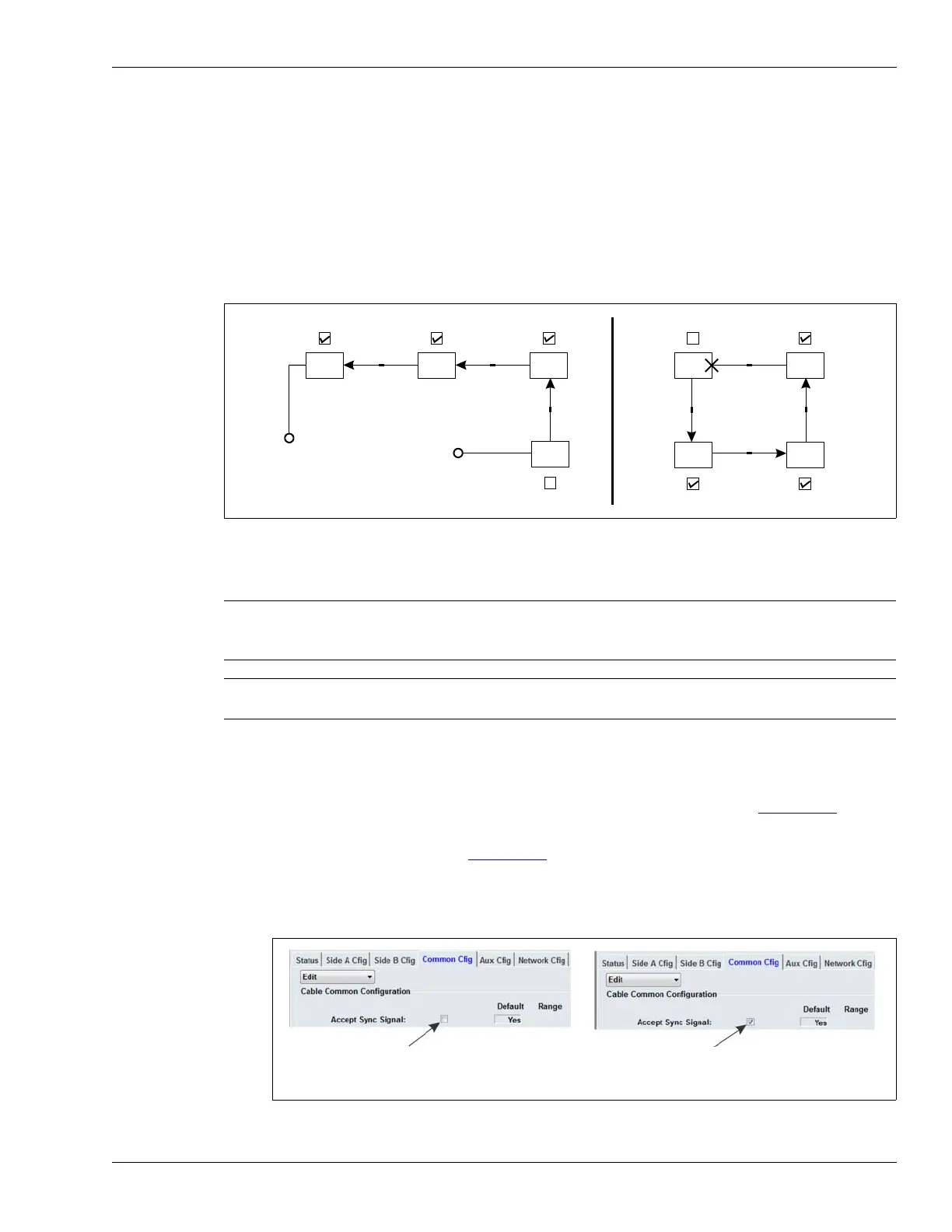
Processor synchronization prevents mutual interference between processors that are connected
through decouplers. All OmniTrax processors generate a sync message. However, when multiple
processors are connected through decouplers, only one of the processors may initiate the
synchronization cycle. This processor is referred to as the sync master. The other processors
receive the sync message, re-sync accordingly, and then send their sync message on to the next
processor. This process continues until the sync message reaches the last processor. The sync
master will not accept the sync message from another processor, and continues to initiate the sync
cycle. This synchronization pattern applies to both open and closed OmniTrax perimeters.
Synchronization setup
To setup processor synchronization, you must determine which processor will be the sync master
for the system. For an open perimeter the sync master must be on the end of the perimeter, and
must be connected to the other processors through its A-side sensor cable. For a fully closed and
connected perimeter, any processor can be selected as the sync master (see Figure 169:
).
1. Uncheck the Accept Sync Signal check box (leave it blank) to select the processor that will
serve as the sync. master (see Figure 170:
).
(Default setting = Accept Sync Signal check box checked)
2. Select the Accept Sync Signal check box (leave it checked) for each other processor that is
connected through decouplers.
Figure 169: Processor synchronization
CAUTION If more than one processor in a decoupler connected OmniTrax system
is selected as the sync master, oscillation will occur and the system can
lock up.
Note If one processor in a synchronized OmniTrax system fails or goes off-
line, interference may occur further down the line.
Figure 170: Defining the Sync Master
Accept Sync Signal Accept Sync Signal
Accept Sync Signal
a
b
a
b
a
b
a
b
sync
sync
sync
sync
sync
sync
sync
a
b
a
b
a
b
b
a
Accept Sync Signal
Accept Sync Signal
open
perimeter
Accept Sync Signal
sync
master
closed
perimeter
sync
master
Accept Sync Signal
Accept Sync Signal
Uncheck the Accept Sync Signal: check box to
select this processor as the sync. master. Only
ONE processor can operate as the sync master.
Check the Accept Sync Signal: check box for all
other processors that are connected through
decouplers. (default setting = unchecked)



 To Next Page