Setup
OmniTrax Product Guide Page 213
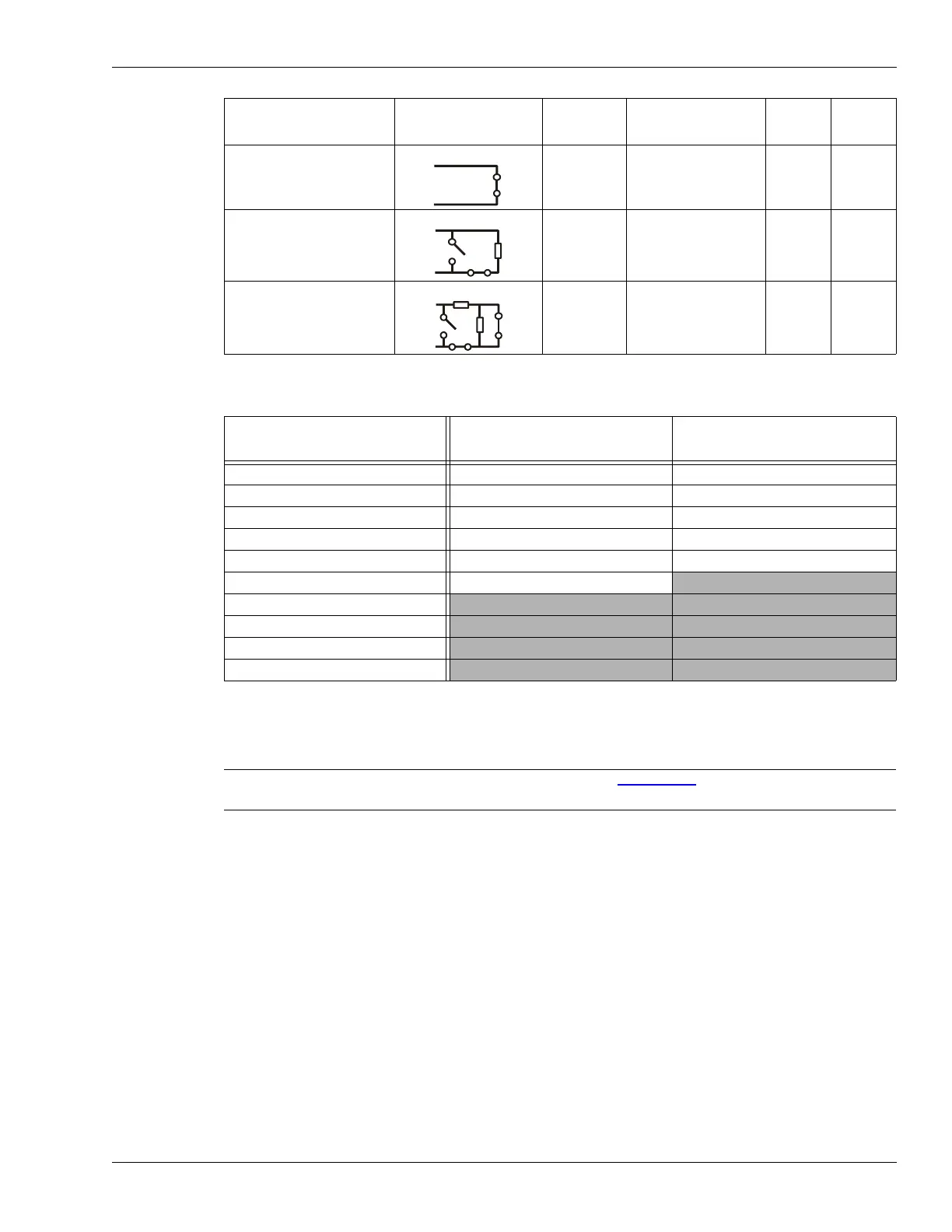
The following table includes the UCM selectable supervision resistor values.
Input configuration procedure
1. Select the Aux Cfig tab on the UCM window.
2. Use the Input selection arrows to select an input.
3. From the Supervision drop down, select the desired supervision scheme for the selected
input.
4. Select the Resistor 1 value, if applicable.
5. Select the Resistor 2 value, if applicable.
6. Set the Noise Tolerance, if applicable.
7. Set the Line Drop, if applicable.
8. Set the Filter Window.
9. Repeat this procedure if there is a second connected input (Aux2).
10. Save the UCM configuration file and download the configuration changes to the processor.
unsupervised NC --- --- ---
single resistor
supervision
NC NO 5.1 k ---
dual resistor
supervision
NC NO/NC 5.1 k 820
R1 values
(single resistor supervision)
R1 values
(dual resistor supervision)
R2 values (dual resistor
supervision)
820 1.1 k 820
1 k 2.2 k 1.1 k
1.1 k 4.3 k 2.2 k
1.2 k 4.7 k 3.3 k
1.5 k 5.1 k 5.6 k
2.2 k 5.6 k
3.3 k
4.7 k
5.1 k
5.6 k
Selectable resistor values
Note Refer to the UCM help file and Figure 188:
for additional information on
the input configuration procedure.
Input option UCM selection Alarm
relay
Supervision relay R1 R2
UCM selectable input configurations (with standard resistor values)



 To Next Page