Planning the cable path
OmniTrax Product Guide Page 47
Beginning of zone obstacles
Ideally, when planning an OmniTrax installation in which there are obstacles along the cable path,
a processor can be located at the obstacle. In this case lead-in (non-detecting) cable is used to
bypass the obstacle. An auxiliary sensor, such as a microwave can be used to provide coverage
up to the obstacle, if required. For Silver Network based processors, the auxiliary sensor can
receive power from, and report alarms through, the OmniTrax processor.
Fences
The type of fence as well as its distance from the cable path are important factors. OmniTrax
sensor cables must be kept specific distances away from fences (see Separation distances from
obstacles on page 42). Intermittent electrical contacts and fence motion caused by wind can result
in nuisance alarms. Active detecting sensor cables cannot pass under chain-link fences. The
fence disrupts the detection field, resulting in an area of low sensitivity before and after the fence
line. Fences can also be a source of nuisance alarms, with fence noise reflecting back along the
sensor cables and causing ghost alarms. To maintain an active section of sensor cable where the
sensor cables cross a metal fence line, you can replace the section of fence above the sensor
cables with a non-metal material (e.g., a plastic or fiberglass panel, a polycarbonate sheet, etc.). If
a section of the fence cannot be replaced, you can plan your site so a processor is located near
the fence (use lead-in cable to bypass the fence). Otherwise, you can splice in a section of non-
detecting cable to pass under the fence. Sensor cables are often installed between parallel
security fences. However, you must follow the cable spacing and separation distance rules.
Buildings, gateways and other structures
If the detection field encroaches upon a wall, the system may detect moving occupants or objects
inside the building, resulting in nuisance alarms. If sensor coverage is required to close upon a
wall, an auxiliary sensor such as a microwave, or an infrared system can be used to supplement
the OmniTrax system at that location (see Separation distances from obstacles
on page 42).
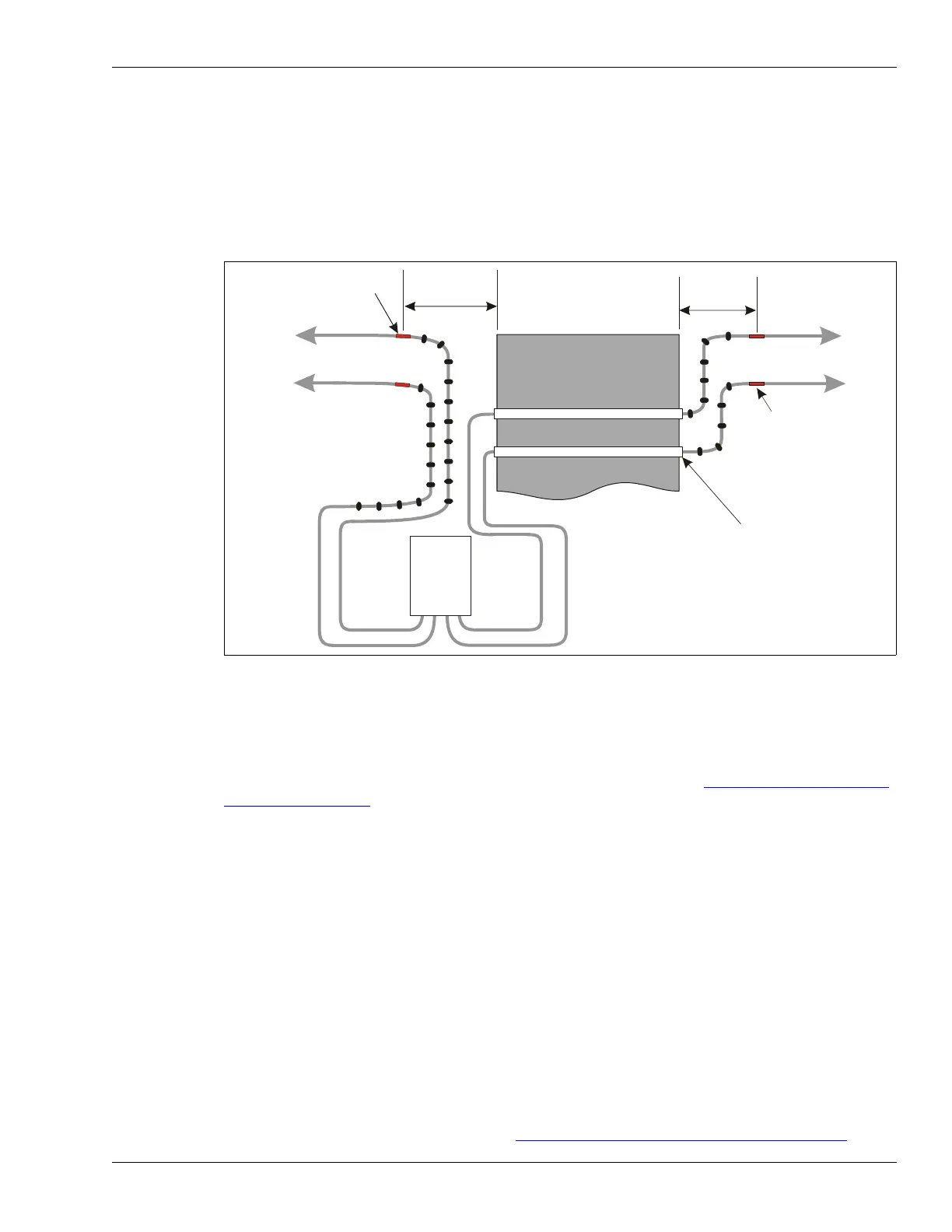
Figure 22: Beginning of zone obstacle
red band
to
decouplers
detecting cable
detecting cable
to
decouplers
red band
conduit
NOT TO SCALE
20 m lead-in cable
additional lead-in cable
can be spliced in if required
processor
enclosure
ferrite beads
(10 on each
lead-in cable)
30 cm (1 ft.)
minimum
30 cm (1 ft.)
minimum
obstacle



 To Next Page