Installing a telecom style enclosure
OmniTrax Product Guide Page 89
Installing the OmniTrax enclosure
1. Mount the OmniTrax bracket inside the telecom enclosure (see Figure 55:
Mounting the
bracket and OmniTrax enclosure - rear view and Figure 56: Mounting the bracket and
OmniTrax enclosure - front view).
2. Mount the enclosure on the bracket inside the telecom style enclosure.
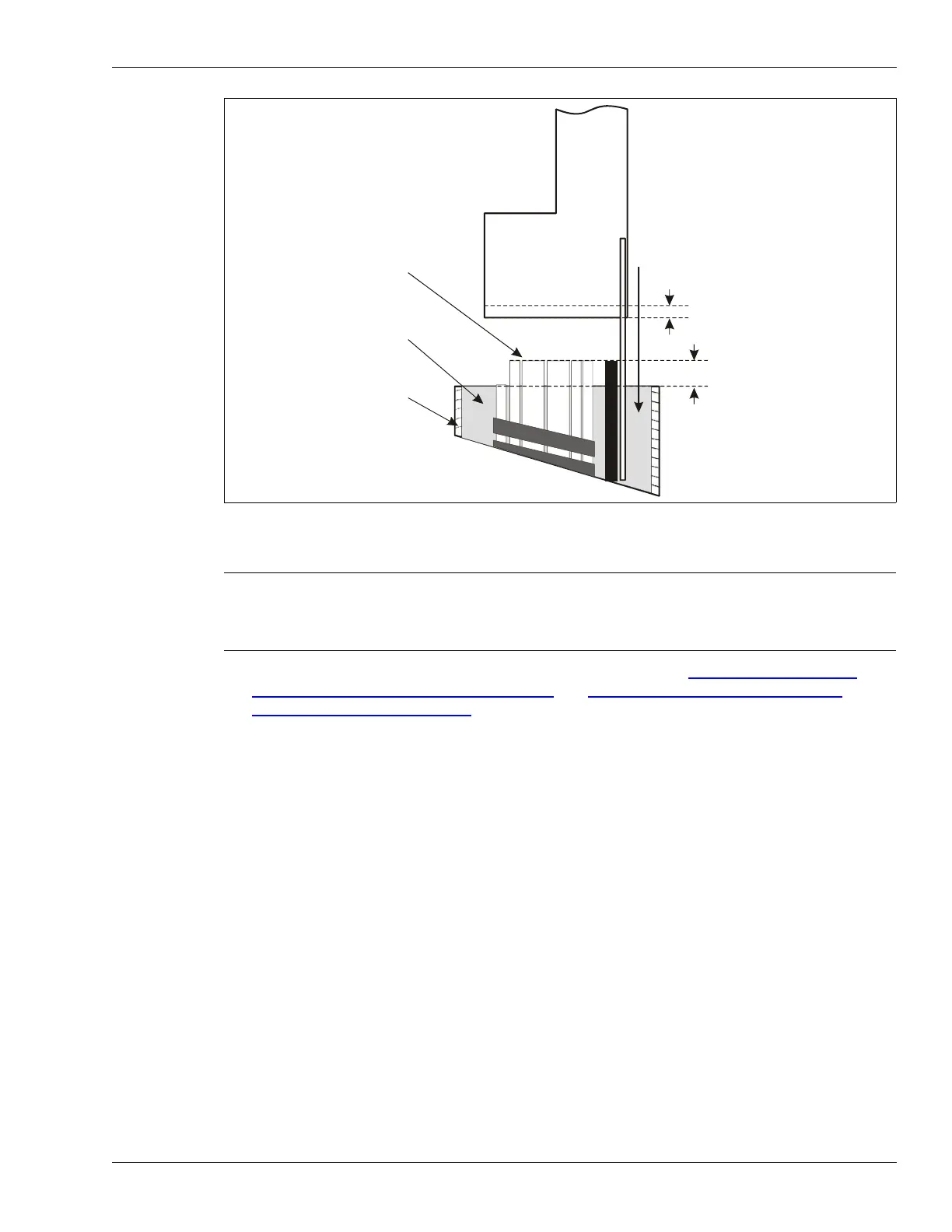
Figure 54: Placing the telecom enclosure in concrete
Note The Telecom enclosure is shipped with all of the hardware that is required
to install the mounting bracket and the OmniTrax enclosure. There are
also four grommets provided, which are used to protect the sensor cables
where they pass through the holes in the bottom of the bracket.
telecom style enclosure
push the enclosure with
stakes attached into wet
cement, so that the bottom of
the enclosure is 2.5 cm (1 in.)
into the cement
tops of conduit
assemblies
wet cement
mix in form
concrete
form
2.5 cm (1 in.)
5 cm (2 in.)



 To Next Page