Calibration
OmniTrax Product Guide Page 197
OmniTrax calibration - Sensitivity Profile and Transmitter Power
The OmniTrax Sensitivity Profile provides a peak response for each meter of detecting sensor
cable, based on a valid target moving along the centerline of the detection field. The Sensitivity
Profile created during this procedure becomes the baseline for setting the cable margin for the full
length of detecting cable.
The OmniTrax processor’s recommended Transmitter Power level is determined by the UCM
when it analyzes the recorded sensitivity profile. When you close the Sensitivity Profile window, a
popup displays informing you of the recommended Transmitter Power level setting for the selected
cable side (based on CE, FCC, or NTIA radiated power limits). You then set the Transmitter Power
to the recommended level.
Note OmniTrax calibration is an automated procedure, which requires a
centerline cable walk over the full length of the detecting sensor cable
while running an OmniTrax Sensitivity Profile on the UCM.
Note To locate the cable centerline for OmniTrax systems in which the
ground is fully restored, perform crossings while running a Magnitude
response plot (see Locating the detection field centerline
on page 218).
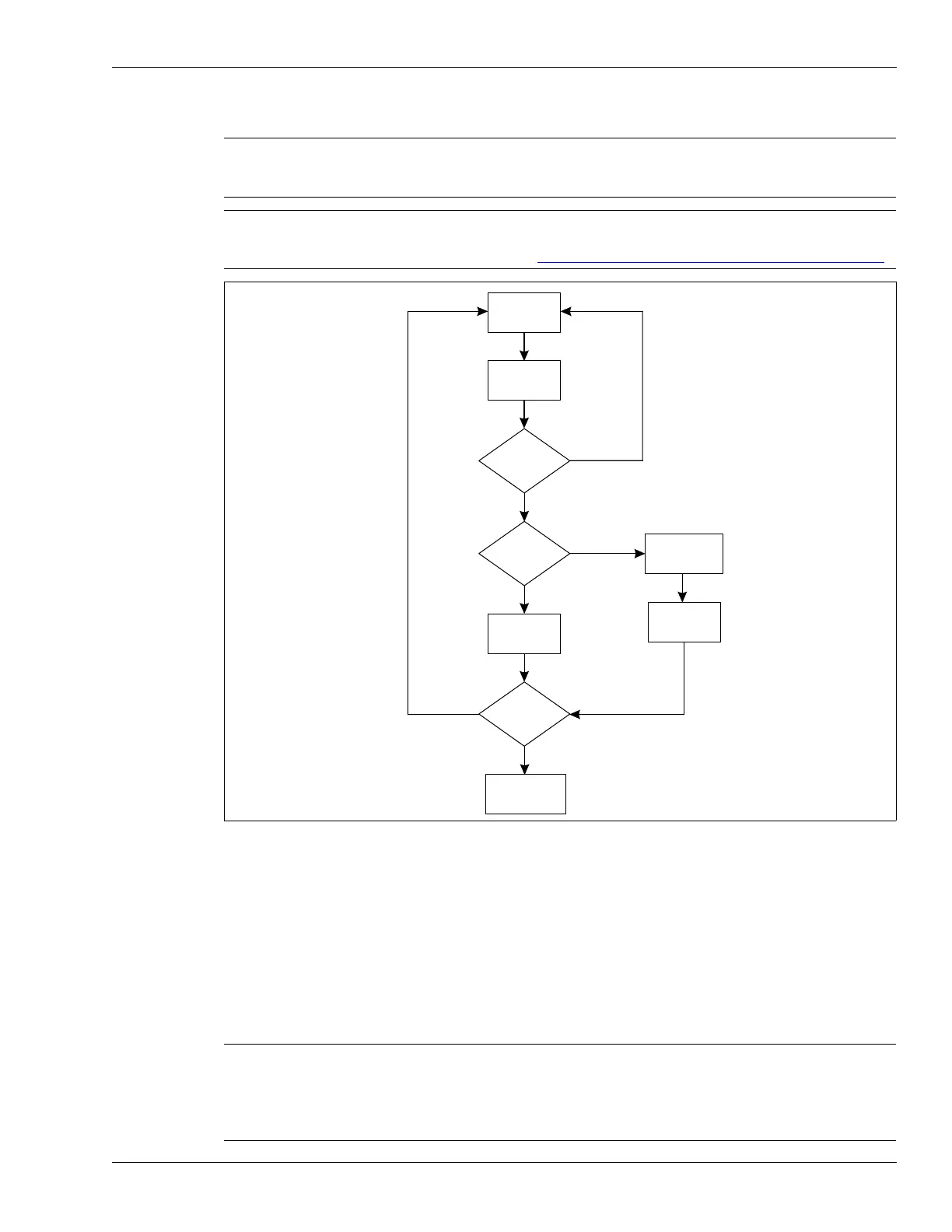
Figure 175: Calibration flow chart
Note During the calibration procedure, use only one test target (person).
Prevent any other individuals and vehicles from approaching the sensor
cables during this procedure. If you cannot calibrate the full length of a
cable without interruption, you can select and calibrate smaller sections
of the cable.
Record
profile
Stop
recording
Acceptable?
All good?
select usable
section
Update
Update all
Done?
Close profile
window
no
yes
no
yes
no
yes



 To Next Page