Sensor cable lightning protection
OmniTrax Product Guide Page 179
Sensor cable lightning protection
For increased lightning protection, Senstar recommends the installation of sensor cable lightning
arrestors (A4KT1000 - includes 4 arrestors, A4KT1001 - includes 2 arrestors) which connect to the
bulkhead TNCs on the enclosure. The sensor cables are then connected to the lightning arrestors.
Installation procedure
1. Connect the ground lug to the lightning arrestor mounting bracket with the supplied bolt and
lock washer (see Figure 160:
).
2. Connect the ground strap to the ground lug.
3. Install the lightning arrestors in the lightning arrestor mounting bracket.
4. Connect the lightning arrestors to the processor (see Figure 161:
).
5. Connect the ground strap to a low resistance earth ground (5
or less recommended).
6. Connect the sensor cables to the lightning arrestors (finger tight).
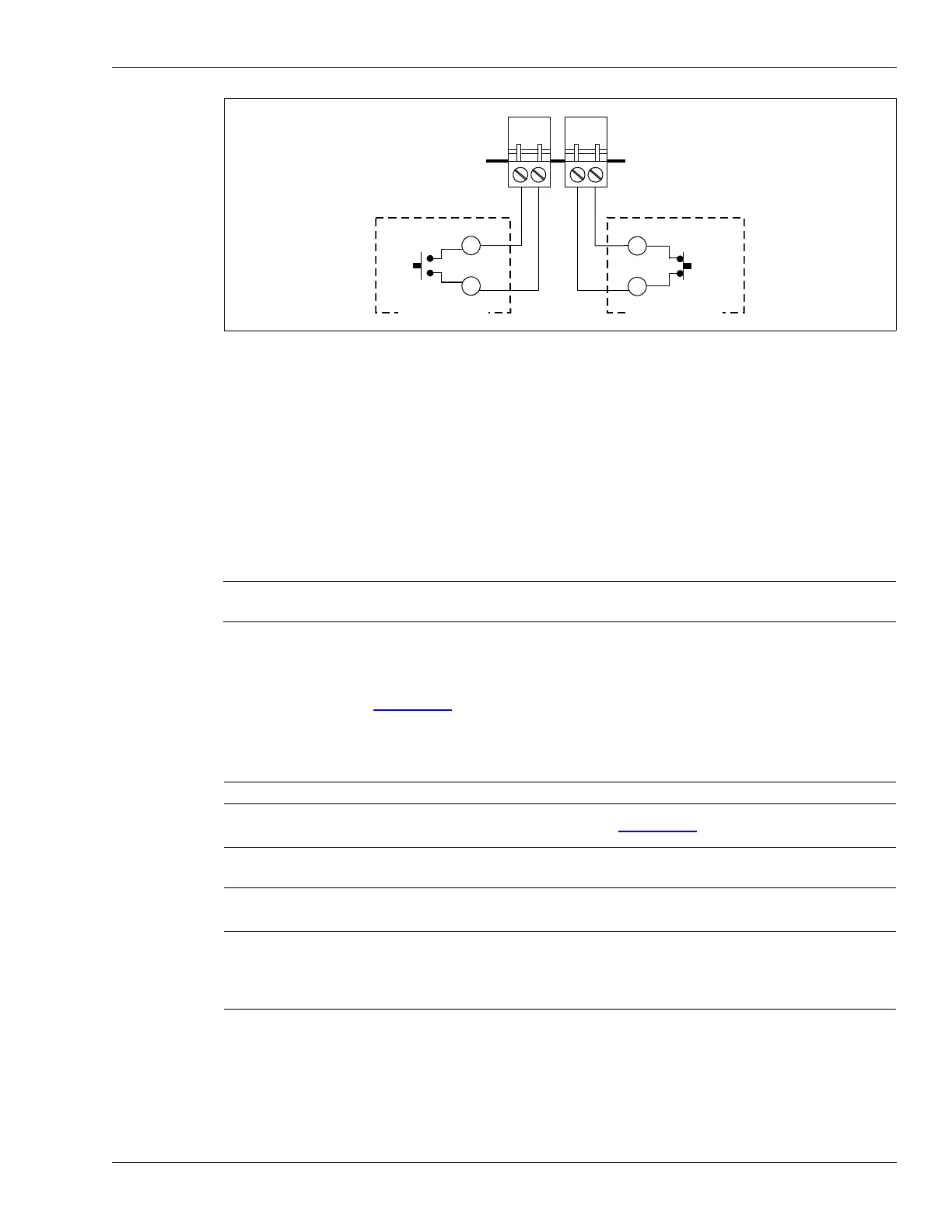
Figure 159: Auxiliary device inputs (unsupervised)
WARNING Do NOT perform maintenance on the processor or lightning arrestors
during an electrical storm.
Note DO NOT tighten the lightning arrestor mounting hardware at this time.
Note Ensure that the seating planes remain level and straight throughout the
tightening process.
Note If you are not using a telecom enclosure, the 1 m length of ground strap
may be insufficient to make the connection. In this case, Senstar
recommends using a minimum 6 AWG bare copper wire for making the
ground connection.
unsupervised input
normally open alarm
relay
unsupervised input
normally closed
alarm relay
AUX 1
AUX 2
alarm relay
(NO)
alarm relay
(NC)
auxiliary device
auxiliary device



 To Next Page