Calibration
Page 200 OmniTrax Product Guide
At the end of the detecting cable (indicated by the decouplers) the detection field begins to decay.
There can also be a higher than normal level of clutter near the decouplers. You must edit the
profile to trim out the unusable signal around the decouplers.
Note Save the UCM file with the original Sensitivity Profile. Whenever editing
the original file, always use the Save As function to rename the file. This
practice enables you to reopen the original Sensitivity Profile if the
changes are unacceptable. Otherwise, you will have to repeat the
centerline cable walk to create a new Sensitivity Profile.
CAUTION Contact Senstar Customer Service for application advice if the profile
editing results in any areas of the perimeter that lack the required
detection sensitivity.
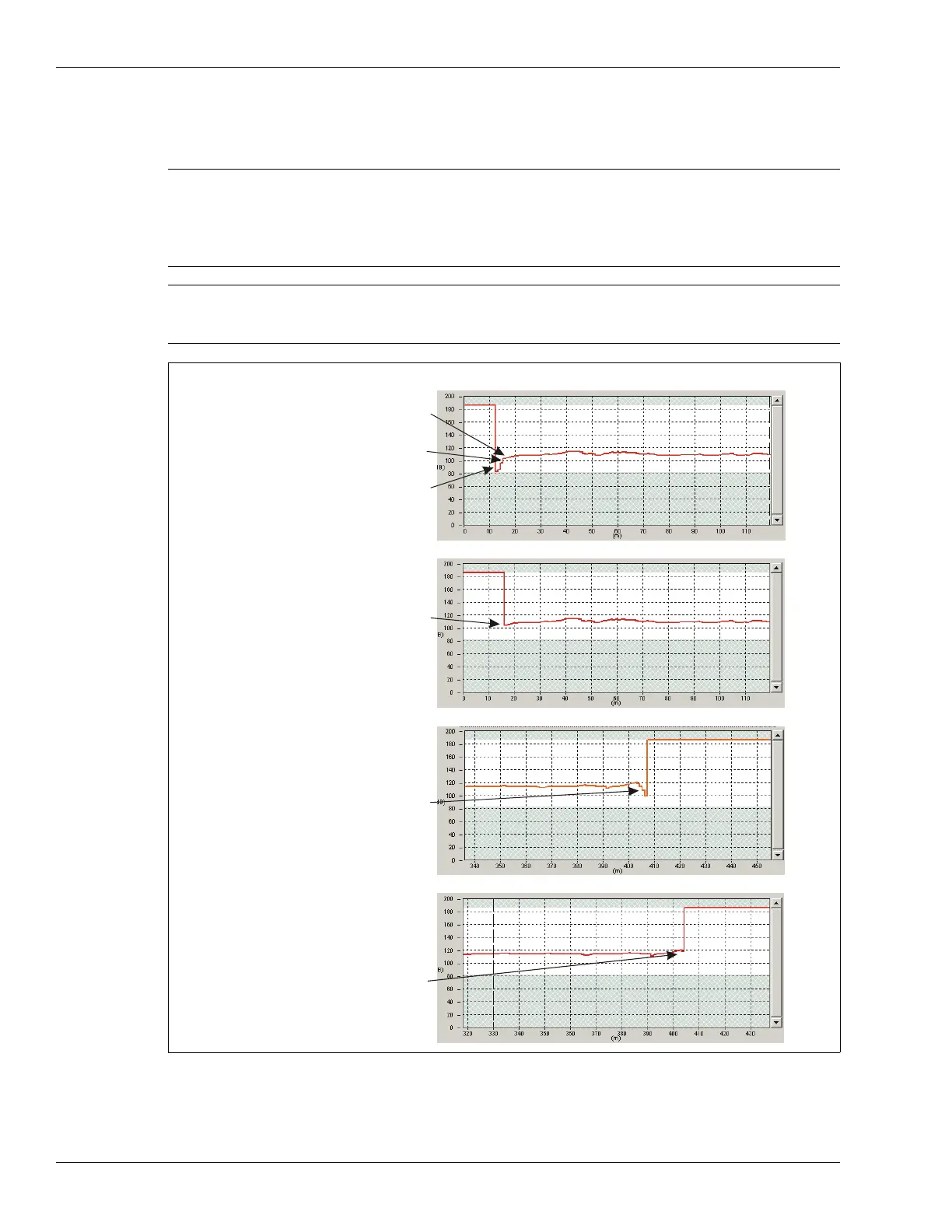
Figure 178: Editing the Sensitivity Profile
detecting field at full strength
(optimal signal level)
detecting field building up
(low but usable signal)
low spot at start of detecting cable
(unusable signal)
consistent profile after profile
editing “trims out” low spot
at startup
low spot at end of detecting cable
(detection signal decaying)
low spot “trimmed out”



 To Next Page