Calibration
Page 202 OmniTrax Product Guide
6. Select the Stop button to stop the recording.
7. Review the plot to determine the exact location where an adequate detection signal begins
(within 3 dB of the cable side’s average signal magnitude).
8. Determine the exact location where optimum detection begins (the signal is approximately
equal to the cable side’s average signal magnitude that was recorded in the sensitivity profile).
9. Repeat this process on the B-side cable.
10. Compare the locations on the two cable sides where both adequate signals and optimum
signals begin.
Ideally, you can use the two optimum signal points and have at least 1 m of overlap with full
detection.
11. Reopen the RawProfile UCM file and use the Save As function to rename the file.
12. Select the Profile button and either use the inclusion window, or enter the exact meters in the
Meters: field (e.g., from 20 to 23) to trim out the unusable sections of cable where the field is
too low to provide adequate detection.
13. Select the Update button to load the profile data.
14. Close the OmniTrax Sensitivity Profile window.
Repeat the profile editing procedure to trim out the unusable signal at the end of the detecting
cable (near the decouplers location).
1. Select the range of Meters that you want to re-profile (e.g., Meters: From 125 to 150).
2. Expand the Magnitudes envelope (indicated by white box) to include the current Profile
reading for the area.
3. Have the walker ready at the 125 m point (outside the cable path).
4. Select Record and rewalk the problem area.
5. Once the walker passes the 150 m point select the Stop button.
6. Select the Update button to add the new Profile data to the existing Profile.
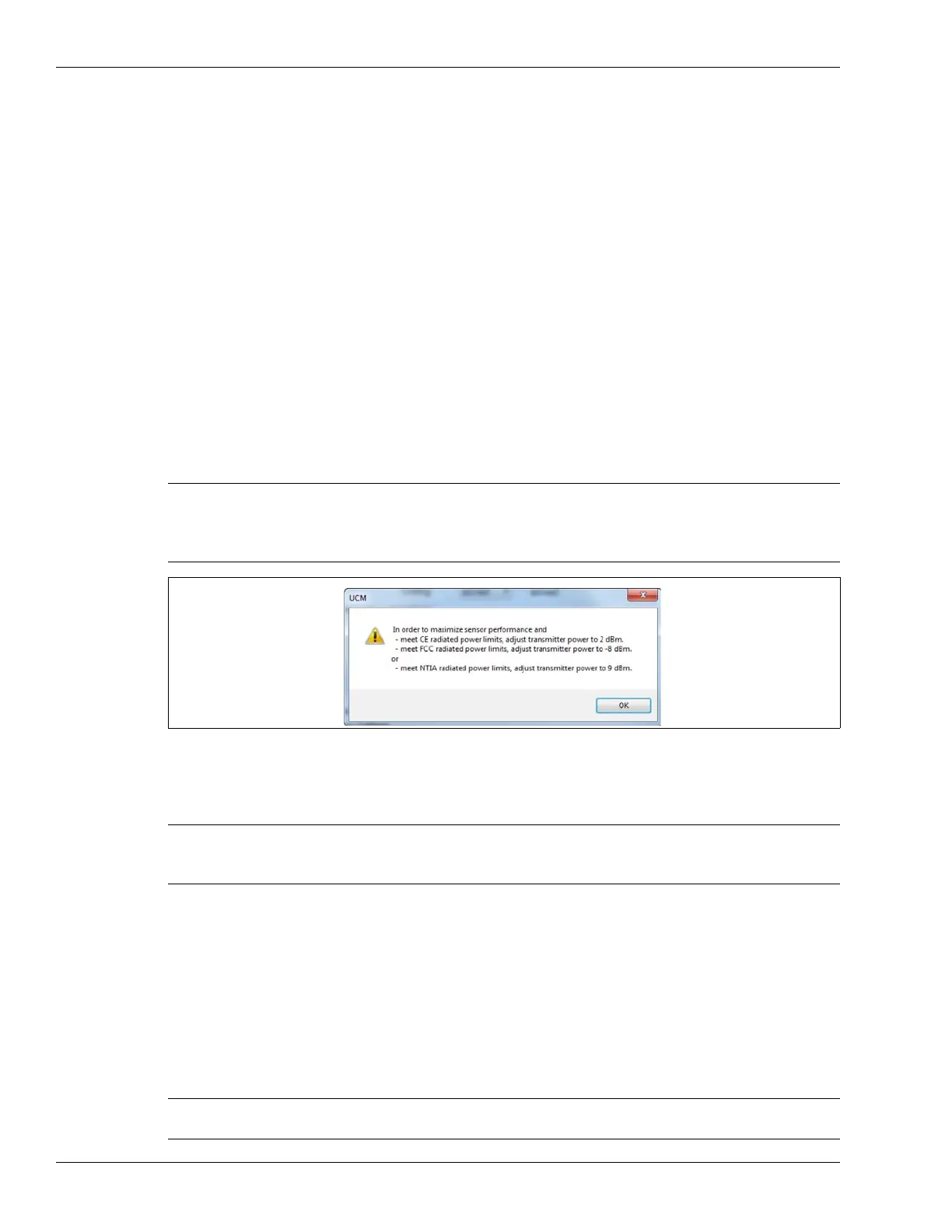
Note When you close the Profile window, a dialog box displays indicating the
recommended Transmitter Power level for this cable side (CE level,
FCC level or NTIA level). Record the value that is appropriate for your
location and application.
Figure 180: Transmitter power setting recommendation
Note If there were any anomalous readings, or problems caused by external
factors such as the walker straying from the cable path, vehicle, or
pedestrian traffic during the Profile, you can repeat sections of the walk.
CAUTION Contact Senstar Customer Service before using the Block Adjust,
Bridge or Updated Profile functions.



 To Next Page