OmniTrax Product Guide Page 251
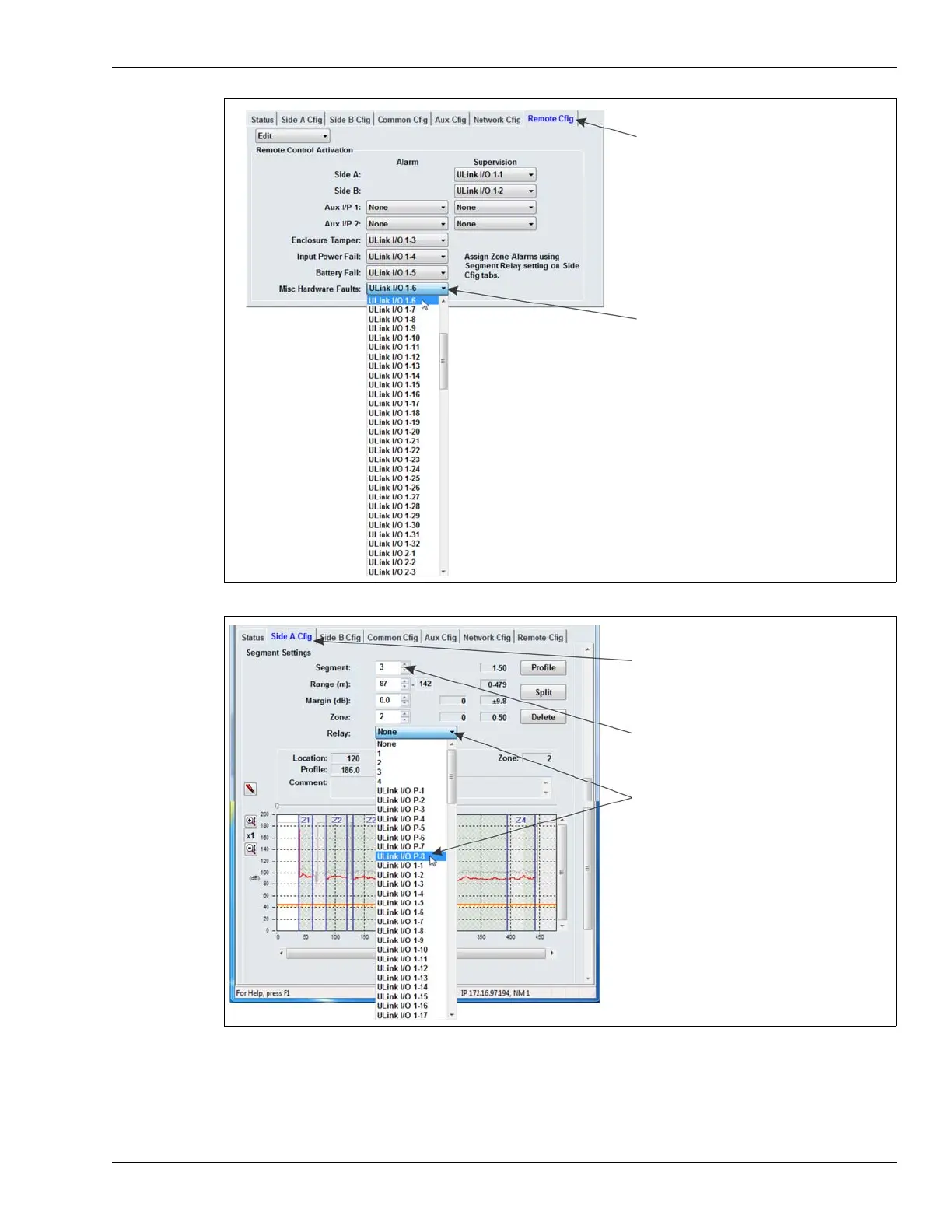
Figure 204: Setting up the Remote Configuration outputs
Figure 205: Selecting the UltraLink I/O outputs for Zone alarms
select the Remote Cfig tab
select the arrow and use the drop-down menu to
specify the appropriate output
select the Side A or Side B Cfig tab
select the arrow and use the drop-down menu to
select the cable Segment that will activate the
UltraLink output when a sensor alarm is detected
specify the output that will activate when the
associated cable Segment detects a sensor alarm
the processor’s 4 onboard relays are also available
within that segment
in NM Mode



 To Next Page