Dubbing a tape easily - Easy Dubbing
Buttons for canceling recording pause on the VCR
The butlons vary depending on your VCR. To cancel recording pause:
Select PAUSE if the button to cancel recording pause is II.
Select REC if the button to cancel recording pause is 0.
Select PB if the button to cancel recording pause is mm,_.
(2) Setting the IR SETUP code
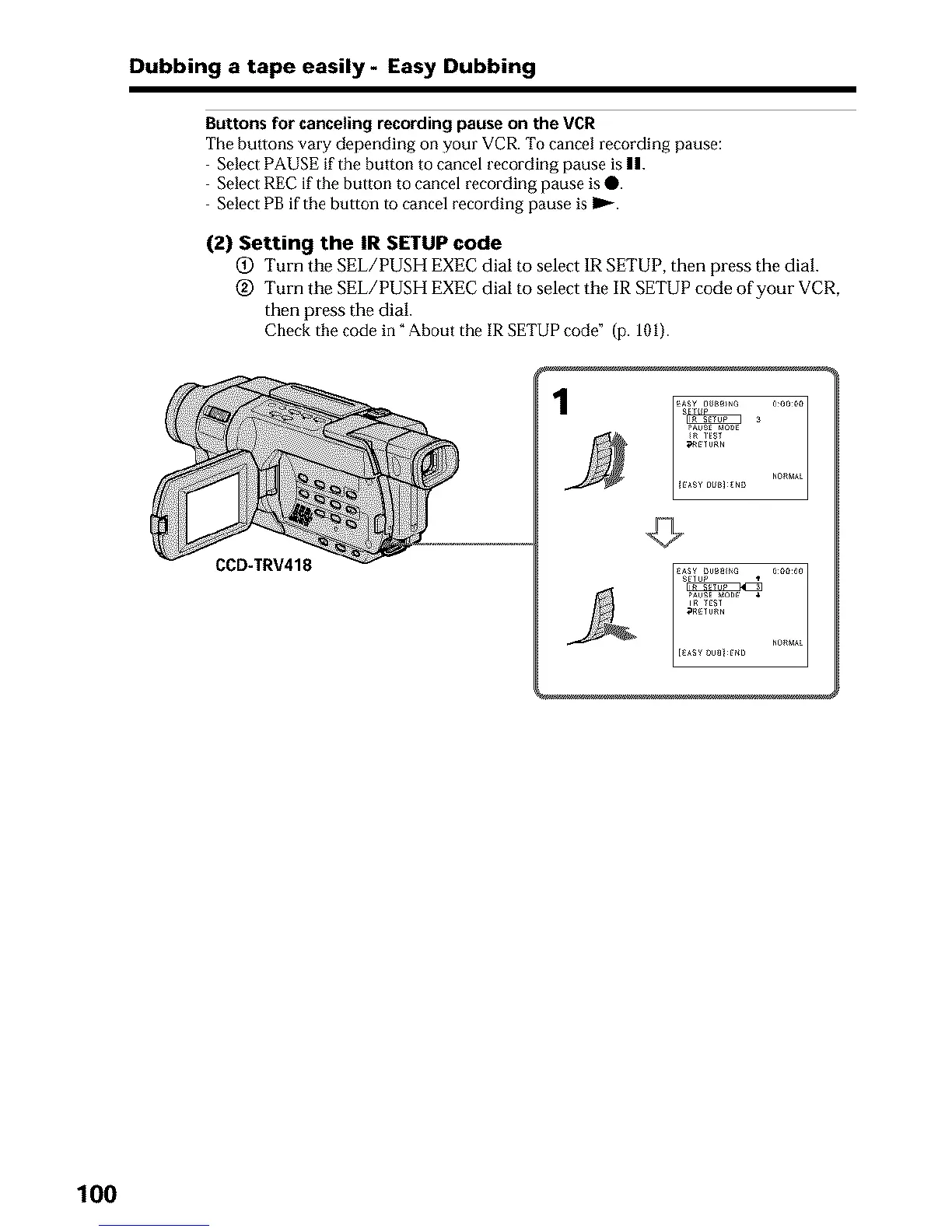
(_) Turn the SEL/PUSH EXEC dial to select 1R SETUP, then press the dial.
@ Turn the gEL/PUSH EXEC dial to select the IR SETUP code of your VCR,
then press the dial.
Check the code in" About the IR SETUP code" (p. 101).
CCD-TRV418
pAusE _0_ _
in TES_
_RE_U_N
100












 To Next Page