Viewing still images - Memory Photo playback
Notes on the file name
• Tile directol T number may not be displayed and only tile file name may he displayed
if the structure of the directory does not conform to the DCF standard.
• The file name flashes on the screen if the file is corrupted or the file is unreadable.
To play back recorded images on a TV screen
• Before operation, connect your camcorder to the TV with the A/V connecting cable
supplied with your camcorder (p. 51).
• When operating memory photo playback on a TV or the LCD screen, image quality
may appear to have deteriorated. This is not a malfunction. The image data is as good
as ever.
• Turn the audio volume of the TV down before operation, or noise (howling) may be
output from the TV speakers.
When there is only one folder on the "Memory Stick"and no image is in it
"_ NO FILE" appears.
PB (playback) folder
You can select the PB folder only in MEMORY mode.
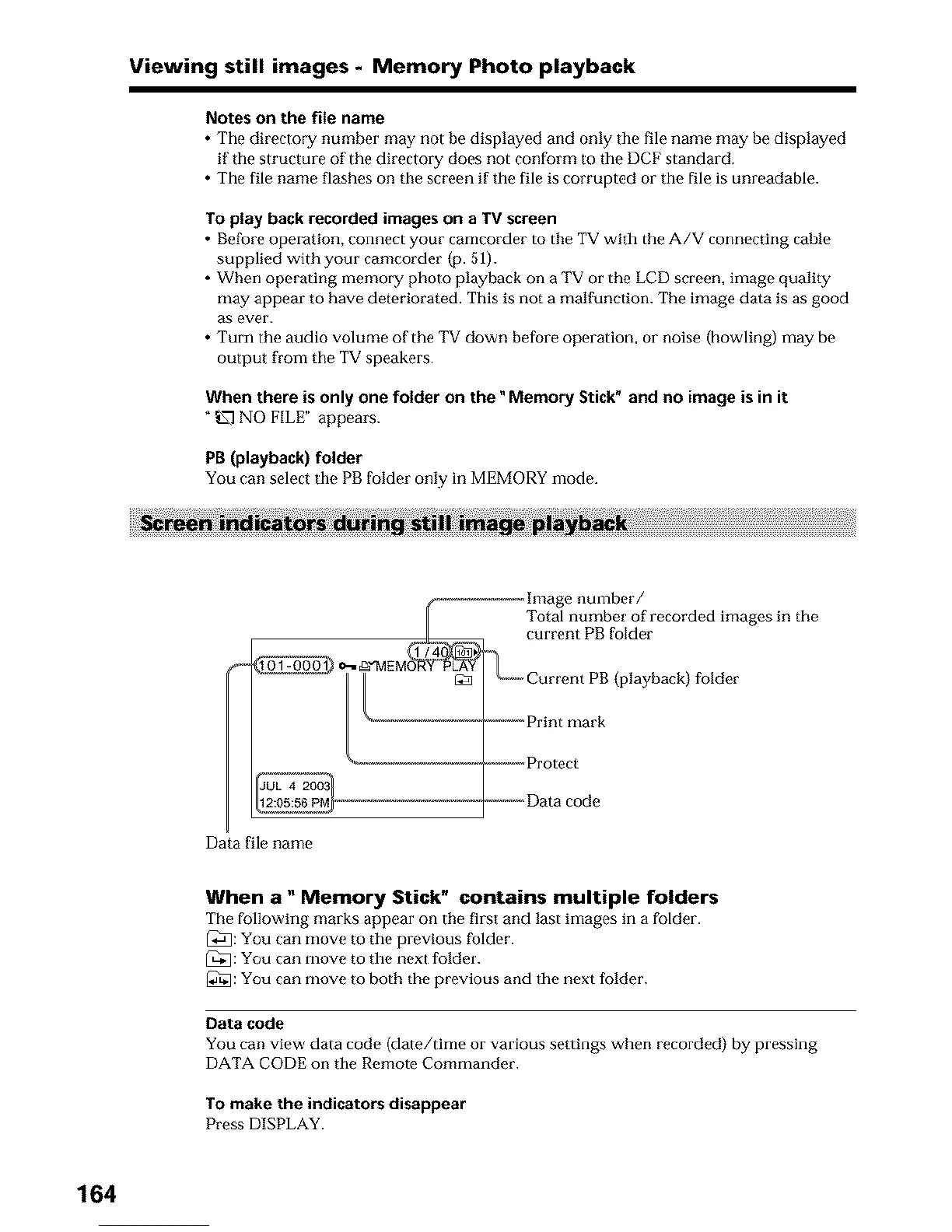
Data file name
Image number/
Total number of recorded images in the
current PB folder
_°C-_,Current PB(playback) folder
-_-_-_-Print mark
,_-_-_-_Protect
_----_,Data code
When a" Memory Stick" contains multiple folders
The following marks appear on tile first and last images in a folder.
[_: You can move to the previous folder.
_[]: You can move to the next folder.
[_]: You can move to both the previous and the next folder.
Data code
You can view data code (date/time or various settings when recorded) by pressing
DATA CODE on the Remote Commander.
To make the indicators disappear
Press DISPLAY.
164





 To Next Page