Using this manual
When you connect your camcorder to other video equipment or a computer using the
USB cable or i.LINK cahle, observe the shape of tile,lack.
If you forcibly insert the plug, thejack may be damaged and they may result in a
malfunction ofyour camcorder.
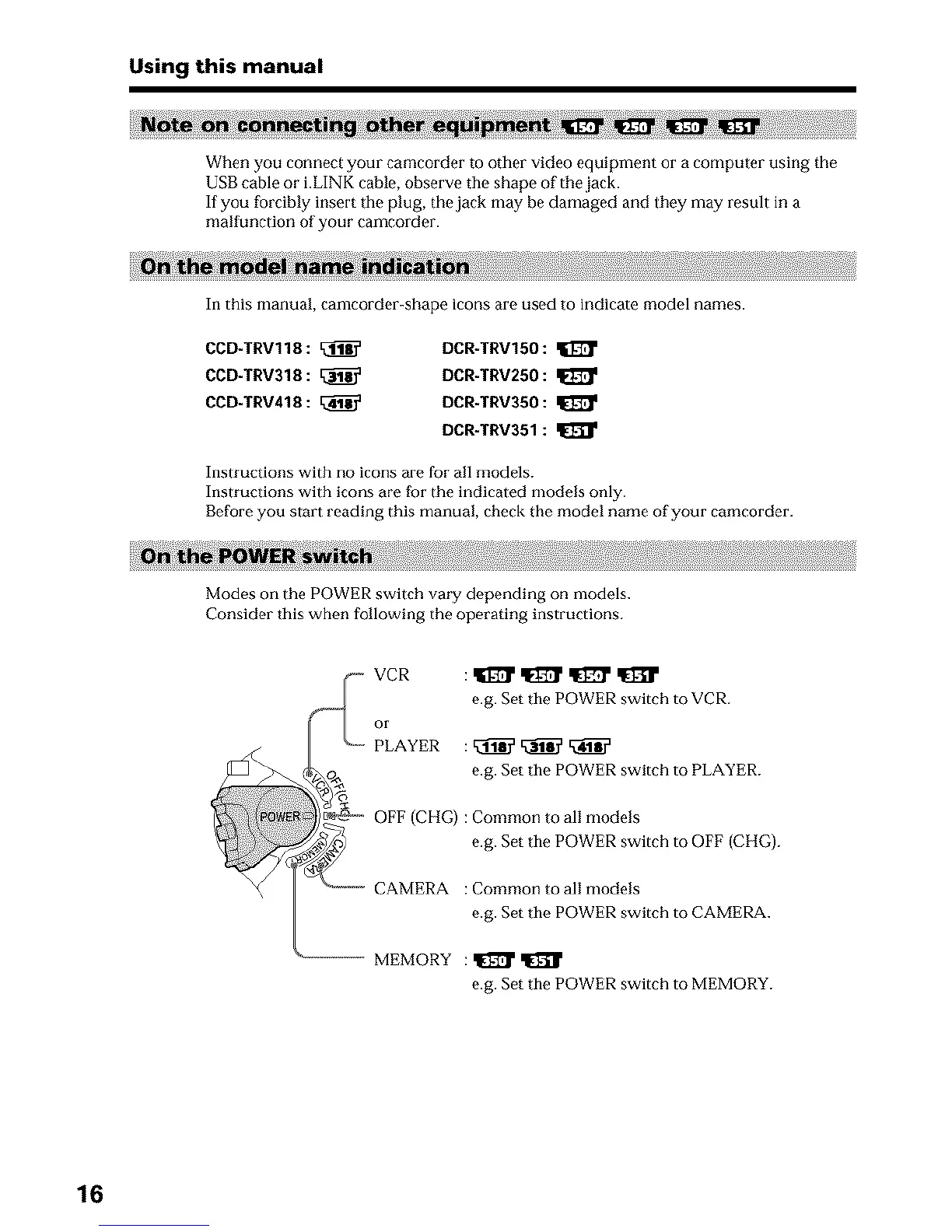
In this manual, camcorder-shape icons are used to indicate model names.
CCD-TRV118:
CCD-TRV318:
CCD-TRV418: [_
DCR-TRV150:
DCR-TRV250: I1_
DCR-TRV350:
DCR-TRV351:
Instructions with no icons are for all models.
Instructions with icons are for the indicated models only.
Before you start reading this manual, check the model name of your camcorder.
Modes on the POWER switch vary depending on models.
Consider this when following the operating instructions.
,,.__- VCR : q[_ q[_ q[_ q[_
e.g. Set the POWER switch to VCR.
or
_ PLAYER : _ _
_o_ e.g. Set the POWER switch to PLAYER.
t_-ec_-_ OFF (CIIG) :Common to all models
e.g. Set the POWER switch to OFF (CHG).
...... CAMERA : Common to all models
e.g. Set the POWER switch to CAMERA.
............ MEMORY : _
e.g. Set the POWER switch to MEMORY.
16












 To Next Page