Inserting a scene from a VCR - Insert Editing
(1) Set the POWER switch to VCR on your camcorder,
(2) On the connected VCR, locate just before the insm_ start point [a], then press II
to set the VCR to the playback pause mode.
(3) On your camcorder, locate the inseit end point [c] by pressing _ or b,-I_.
Then press II to set your camcorder to the playback pause mode.
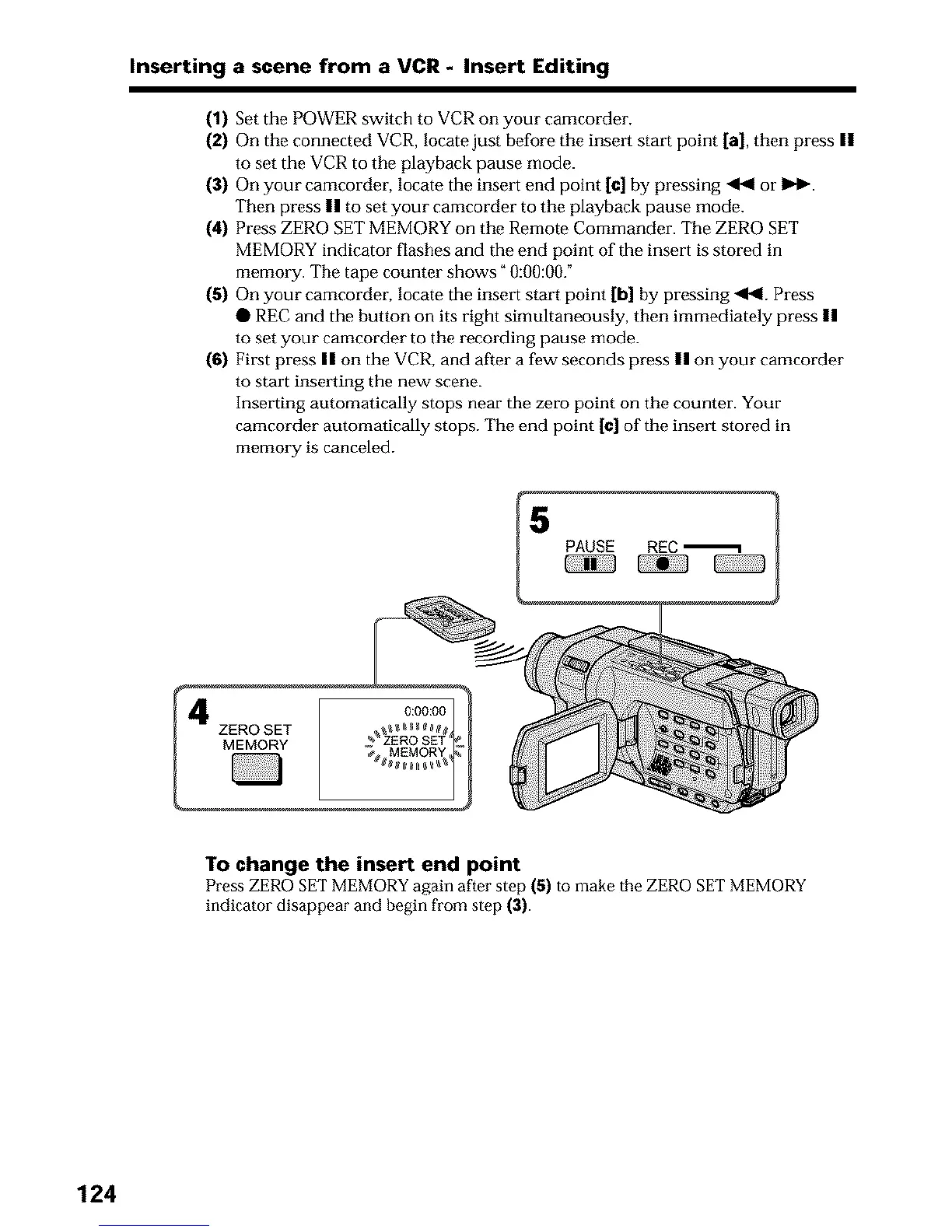
(4) Press ZERO SET MEMORY on the Remote Commander. The ZERO SET
MEMORY indicator flashes and tile end point of the insert is stored in
memory. The tape counter shows "0:00:00."
(5) On your camcorder, locate the insert start point [b] by pressing <I<L Press
• REC and the button on its right simultaneously, then immediately press II
to set your camcorder to the recording pause mode.
(6) First press II on the VCR, and after a few seconds press II on your camcorder
to start insmling the new scene.
Inserting automatically stops near the zero point on the counter. Your
camcorder automatically stops. The end point [¢] of the instant stored in
memo_T is canceled.
To change the insert end point
Press ZERO SET MEMORY again after step (5) to make the ZERO SET MEMORY
indicator disappear and begin from step (3).
124












 To Next Page