Dubbing a tape
Using the i.LINK cable _ qi_]r _'
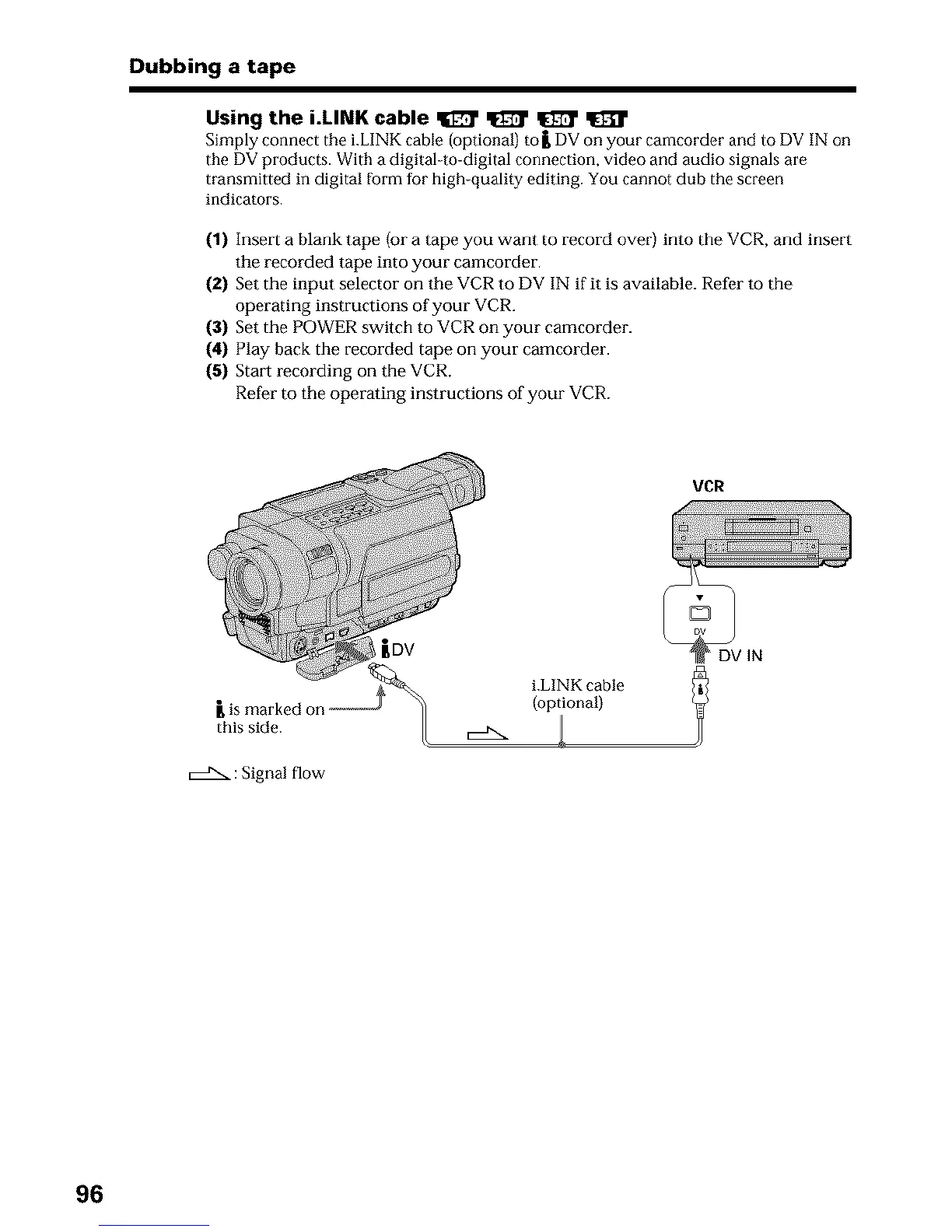
Simply connect the i.LINK cable (optional) to _ DV on your camcorder and to DV IN on
the DV products. With a digital to-digital connection, video and audio signals are
transmitted in digital form for high-quality editing. You cannot dub the screen
indicators.
(1) Insert a blank tape (or a tape you want to record over) into the VCR, and insert
the recorded tape into your camcorder.
(2) Set the input selector on the VCR to DV IN if it is available. Refer to the
operating instructions of your VCR.
(3) Set the POWER switch to VCR on your camcorder.
(4) Play back the recorded tape on your camcorder.
(5) Strut recording on the VCR.
Refer to the operating instructions of your VCR.
is marked on -_-_--
this side.
_"-- : Signal flow
_DV
i.LINK cable
{optional)
VCR
DV IN
96












 To Next Page