QuickStart Guide. Recordingon a" Memory Stick"
This chapter introduces you to the basic features to record on a
Memory Stick" of your camcorder. See the page in parentheses
( )" for more information.
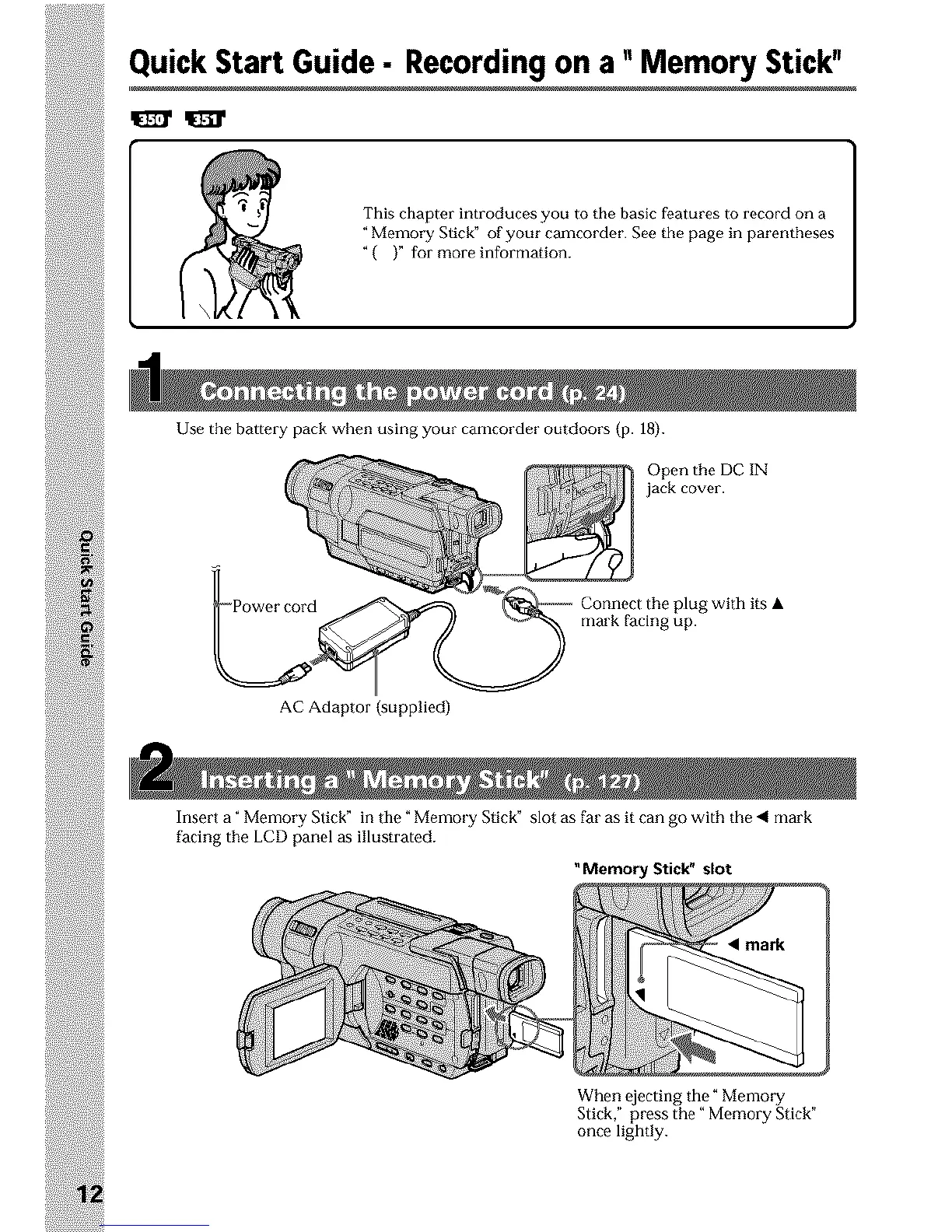
Use the battery pack when using your camcorder outdoors (p. 18).
Open the DC IN
jack cover.
AC Adaptor (supplied)
Connect Ihe plug with its •
mark facing up.
Insert a _Memory Slick" in the _ Memory Stick" slot as far as it can go with the _ mark
facing the LCD panel as illustrated.
Memory Stick" slot
When Pjecting the _Memory
Slick," press the" Memory Stick"
once lightly.












 To Next Page