Enlarging still images recorded on a
"Memory Stick" - Memory PB ZOOM
_T q_T
You can enlarge still images recorded on a" Memory Stick." You can select and view a
desired part from the enlarged still image. Also, you can copy the desired part of the
enlarged still image to a tape.
Before operation
Insert a" Memory Stick" into your camcorder.
(1) Set the POWER switch to MEMORY or VCR. Make sure that the LOCK switch
is set to the left (unlock} position.
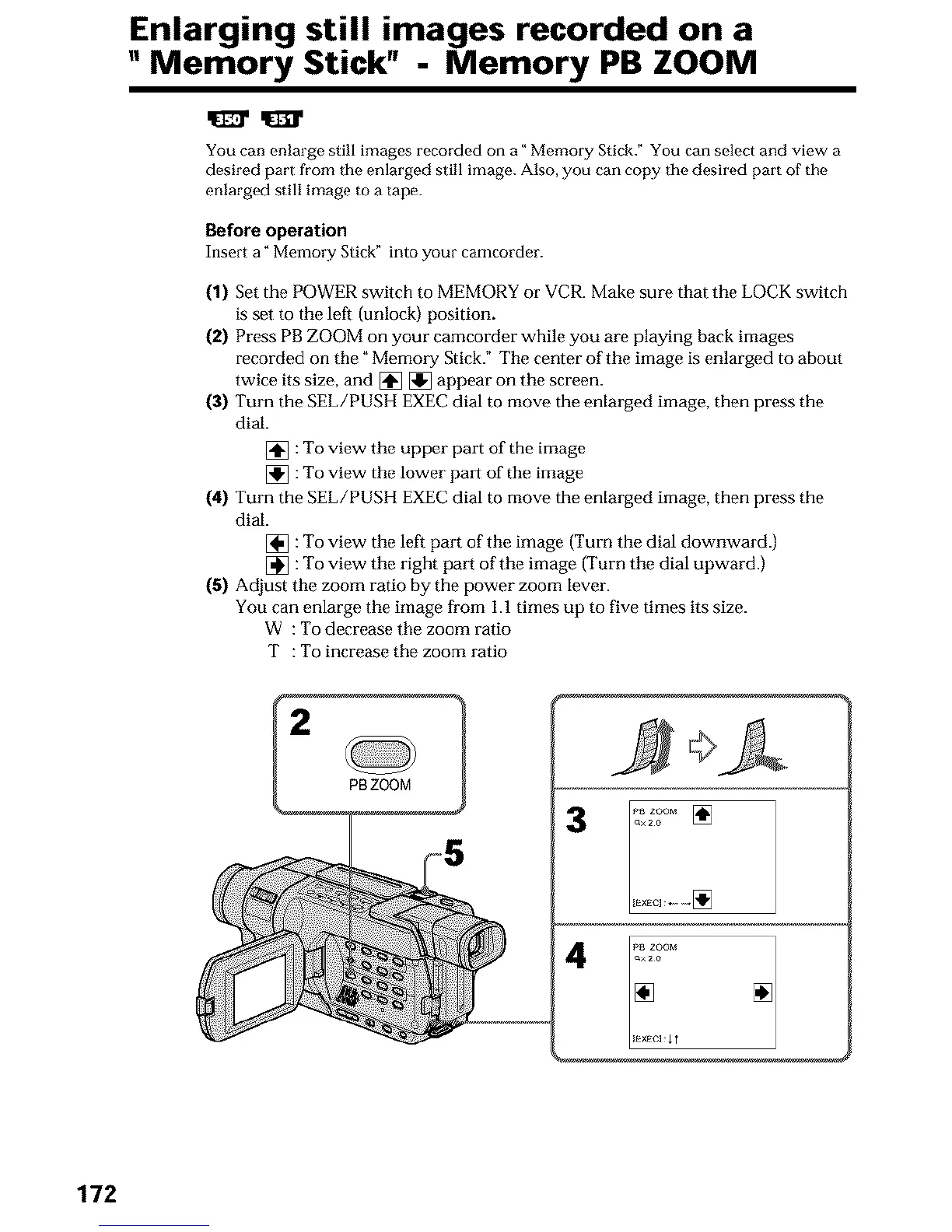
(2) Press PB ZOOM on your camcorder while you are playing back images
recorded on the _Memo_ T Stick." The center of the image is enlarged to about
twice its size, and [] [] appear on the screen.
(3) Turn the SEL/PUSH EXEC dial to move the enlarged image, then press the
dial.
[] : To view the upper part of the image
[] : To view the lower part of the image
{4) Turn the SEE/PUSH EXEC dial to move the enlarged image, then press the
dial.
[] : To view the left pa_l of the image (Turn the dial downward.)
[] : To view the right part of the image (Turn the dial upward.)
{5) Adjust the zoom ratio by the power zoom lever.
You can enlarge the image from 1.1 times up to five times its size.
W : To decrease the zoom ratio
T : To increase the zoom ratio
PBZOOM
L_EXECl11
172












 To Next Page