- Customizing Your Camcordet -
Changing the menu settings
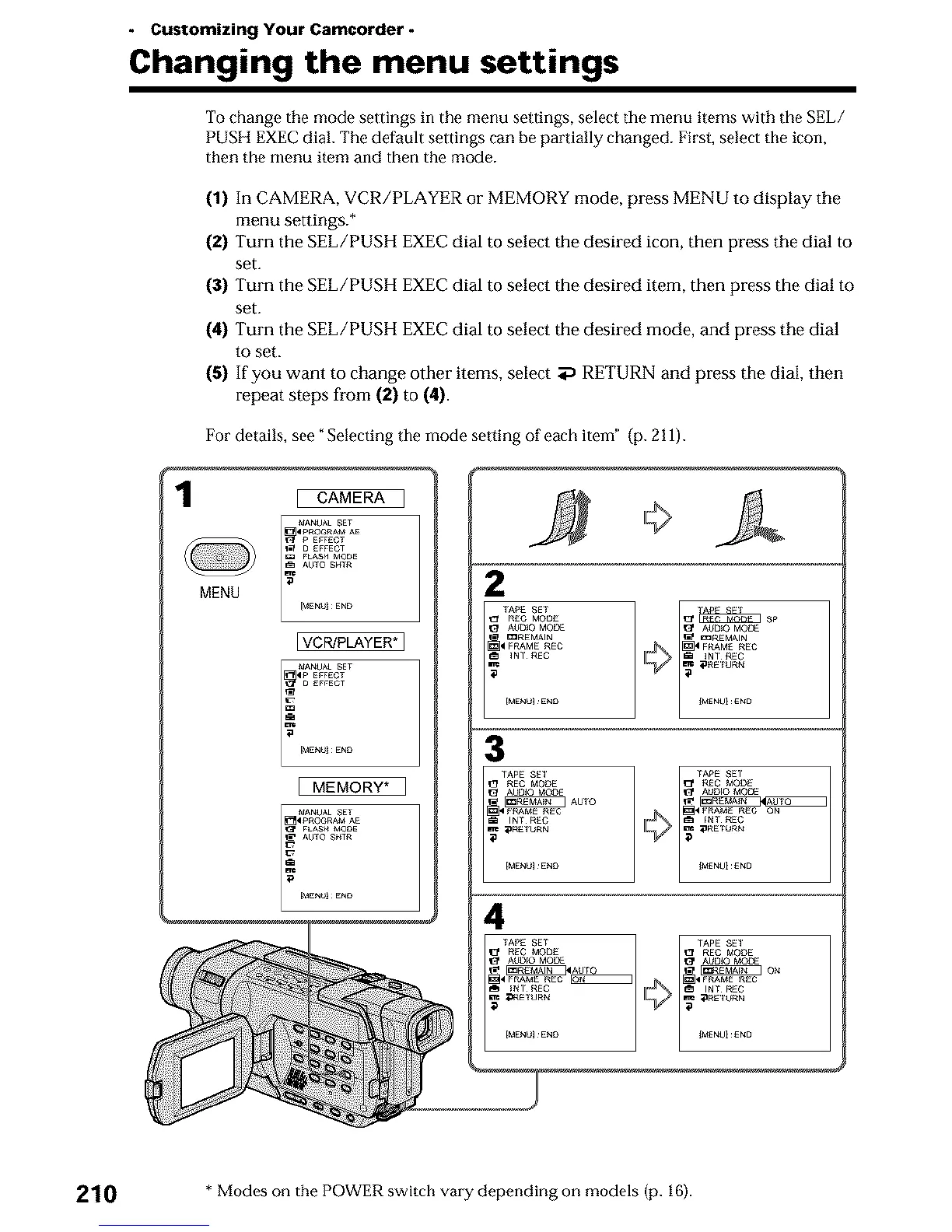
To change the mode settings in the menu settings, select the menu items with the SEL/
PUSH EXEC dial. The default settings can be partially changed. First, select the icon,
then the menu item and then the mode.
(1) In CAMERA, VCR/PLAYER or MEMORY mode, press MENU to display the
menu settings.*
(2) Turn the SEL/PUSN EXEC dial to select the desired icon, then press the dial to
set.
(3) Turn the SEL/PUSN EXEC dial to select the desired item, then press the dial to
set.
(4) Turn the SEL/PUSH EXEC dial to select the desired mode, and press the dial
to set.
(5) If you want to change other items, select aP RETURN and press the dial, then
repeat steps from (2) to (4).
1
For details, see ¢Selecting the mode setting of each item" (p. 211).
MENU
CAMERA ]
VCP#PLAYER*]
MANU_ SET
4P EFFECT
D EFFECT
[ME_U_ ENO
MEMORY* ]
li.........
i
[MENU_ENO
2
TA_ SET
REC MO_E
A_D_O MODE
mREMAIN
FRAME REC
INT REC
[MENUI E_O
3
TAPE SET
_f REC MODE
[_ AUdiO MCDE
AUTO
_ _RAME REC
_ _R_TURN
[MENUI E_O
4
210 *Modes on the POWER switch vary depending on models (p. 16).












 To Next Page