Playing back a tape with digital effects
During playback, you can process a scene using the following digital effects:
STILL, FLASH, LUML and TRAIL.
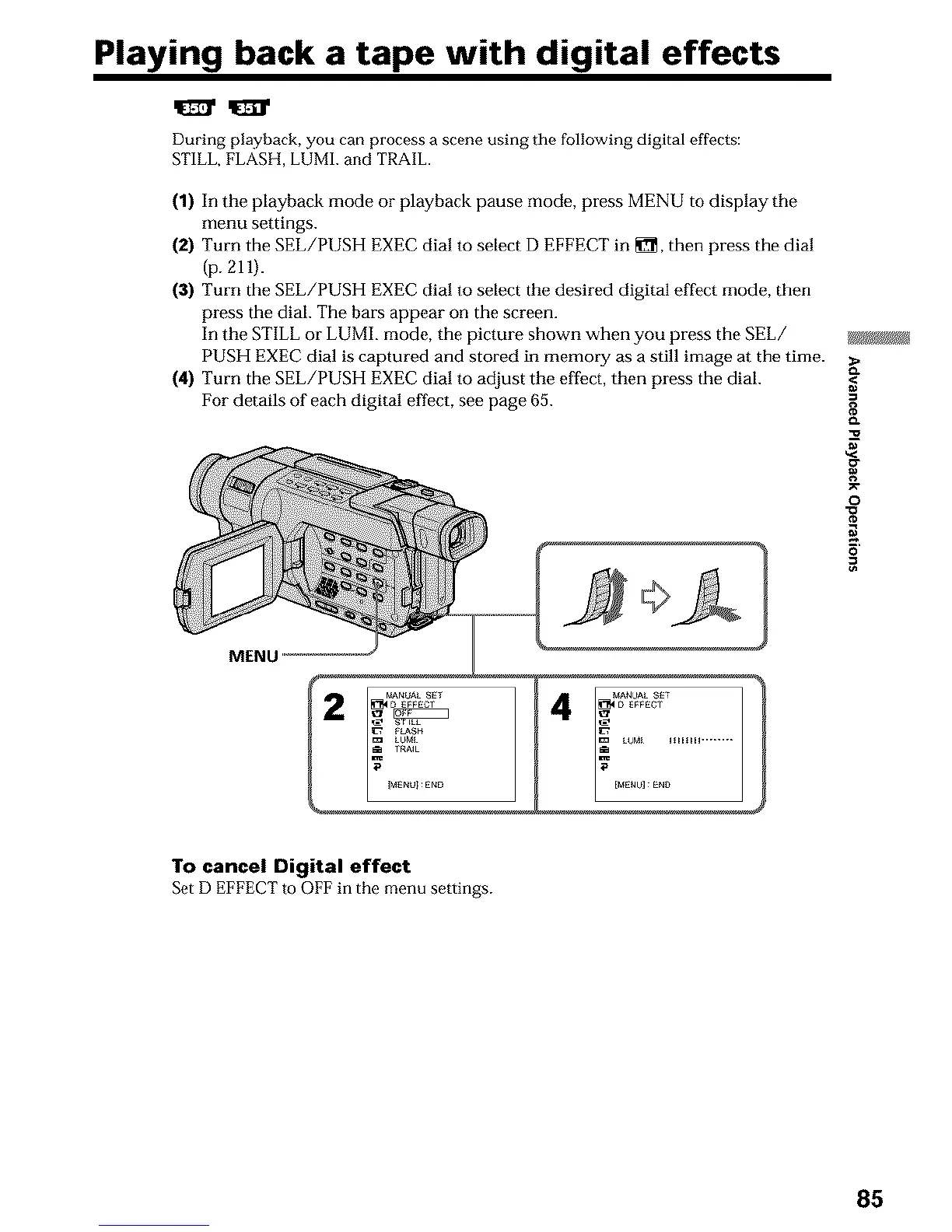
(1) In the playback mode or playback pause mode, press MENU to display the
menu settings.
(2) Turn the SEL/PUSH EXEC dial to select D EFFECT in _, then press the dial
(p. 211).
(3) Turn the SEL/PUSH EXEC dial to select the desired digital effect mode, then
press the dial. The bars appear on the screen.
In the STILL or LUML mode, the picture shown when you press the SEL/
PUSH EXEC dial is captured and stored in memory as a still image at the time.
(4) Turn the SEL/PUSH EXEC dial to adjust the effect, then press the dial.
For details of each digital effect, see page 65.
MENU
.=
o.
g
o
N
To cancel Digital effect
SetD EFFECTto OFFin the menu settings.
85












 To Next Page