Step 3 Inserting a cassette
See page 15 for details about the usable cassettes types.
(1) Prepare the power source (p. 18).
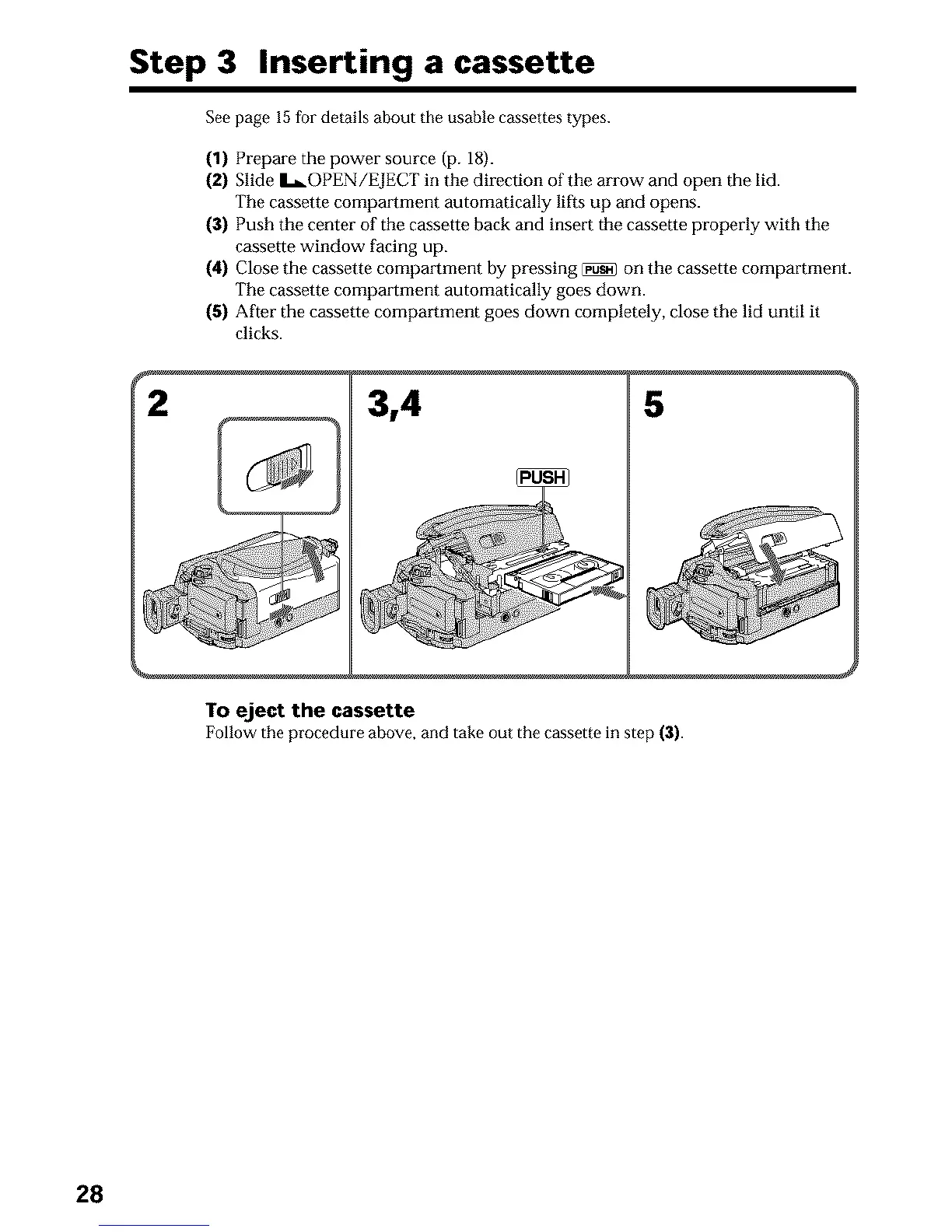
(2) Slide L_OPEN/EJECT in the direction of the arrow and open the lid.
The cassette compmlment automatically lifts up and opens.
(3) Push the center of the cassette back and insert the cassette properly with the
cassette window facing up.
(4) Close the cassette compartment by pressing _ on the cassette compartment.
The cassette compmtment automatically goes down.
(5) After the cassette compartment goes down completely, close the lid until it
clicks.
2 3,4 5
To eject the cassette
Follow the procedure above, and take out the cassette in step (3).
28












 To Next Page