Inserting a scene
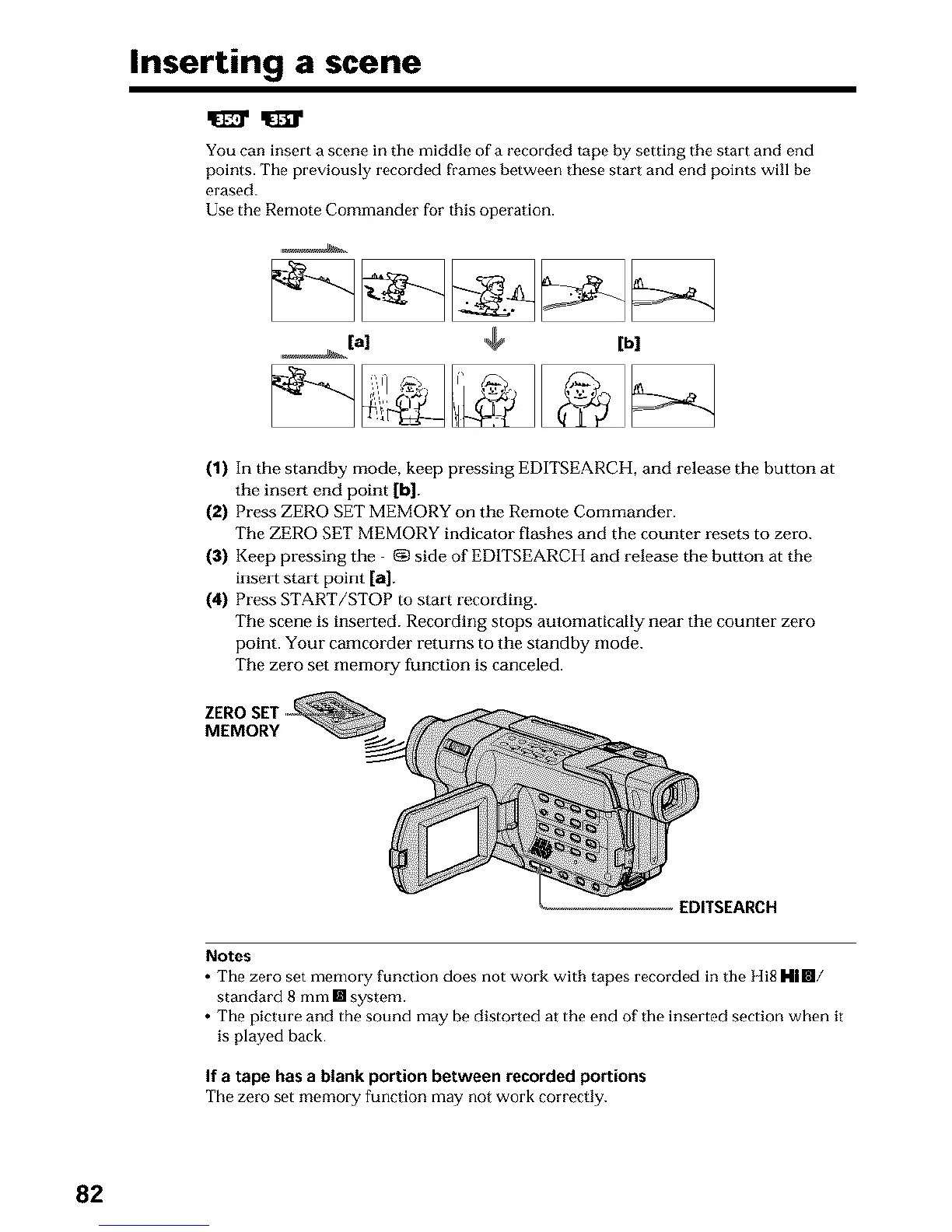
You can insert a scene in the middle of a recorded tape by setting the start and end
points. The previously recorded frames between these start and end points will be
erased.
Use the Remote Commander for this operation.
,_(al [bl
(1) In the standby mode, keep pressing EDITSEARCH, and release the button at
the insert end point [b].
(2) Press ZERO SET MEMORY on the Remote Commander.
The ZERO SET MEMORY indicator flashes and the counter resets to zero.
(3) Keep pressing the _g)side of ED1TSEARCH and release the button at the
insmt start point [a].
(4) Press START/STOP to start recording.
The scene is instated. Recording stops automatically near the counter zero
point. Your camcorder returns to the standby mode.
The zero set memoq/function is canceled.
ZERO SET
MEMORY
EDITSEARCH
Notes
• The zero set memory function does not work with tapes recorded in the Hi8 Rill/
standard 8 mm [] system.
• The picture and the sound may be distorted at the end of the inserted section when it
is played hack.
If a tape has a blank portion between recorded portions
The zero set memory function may not work correctly.
82












 To Next Page