Enlarging recorded images
- Tape PB ZOOM
You can enlarge an image recorded on tapes.
Besides the operation described here, your camcorder can enlarge still images recorded
on a" Memory Stick" (p. 172).
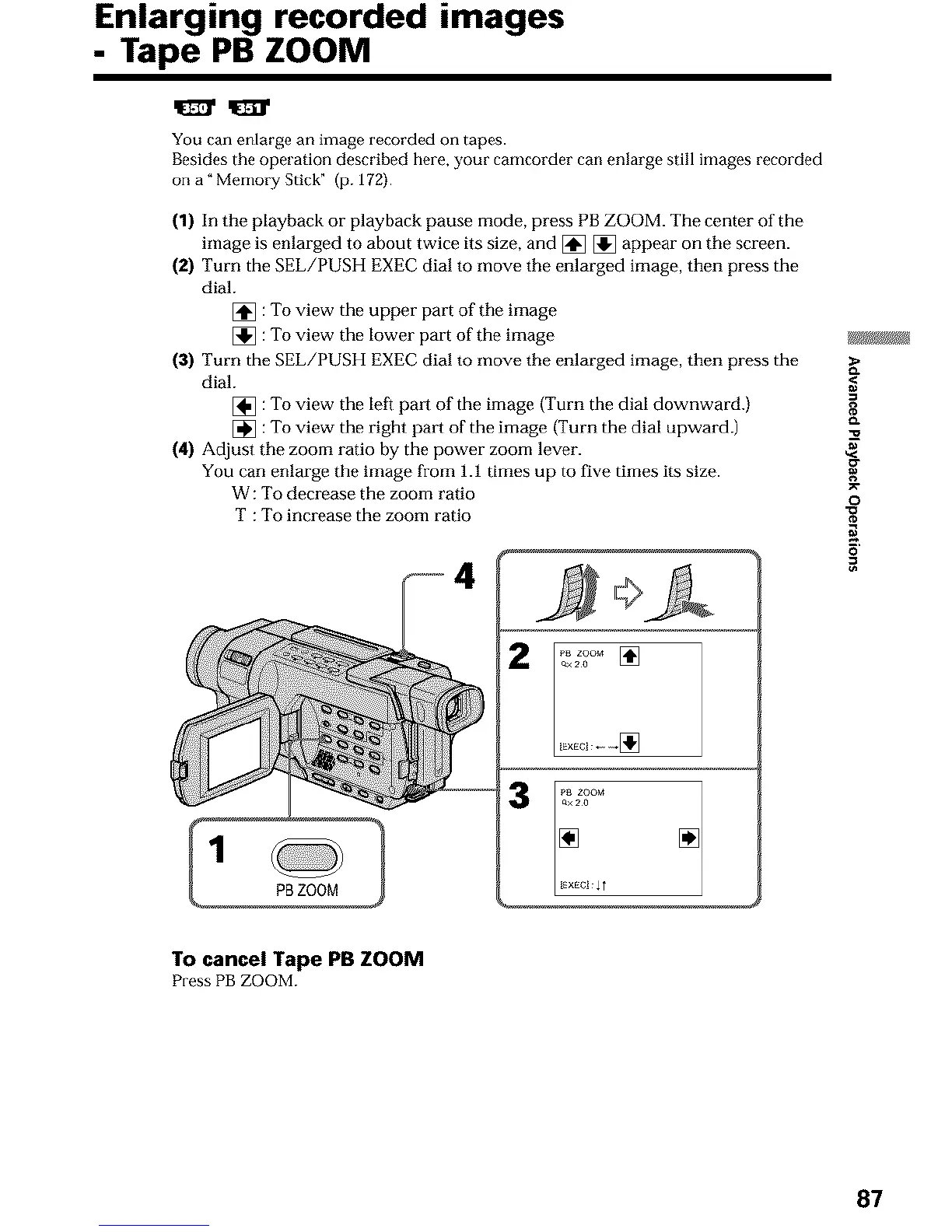
(1) In the playback or playback pause mode, press PB ZOOM. The center of the
image is enlarged to about twice its size, and [] [] appear on the screen.
(2) Turn the SEL/PUSH EXEC dial to move the enlarged image, then press the
dial.
[] :To view the upper part of the image
[] :To view the lower part of the image gJ_
(3) Turn the SEL/PUSH EXEC dial to move the enlarged image, then press the
dial.
[] :To view the left pro1 of the image (Turn the dial downward.) g
[] :To view the right pm_i of the image (Turn the dial upward.) _"
(4) Adjust the zoom ratio by the power zoom lever.
You can enlarge the image from 1.1 times up to five times its size.
W :To decrease the zoom ratio _-O
T :To increase the zoom ratio "_
4
p_ zoom
oa20 []
_xEcl I
To cancel Tape PB ZOOM
Press PBZOOM.
87












 To Next Page