Step 1 Preparing the power supply
To check the state of the battery (BATTERY INFO)
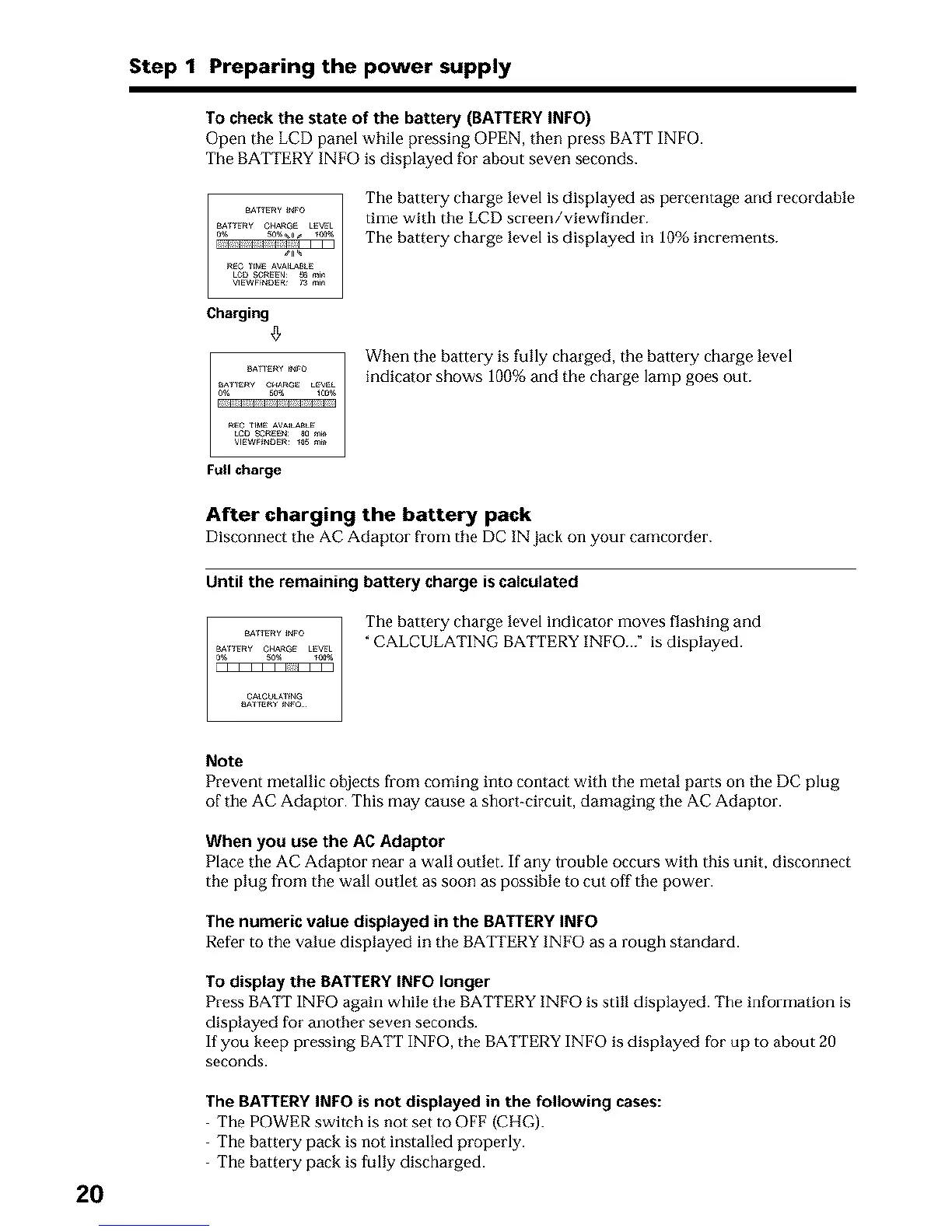
Open the LCD panel while pressing OPEN, then press BATT INFO.
The BATTERY INFO is displayed for about seven seconds.
The baltery charge level is displayed as percentage and recordable
time with the LCD screen/viewfinder.
The battery charge level is displayed in 10% increments.
Charging
When the battery is fully charged, the battery charge level
indicator shows 100% and the charge lamp goes out.
Full charge
After charging the battery pack
Disconnect tile AC Adaptor from the DC IN jack on your camcorder.
Until the remaining battery charge is calculated
Tile battery charge level indicator moves flashing and
_nFw _Fo
"CALCULATING BATTERY INFO... ° is displayed
0g,_r_Fw OH_GES0%L_VL_o_
OAteUlA_fN_
20
Note
Prevent metallic objects from coming into contact with the metal parts on the DC plug
of the AC Adaptor. This may cause a short-circuit, damaging the AC Adaptor.
When you use the AC Adaptor
Place the AC Adaptor near a wall outlet. If any lrouble occurs with this unit, disconnect
the plug from the wall outlet as soon as possible to cut off the power.
The numeric value displayed in the BATTERYINFO
Refer to the value displayed in the BATTERY INFO as a rough standard.
Todisplay the BATTERYINFO longer
Press BATT INFO again while the BATTERYINFO is still displayed. The information is
displayed for another seven seconds.
If you keep pressing BATTINFO, the BATTERY INFO is displayed for up to about 20
seconds.
The BATTERY INFO is not displayed in the following cases:
The POWER switch is not set to OFF (CI tG).
The battery pack is not installed properly.
The battery pack is fully discharged.












 To Next Page