Using a" Memory Stick" - Introduction
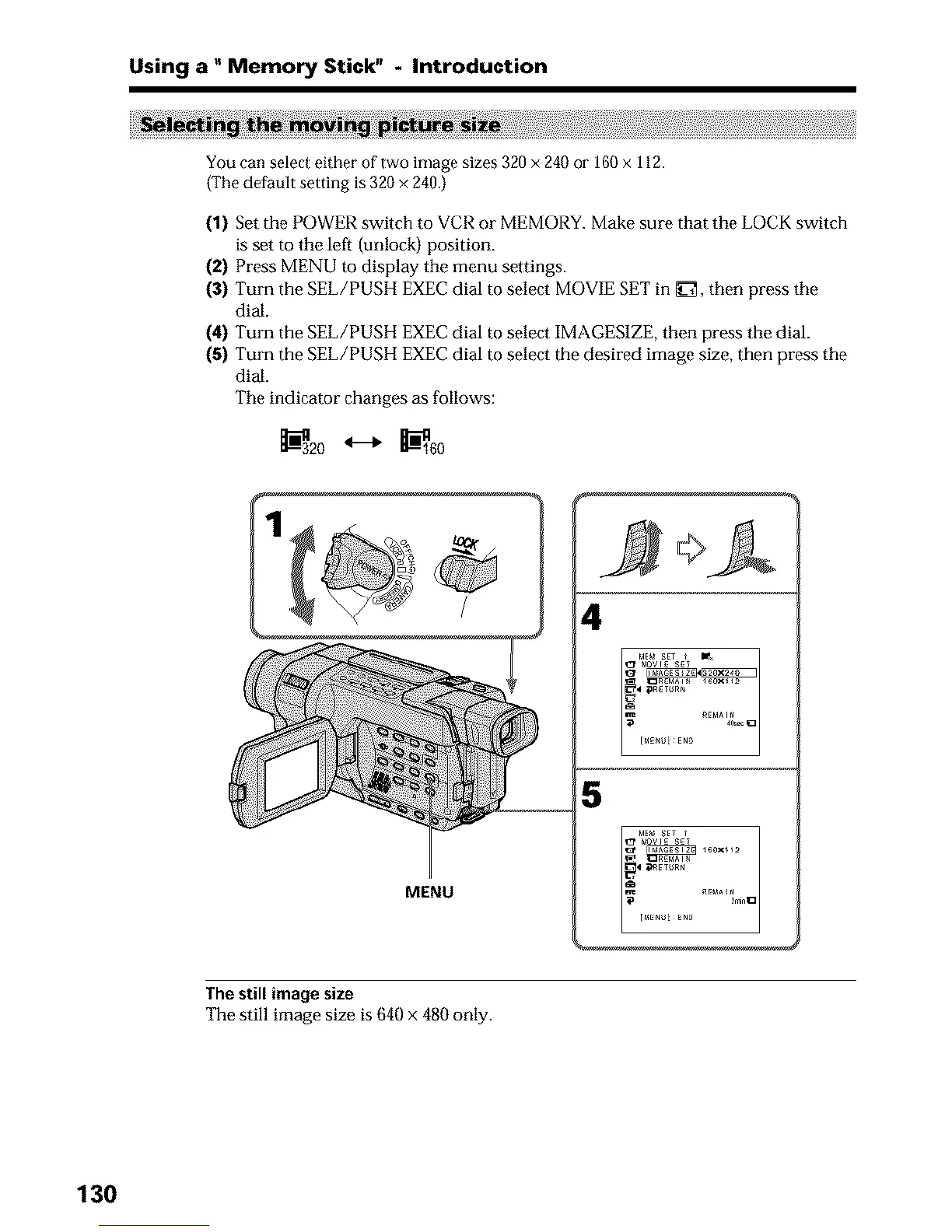
You can select either of two image sizes 320 x 240 or 160 x 112.
(The default setting is 320 × 240.)
(1) Set the POWER switch to VCR or MEMORY. Make sure that the LOCK switch
is set to the left (unlock) position.
(2) Press MENU to display the menu settings.
(3) Turn the SEE/PUSH EXEC dial to select MOVIE SET in _ET, then press the
dial.
(4) Tm-n the SEE/PUSH EXEC dial to select IMAGES1ZE, then press the dial.
(5) Turn the SEE/PUSH EXEC dial to select the desired image size, then press the
dial.
The indicator changes as follows:
_320 _ _-'_160
4
5
MENU
The still image size
The still image size is 640 x 480 only.
130





 To Next Page