- Playback- Basics-
Playing back a tape
You can monitor the playback picture on the LCD screen. If you close the LCD panel,
you can monitor the playback picture in the viewfinder.
You can control playback using the Remote Commander supplied with your
cameorder.
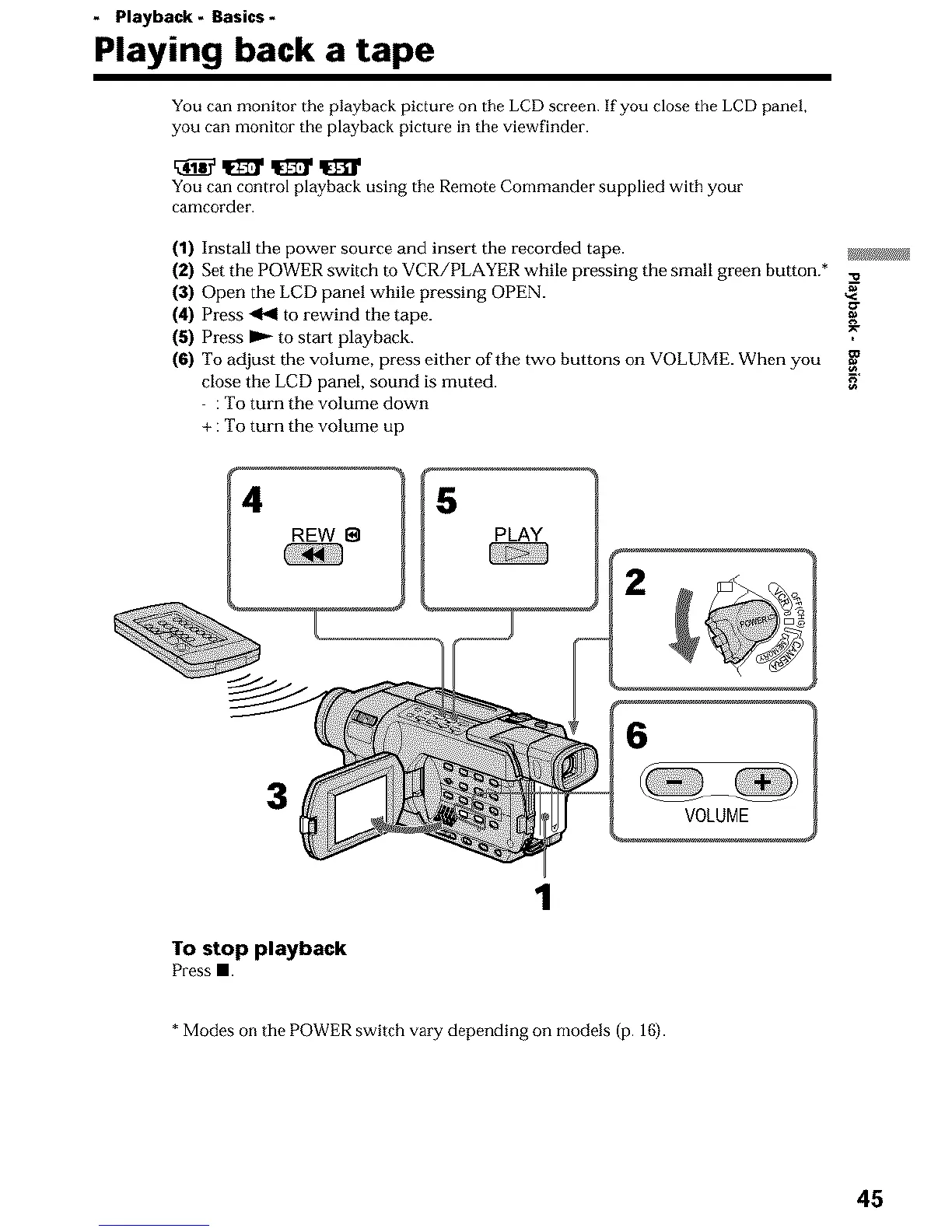
(1) Install the power source and insert the recorded tape. _j
(2) Set the POWER switch to VCR/PLAYER while pressing the small green button.* ._
(3) Open the LCD panel while pressing OPEN. ,<_"
(4) Press q'4 to rewind the tape.
(5) Press _ to start playback.
(6) To adjust the volume, press either of the two buttons on VOLUME. When you
close the LCD panel, sound is muted. 3"
: To turn the volume down
+ : To turn the volume up
REW 8
3
VOLUME
To stop playback
Press ll.
1
* Modes on the POWER switch vary depending on models (p. 16).
45












 To Next Page